
Zwiebel1404 - Minecraft Skins & Skin History
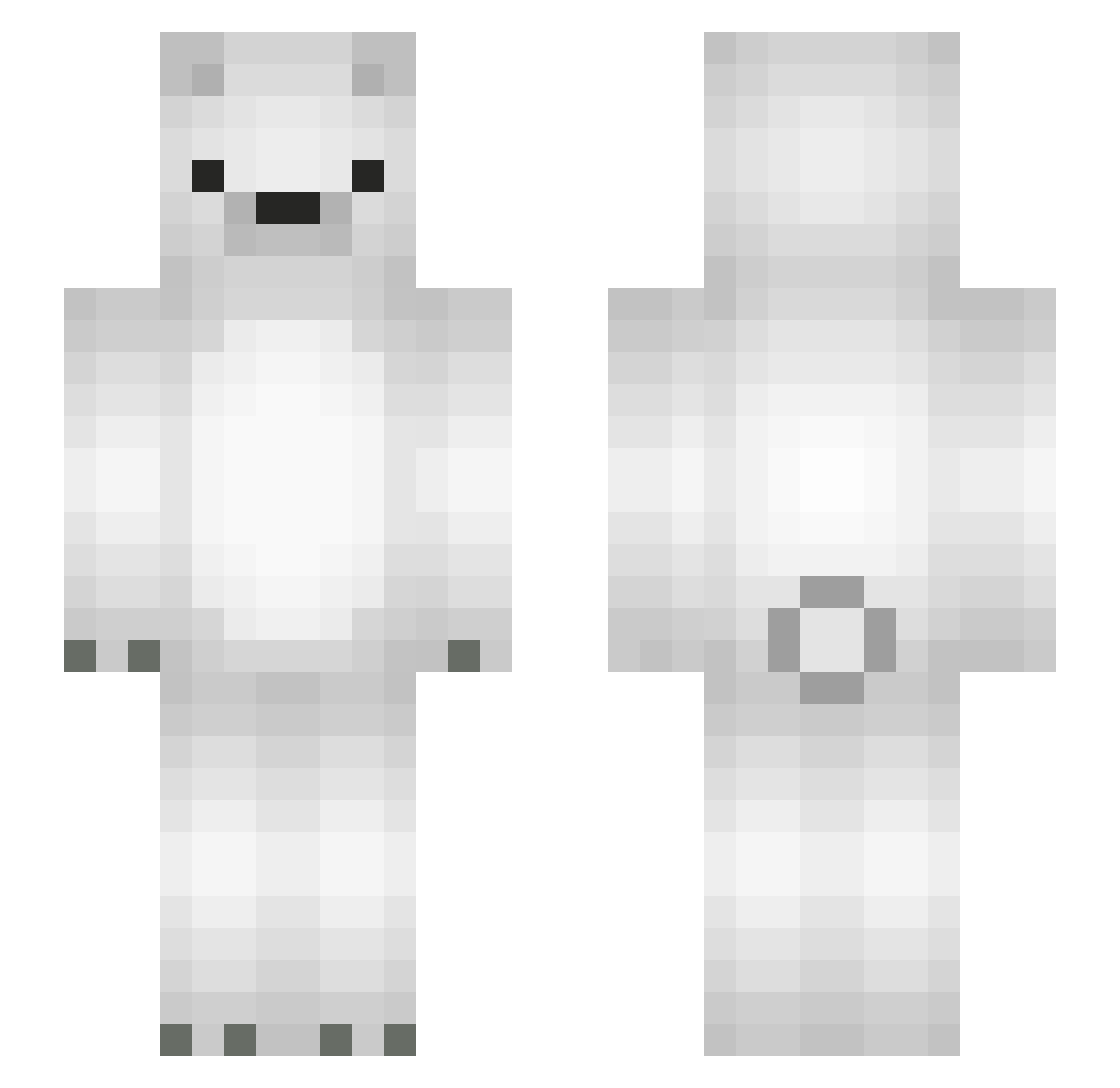
Current Minecraft skin of the player Zwiebel1404, loaded from the official Mojang API. Rotate the 3D model with your mouse or finger, then download the skin as a PNG file and use it in Minecraft: Bedrock Edition or Java Edition for free. When Zwiebel1404 changes their skin, this page updates automatically and the old skin stays in the history below.
Other players with this skin (102)
Zwiebel1404 was the 99th player we have seen with this skin, first spotted on 14.11.2026. The same skin was seen on these players. Open a nickname to see their current skin and skin history.
 turtletoegaming abi_towler BearsBe kumagoro317 ReaxeyBDF confeitoooo JOINTsuger FlimNep fichh adai0701 masekre BearsOnMars smith4592 Theagou datemaki008 heletita oyatsulabo Thanks_ BlackSheepXD TurkishPotss Radjuta gekosan irmmix Rml1217 arxxn PolarM 6500 Polar1 Mashukitsune Robinator2222 caramelpafe kedamono8 Polar4bears Devil_GXD InspectorAnanas Myfic Geltheia orangeo_0 Youjitsu DOTS0N NewMyName 420rice Kankor011 Chrisi20014 polarbear0958 bemonnette Ez_As_Pie Tristannnnnnnn Rodiman Monster_Jaeger_ Juicebox120 zach1122255 Signal_bear DrPlasstikkmannn Sail_Xeres kiri_mk3 Alyvox Nukkao You_500R Kimchibaby
More Polar Bear Minecraft skins
How to install the Zwiebel1404 skin
- Press the Download button above to save the skin as a PNG file.
- Minecraft: Bedrock Edition (PE): open the Dressing Room from the main menu (or tap your character → Edit Character), go to Classic Skins → Owned, press the + (new skin) button, choose the downloaded PNG and pick the Slim (Alex) model. Works on PC and mobile; consoles cannot import custom skins.
- Minecraft: Java Edition: open the Minecraft Launcher, go to the Skins tab, click New Skin, load the PNG, pick the Slim (Alex) model and press Save & Use. You can also upload it at minecraft.net → Profile → Change Skin.
The skin does not show up after import - what should I do?
Restart Minecraft and open the Dressing Room again - imported skins sometimes appear only after a restart. Also make sure you selected the imported skin and picked the Slim (Alex) model.
Which model should I choose, Classic or Slim?
This skin is designed for the Slim (Alex) model. If you pick the wrong model, the arms of the skin will look stretched or squeezed.
Is the skin of Zwiebel1404 free to download?
Yes. Press Download, save the PNG file and use it in Minecraft: Bedrock Edition or Java Edition - no payment or registration needed. The skin also works on multiplayer servers and Realms.
More skins
Looking for more? Go back to all Minecraft skins and check the top skins of the week, month and all time, or find any player's skin by nickname.