
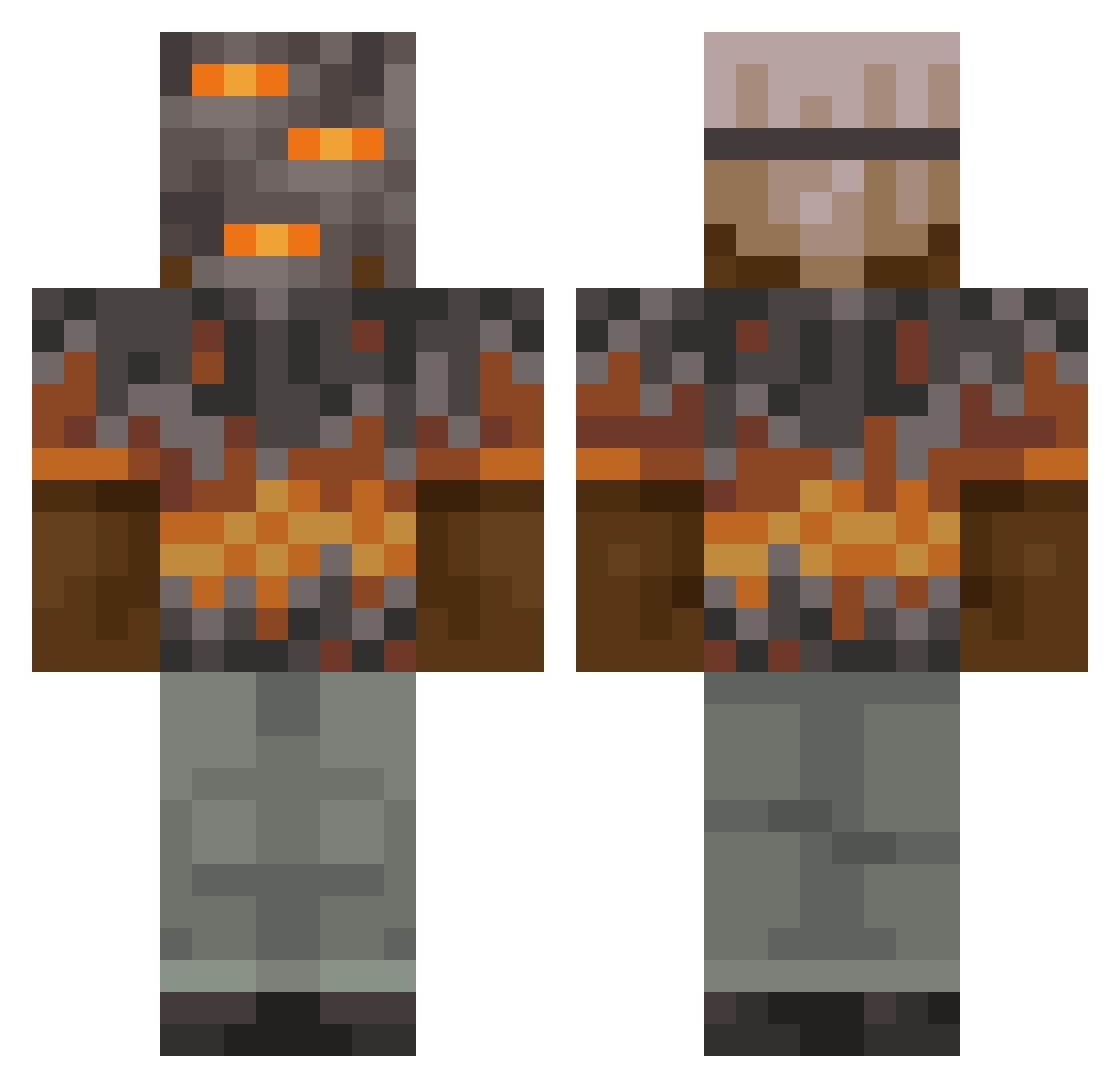
Current Minecraft skin of the player Zeke1911, loaded from the official Mojang API. Rotate the 3D model with your mouse or finger, then download the skin as a PNG file and use it in Minecraft: Bedrock Edition or Java Edition for free. When Zeke1911 changes their skin, this page updates automatically and the old skin stays in the history below.
Other players with this skin (795)
Zeke1911 was the 123rd player we have seen with this skin, first spotted on 06.08.2026. The same skin was seen on these players. Open a nickname to see their current skin and skin history.
 Trivalence Mark12324 RhinocerosG12M92 Dralexpro7 BastiLPG General_Minion BlueJack0047 MythicalMage69 RealStrength BaronLion dannyb5 Kurayami16 EmmetGames V_2sPooKy4yU_V
 Justinkoecky
 Macleod1518 1ll1am xyetopt Andykim0304 Plarkosharko Hurricane684 Floo2005 Sigma_gmr3
 blocky_198 Mullet475 daitaroro _MarraX_ HeadedSole59 Shiza_666 MephistophelesZ Emilinski16 EndSoulShade olgo22 jihwanjoy TheUglyPlayer YouAreNumber12 PeifDragon GamerOfHide julian_2B2 KineticKraken SEEKFORU
 _S_P_E_C_I_A_ FlyntAndSteal XERO137 GeonGeonSss WidestVibe N1khu TheHeileBros Konte31 Straferwafer Limaster22 coltonh123456789 shadlyman pergnos Limabean0008 K_eNej Slavocrat DAZZZY2 Pilou83 Milo00102
More Rock Minecraft skins
How to install the Zeke1911 skin
- Press the Download button above to save the skin as a PNG file.
- Minecraft: Bedrock Edition (PE): open the Dressing Room from the main menu (or tap your character → Edit Character), go to Classic Skins → Owned, press the + (new skin) button, choose the downloaded PNG and pick the Classic (Steve) model. Works on PC and mobile; consoles cannot import custom skins.
- Minecraft: Java Edition: open the Minecraft Launcher, go to the Skins tab, click New Skin, load the PNG, pick the Classic (Steve) model and press Save & Use. You can also upload it at minecraft.net → Profile → Change Skin.
The skin does not show up after import - what should I do?
Restart Minecraft and open the Dressing Room again - imported skins sometimes appear only after a restart. Also make sure you selected the imported skin and picked the Classic (Steve) model.
Which model should I choose, Classic or Slim?
This skin is designed for the Classic (Steve) model. If you pick the wrong model, the arms of the skin will look stretched or squeezed.
Is the skin of Zeke1911 free to download?
Yes. Press Download, save the PNG file and use it in Minecraft: Bedrock Edition or Java Edition - no payment or registration needed. The skin also works on multiplayer servers and Realms.
More skins
Looking for more? Go back to all Minecraft skins and check the top skins of the week, month and all time, or find any player's skin by nickname.