
Zann_fv - Minecraft Skins & Skin History
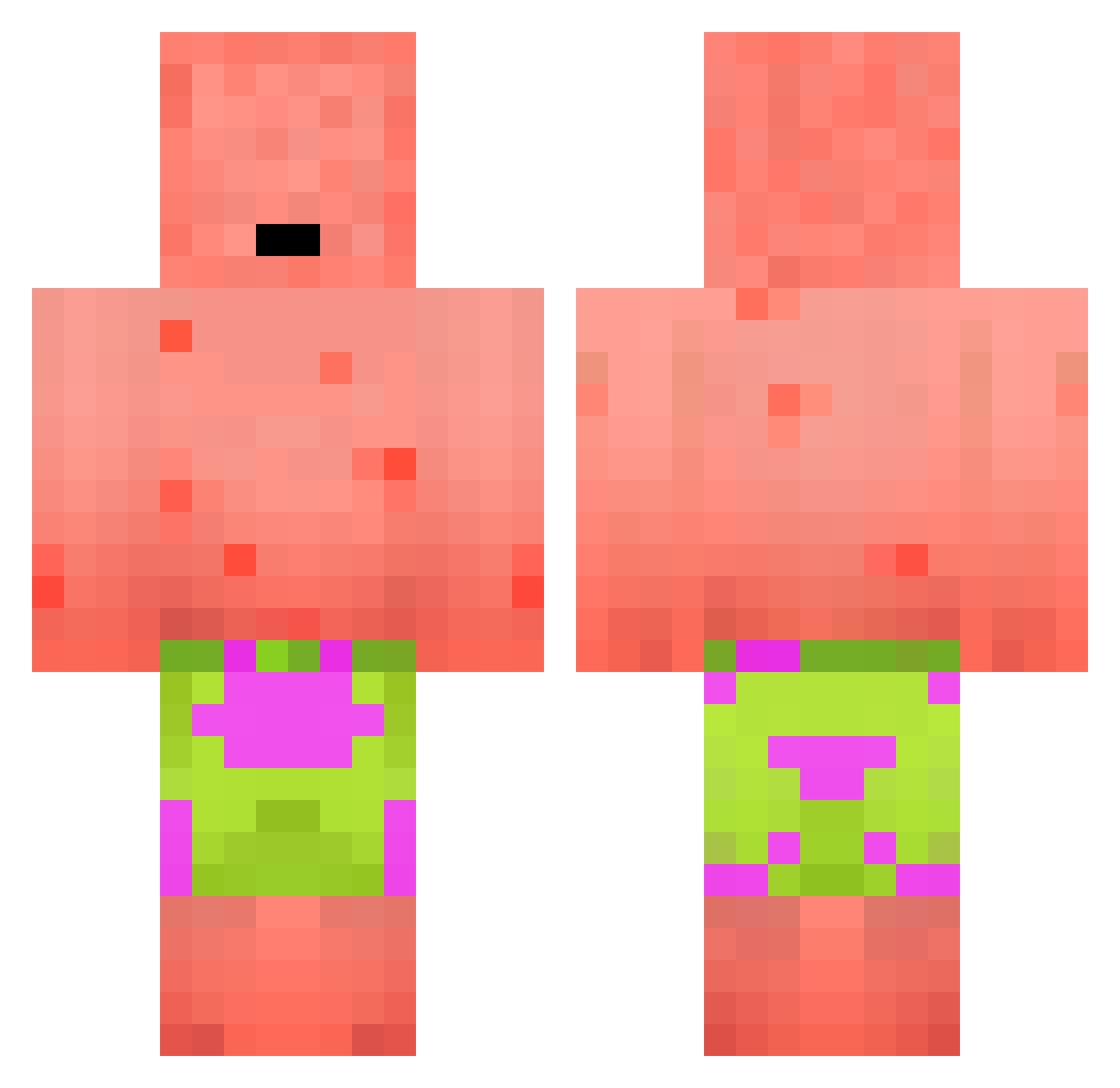
Current Minecraft skin of the player Zann_fv, loaded from the official Mojang API. Rotate the 3D model with your mouse or finger, then download the skin as a PNG file and use it in Minecraft: Bedrock Edition or Java Edition for free. When Zann_fv changes their skin, this page updates automatically and the old skin stays in the history below.
Other players with this skin (236)
Zann_fv was the 87th player we have seen with this skin, first spotted on 31.08.2026. The same skin was seen on these players. Open a nickname to see their current skin and skin history.
 Bulldogallstar krustykkrab ElVynclin Seazing Witchox Walking_with_you Akbakk Popochoupachoups zynes02 Wunadan TotallyNotSavage Xian_1018 mattwadel Krexuu_ HanSIHoon Haydarian mipzcq wBurp kus7377
 MyNameIsLucca Tudi97 dogdog_A dmia_ JinBull IBENOAH BlackNorthoft kangolman dot____ Maximus_2102 masanboy KiLzX099 sh812 walek MrsAlexsaurus Egill09 claudiomar gheost Balding9 Bruce9716 Pablekeee Nagisabre nothin2looseer
 boxay1 TommyJer oSwek_ mlodydaber Whim_Of_Stuff KaleiRenay iAminee SirNooby thekingof0717 Mini_Mars_1 HeylUzumaki16 Bass_God Kartel mrzvovy MysMeteor sussykido daven0213 jerepopla77
More Patrick Star Minecraft skins
See all 643 Patrick Star skins
How to install the Zann_fv skin
- Press the Download button above to save the skin as a PNG file.
- Minecraft: Bedrock Edition (PE): open the Dressing Room from the main menu (or tap your character → Edit Character), go to Classic Skins → Owned, press the + (new skin) button, choose the downloaded PNG and pick the Classic (Steve) model. Works on PC and mobile; consoles cannot import custom skins.
- Minecraft: Java Edition: open the Minecraft Launcher, go to the Skins tab, click New Skin, load the PNG, pick the Classic (Steve) model and press Save & Use. You can also upload it at minecraft.net → Profile → Change Skin.
The skin does not show up after import - what should I do?
Restart Minecraft and open the Dressing Room again - imported skins sometimes appear only after a restart. Also make sure you selected the imported skin and picked the Classic (Steve) model.
Which model should I choose, Classic or Slim?
This skin is designed for the Classic (Steve) model. If you pick the wrong model, the arms of the skin will look stretched or squeezed.
Is the skin of Zann_fv free to download?
Yes. Press Download, save the PNG file and use it in Minecraft: Bedrock Edition or Java Edition - no payment or registration needed. The skin also works on multiplayer servers and Realms.
More skins
Looking for more? Go back to all Minecraft skins and check the top skins of the week, month and all time, or find any player's skin by nickname.