
ZNacatoZ - Minecraft Skins & Skin History
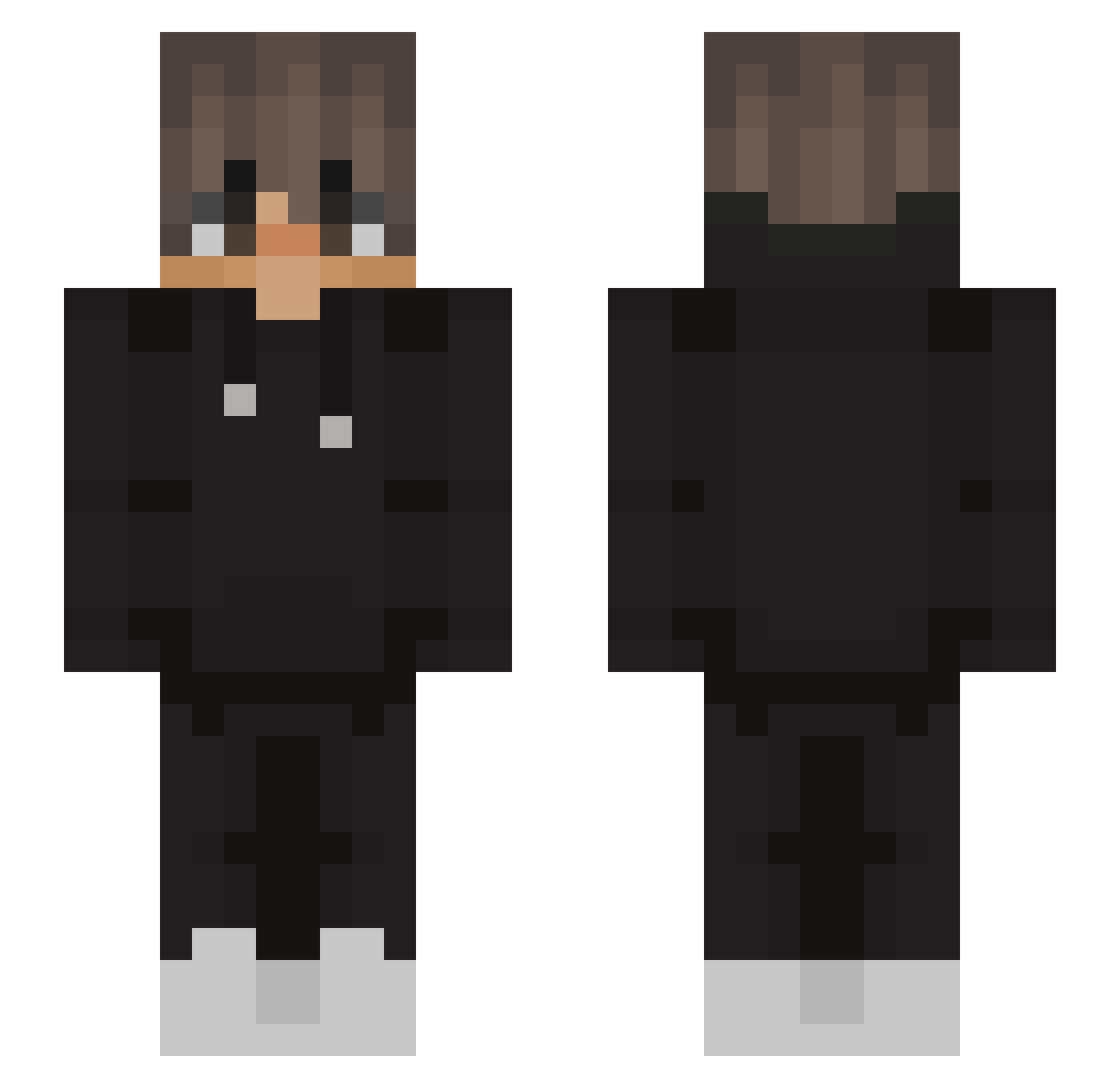
Current Minecraft skin of the player ZNacatoZ, loaded from the official Mojang API. Rotate the 3D model with your mouse or finger, then download the skin as a PNG file and use it in Minecraft: Bedrock Edition or Java Edition for free. When ZNacatoZ changes their skin, this page updates automatically and the old skin stays in the history below.
Other players with this skin (563)
ZNacatoZ was the 373rd player we have seen with this skin, first spotted on 09.10.2026. The same skin was seen on these players. Open a nickname to see their current skin and skin history.
 Unpawed FR41S3 Wipo_ Da_Poons Overest TheBendTV2 Squidinator234 Caleb126 Jakubek213745 Boum0 Kerasoo DaanDaniel Sebleal10 frahoilferro Urs_Kalecinski xxSachixx vooluis Befitmax231 5t0r4 Ahdemi Sewek8453 Slerrik trpisaaak 5lephs LoFi_strix Twixik52 R3duxYT BaboucheK Bantsbtw aPqnf Paludex Snowskiii Panos8765 AminDW Neyzennnnn Luke_Slayzz alibayhan smartek2020 linofelipe123_ Sonex58 D3FENDERS alexismera_14 wnoahh Drigst1632 Shizma_ywq Xyqt_ DragoAlessio Zhimy00 XieZiHan666 Sm0k3_ToXiC 0Vanish1 Just_Zocker92 niewiemescape Bananek67 SecondCentral xDarkCloud Frozenekk NotJxyz TypicalSKE Ognii
More Streetwear Minecraft skins
How to install the ZNacatoZ skin
- Press the Download button above to save the skin as a PNG file.
- Minecraft: Bedrock Edition (PE): open the Dressing Room from the main menu (or tap your character → Edit Character), go to Classic Skins → Owned, press the + (new skin) button, choose the downloaded PNG and pick the Slim (Alex) model. Works on PC and mobile; consoles cannot import custom skins.
- Minecraft: Java Edition: open the Minecraft Launcher, go to the Skins tab, click New Skin, load the PNG, pick the Slim (Alex) model and press Save & Use. You can also upload it at minecraft.net → Profile → Change Skin.
The skin does not show up after import - what should I do?
Restart Minecraft and open the Dressing Room again - imported skins sometimes appear only after a restart. Also make sure you selected the imported skin and picked the Slim (Alex) model.
Which model should I choose, Classic or Slim?
This skin is designed for the Slim (Alex) model. If you pick the wrong model, the arms of the skin will look stretched or squeezed.
Is the skin of ZNacatoZ free to download?
Yes. Press Download, save the PNG file and use it in Minecraft: Bedrock Edition or Java Edition - no payment or registration needed. The skin also works on multiplayer servers and Realms.
More skins
Looking for more? Go back to all Minecraft skins and check the top skins of the week, month and all time, or find any player's skin by nickname.