
ZER0_S2 - Minecraft Skins & Skin History
Current Minecraft skin of the player ZER0_S2, loaded from the official Mojang API. Rotate the 3D model with your mouse or finger, then download the skin as a PNG file and use it in Minecraft: Bedrock Edition or Java Edition for free. When ZER0_S2 changes their skin, this page updates automatically and the old skin stays in the history below.
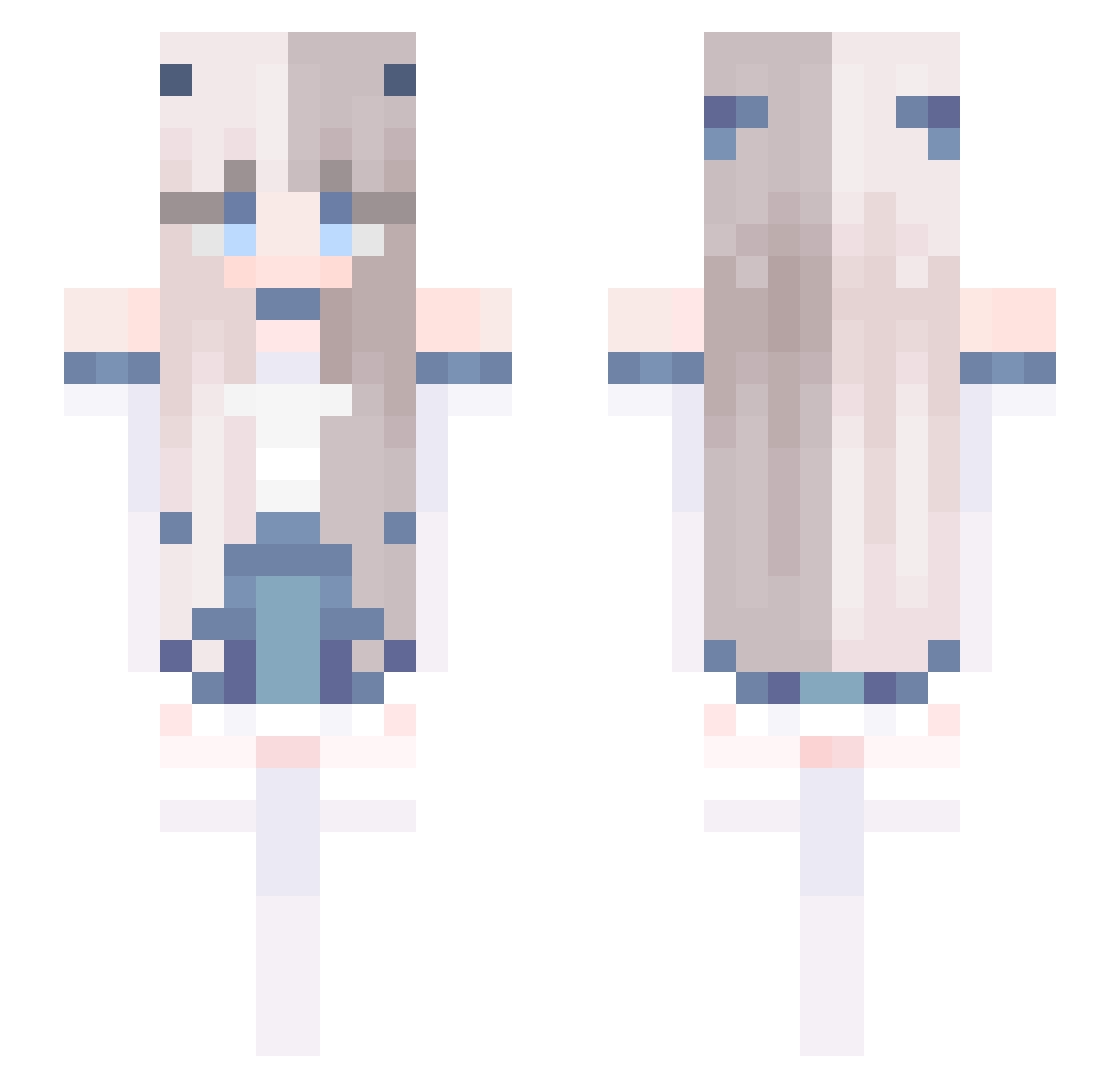
Other players with this skin (588)
ZER0_S2 was the 258th player we have seen with this skin, first spotted on 10.09.2026. The same skin was seen on these players. Open a nickname to see their current skin and skin history.
 LG_kuper ICEY_CUTEY amacha9 Stevenbear sea_Pearl_ _Yujinie _AHYooN_ HONORATApl SaltyCrusaders Memory2013 CanaryCat rulyseal Bar2300 jiwxn_ tukumo999999 K1K0_ED_ sigma4200 Nacix129 zoya55 Vineox beanie_express cdfgrt erkuang kurkel ching3104 2zzun LuckForcE Kaiskillafk Imsojourn kai_maru xiangzhou A8xc2 zZExploitZz 127566 Daviana_ lagerstro Cellcier Mc_xiaodongdong LaySide dwinblk QueenLouna P1llarMan Fantasy365 Cinema13 BLUICQ Azemie PoLing_ Jula089 TangoWolf7347 Skysitah XingChenD ixtri dmfqlw ChiaraBambozzi nemui_mui Gaurang09 pancito1102 prince0520 Bailang_ AP444
More Horns Minecraft skins
How to install the ZER0_S2 skin
- Press the Download button above to save the skin as a PNG file.
- Minecraft: Bedrock Edition (PE): open the Dressing Room from the main menu (or tap your character → Edit Character), go to Classic Skins → Owned, press the + (new skin) button, choose the downloaded PNG and pick the Slim (Alex) model. Works on PC and mobile; consoles cannot import custom skins.
- Minecraft: Java Edition: open the Minecraft Launcher, go to the Skins tab, click New Skin, load the PNG, pick the Slim (Alex) model and press Save & Use. You can also upload it at minecraft.net → Profile → Change Skin.
The skin does not show up after import - what should I do?
Restart Minecraft and open the Dressing Room again - imported skins sometimes appear only after a restart. Also make sure you selected the imported skin and picked the Slim (Alex) model.
Which model should I choose, Classic or Slim?
This skin is designed for the Slim (Alex) model. If you pick the wrong model, the arms of the skin will look stretched or squeezed.
Is the skin of ZER0_S2 free to download?
Yes. Press Download, save the PNG file and use it in Minecraft: Bedrock Edition or Java Edition - no payment or registration needed. The skin also works on multiplayer servers and Realms.
More skins
Looking for more? Go back to all Minecraft skins and check the top skins of the week, month and all time, or find any player's skin by nickname.