
ZEKE_ - Minecraft Skins & Skin History
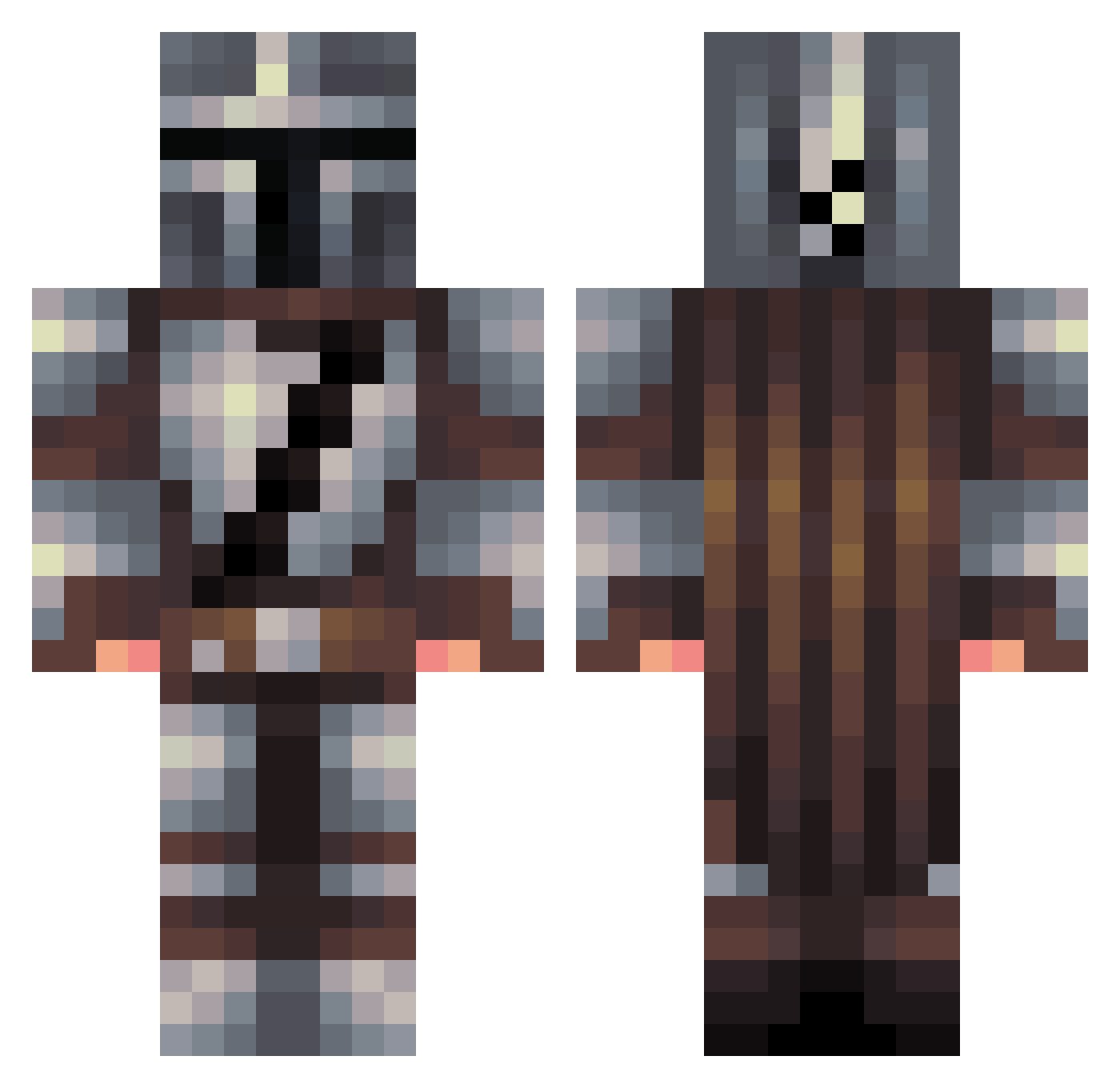
Current Minecraft skin of the player ZEKE_, loaded from the official Mojang API. Rotate the 3D model with your mouse or finger, then download the skin as a PNG file and use it in Minecraft: Bedrock Edition or Java Edition for free. When ZEKE_ changes their skin, this page updates automatically and the old skin stays in the history below.
Other players with this skin (457)
ZEKE_ was the 183rd player we have seen with this skin, first spotted on 10.09.2026. The same skin was seen on these players. Open a nickname to see their current skin and skin history.
 Casp3rH huey350 iTz_Jedz Dafox szymollo123 AgentDeckard sr0ng Overl2rd DUBBAJAYTEE Kibishi47 HoleFisher Grekkox AleHopApero Aerosynx Alexandathegr8 Vfashion kondorggwp aledska Draks18 Rkast DiiZaR Dude_Law CapIsWorthy OneTr1ck FrancoFM Pirce pdiddy094 Wravend dshayf99 ghawerf chand1012 TheBurningHawk CyberDeckie NoahC99 MkN8 a3cf Shuugs IronStallion WTJ13eck Diamond_Rickaxe RTGazza JareckDrazin RASO386 Bake049 Fusgion Lerokssj PraetorRobert bestcomic Blockmongo90 WertuaLlast ApkReaper Jaye_mam kingoftherings2 kkovacsb oogaboogaboi moderatepotato Himkhic Legomasterbb Galactic_Yeti LX_RATMEAT_IX
More The Mandalorian Minecraft skins
See all 592 The Mandalorian skins
How to install the ZEKE_ skin
- Press the Download button above to save the skin as a PNG file.
- Minecraft: Bedrock Edition (PE): open the Dressing Room from the main menu (or tap your character → Edit Character), go to Classic Skins → Owned, press the + (new skin) button, choose the downloaded PNG and pick the Classic (Steve) model. Works on PC and mobile; consoles cannot import custom skins.
- Minecraft: Java Edition: open the Minecraft Launcher, go to the Skins tab, click New Skin, load the PNG, pick the Classic (Steve) model and press Save & Use. You can also upload it at minecraft.net → Profile → Change Skin.
The skin does not show up after import - what should I do?
Restart Minecraft and open the Dressing Room again - imported skins sometimes appear only after a restart. Also make sure you selected the imported skin and picked the Classic (Steve) model.
Which model should I choose, Classic or Slim?
This skin is designed for the Classic (Steve) model. If you pick the wrong model, the arms of the skin will look stretched or squeezed.
Is the skin of ZEKE_ free to download?
Yes. Press Download, save the PNG file and use it in Minecraft: Bedrock Edition or Java Edition - no payment or registration needed. The skin also works on multiplayer servers and Realms.
More skins
Looking for more? Go back to all Minecraft skins and check the top skins of the week, month and all time, or find any player's skin by nickname.