
YuuNanh - Minecraft Skins & Skin History
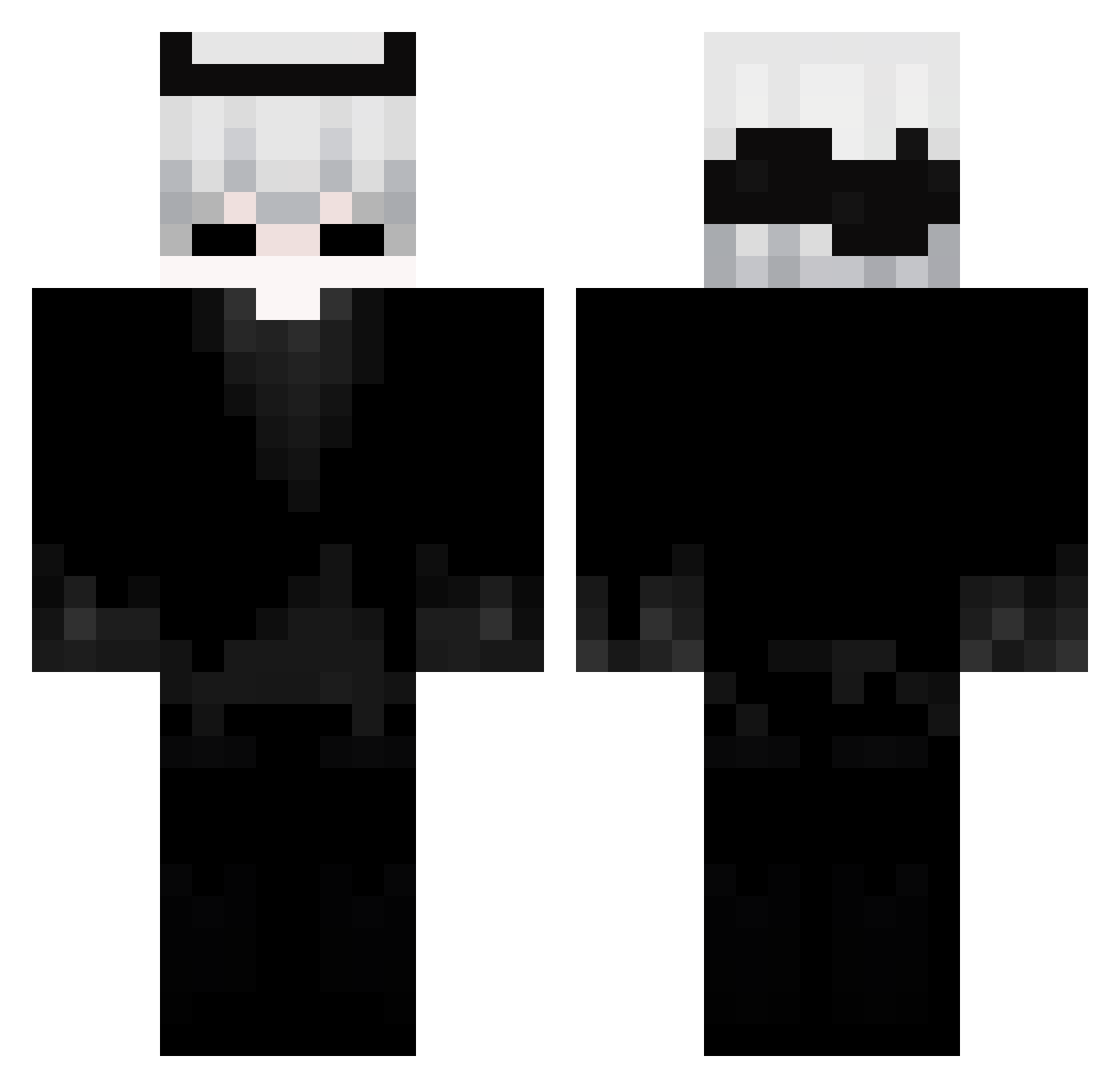
Current Minecraft skin of the player YuuNanh, loaded from the official Mojang API. Rotate the 3D model with your mouse or finger, then download the skin as a PNG file and use it in Minecraft: Bedrock Edition or Java Edition for free. When YuuNanh changes their skin, this page updates automatically and the old skin stays in the history below.
Other players with this skin (117)
YuuNanh was the 92nd player we have seen with this skin, first spotted on 17.10.2026. The same skin was seen on these players. Open a nickname to see their current skin and skin history.
 Zyvkor_ undrsc0re Li_Zhe_ NamusumuUnuttum xupete Tzi_gASld_07_04 nitricxzz ACX150 Pime_12 samertik kaptoh00 FeakNess Sodaic rrrayquaza _M4ist3r_ Lapinn AndyLi not_b3i Veltrix23 Floaterxz abdul1267 TheZhiZhuo DuanMeng G_Bacchus_M Letice _Shu1 _Senninha Alecu_ Fan_____Fan mvz0 shoucream N3zh0 VaderMachine penguindih ElongatedShadow Freakfox04 Fenixgamer5068 Rjup skyytoto yuukiri2 Yavaru K_12j xDeady zLava_ Alfrost66 LSZZ_ Barryy_ Hunterz14 IGYOU JOAN_Z Daewooo7 Jimmy66666 SwweatMC Huminex_ XiaoXin01 profanekill LR25 poul2314 Kuzzee_ supershark375_
More Demon Horns Minecraft skins
How to install the YuuNanh skin
- Press the Download button above to save the skin as a PNG file.
- Minecraft: Bedrock Edition (PE): open the Dressing Room from the main menu (or tap your character → Edit Character), go to Classic Skins → Owned, press the + (new skin) button, choose the downloaded PNG and pick the Classic (Steve) model. Works on PC and mobile; consoles cannot import custom skins.
- Minecraft: Java Edition: open the Minecraft Launcher, go to the Skins tab, click New Skin, load the PNG, pick the Classic (Steve) model and press Save & Use. You can also upload it at minecraft.net → Profile → Change Skin.
The skin does not show up after import - what should I do?
Restart Minecraft and open the Dressing Room again - imported skins sometimes appear only after a restart. Also make sure you selected the imported skin and picked the Classic (Steve) model.
Which model should I choose, Classic or Slim?
This skin is designed for the Classic (Steve) model. If you pick the wrong model, the arms of the skin will look stretched or squeezed.
Is the skin of YuuNanh free to download?
Yes. Press Download, save the PNG file and use it in Minecraft: Bedrock Edition or Java Edition - no payment or registration needed. The skin also works on multiplayer servers and Realms.
More skins
Looking for more? Go back to all Minecraft skins and check the top skins of the week, month and all time, or find any player's skin by nickname.