
Yusuf_Be_y - Minecraft Skins & Skin History
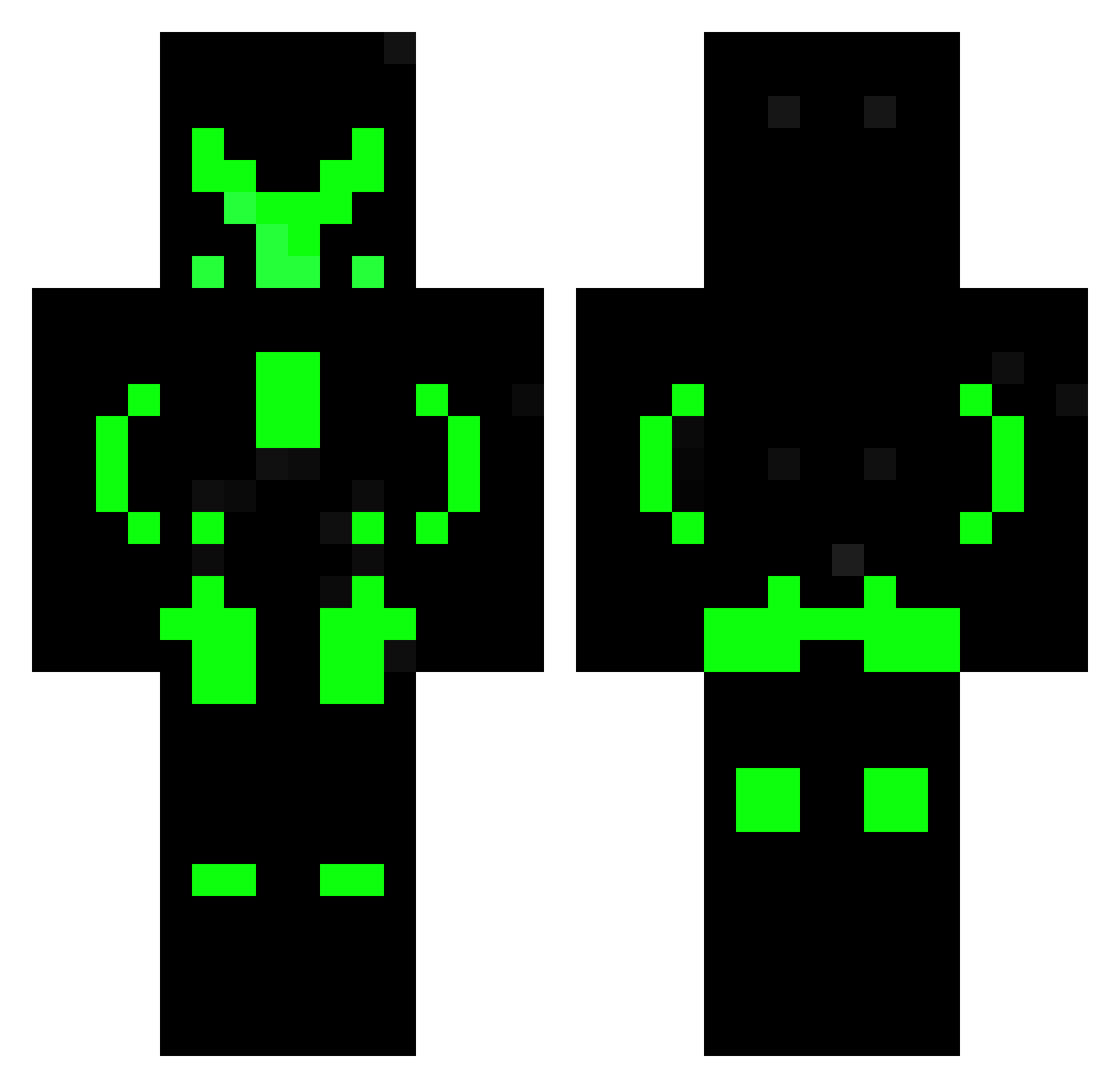
Current Minecraft skin of the player Yusuf_Be_y, loaded from the official Mojang API. Rotate the 3D model with your mouse or finger, then download the skin as a PNG file and use it in Minecraft: Bedrock Edition or Java Edition for free. When Yusuf_Be_y changes their skin, this page updates automatically and the old skin stays in the history below.
Other players with this skin (606)
Yusuf_Be_y was the 269th player we have seen with this skin, first spotted on 14.09.2026. The same skin was seen on these players. Open a nickname to see their current skin and skin history.
 jotatex1 amara789 avivviv DR4WG sil2099 boom1bang IKH666 JMKRAZER InvisibleLemonK Grego_S Remy1208 NoobMasterofc Frogatronic GhostGamer_HD Elcromas2325 tactizard Danielhatdrip PowerX_666 joonas356 vVv_Error404_vVv Excutor8 Crysistic DigitalIsaiah Moonshine_94 Cifinho futurr Davigamerz ArcadeBoy90 BahaBLT jorge104 williboy141 Szlu QcFuryQc MarioGezu2008 DDeadFox luicavalobonitao _N0you Gaba4444 BEARDED_4LIFE Williboy1417 Jemma_m BlackPanter699 Taekeboy Bobstone807 PlayerKY0 CtcDon Loginfr0g penut_soul Defoltek Kosmiksharam Zorbeks34 Unkownsync chris_slayer17 LordSuppentopf Trollntoll MrSpaceSlepper YTTrySmart nagi3008 tiboss666 GhostWhiteTr
More Neon Armor Minecraft skins
How to install the Yusuf_Be_y skin
- Press the Download button above to save the skin as a PNG file.
- Minecraft: Bedrock Edition (PE): open the Dressing Room from the main menu (or tap your character → Edit Character), go to Classic Skins → Owned, press the + (new skin) button, choose the downloaded PNG and pick the Classic (Steve) model. Works on PC and mobile; consoles cannot import custom skins.
- Minecraft: Java Edition: open the Minecraft Launcher, go to the Skins tab, click New Skin, load the PNG, pick the Classic (Steve) model and press Save & Use. You can also upload it at minecraft.net → Profile → Change Skin.
The skin does not show up after import - what should I do?
Restart Minecraft and open the Dressing Room again - imported skins sometimes appear only after a restart. Also make sure you selected the imported skin and picked the Classic (Steve) model.
Which model should I choose, Classic or Slim?
This skin is designed for the Classic (Steve) model. If you pick the wrong model, the arms of the skin will look stretched or squeezed.
Is the skin of Yusuf_Be_y free to download?
Yes. Press Download, save the PNG file and use it in Minecraft: Bedrock Edition or Java Edition - no payment or registration needed. The skin also works on multiplayer servers and Realms.
More skins
Looking for more? Go back to all Minecraft skins and check the top skins of the week, month and all time, or find any player's skin by nickname.