
Yukiritex - Minecraft Skins & Skin History
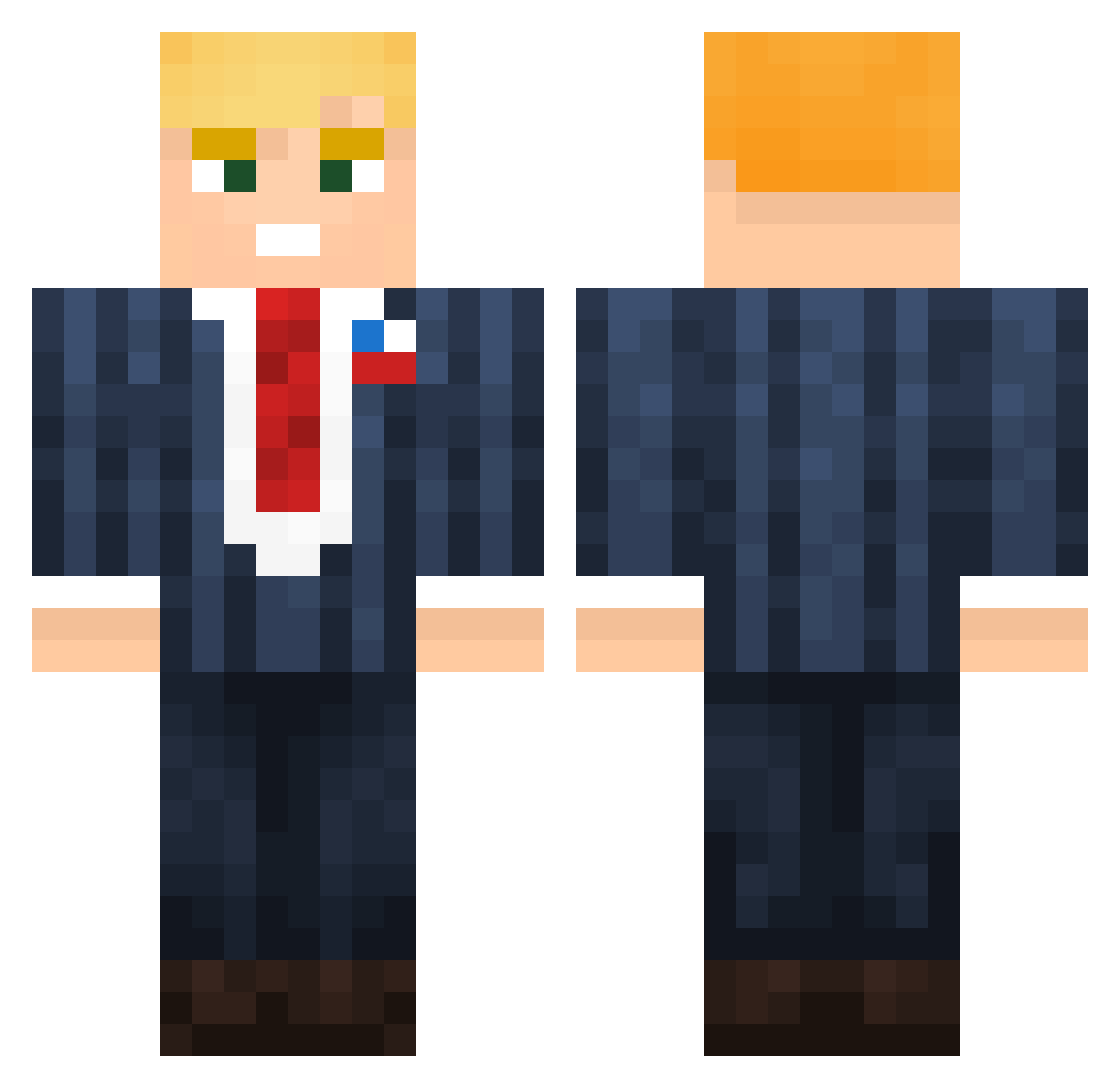
Current Minecraft skin of the player Yukiritex, loaded from the official Mojang API. Rotate the 3D model with your mouse or finger, then download the skin as a PNG file and use it in Minecraft: Bedrock Edition or Java Edition for free. When Yukiritex changes their skin, this page updates automatically and the old skin stays in the history below.
Other players with this skin (131)
Yukiritex was the 96th player we have seen with this skin, first spotted on 08.10.2026. The same skin was seen on these players. Open a nickname to see their current skin and skin history.
 BP38 METTAR Rewoo1 DarthLycidias ARTEN_1400 toni209jva KabanosPL Fabioloos_09 Shawnis MrBockClock69 xMuchaaa JKobz HooligansAlt10 zack0529529 patrick_tuning62 Jonadan_ iamzaddy rampzalig _LadiesMAN___217 The_Space_Square DerProfi117 milcho98 RoosterTango KingMakaveli litpalta alstkq noahstove07 T1mber moshe492 FatiasDoSurdao MuBu0_0 solo_08 hyunjoong55 Ghames codymann Adi99870 Nikolqyy mullerco4 Trequest Telex fladit dreamlit Elptr HelpCantFindName dazed924 SkillsYanick05 JJmineraft2019 Lingue Raph_mrgd nbearx janit0rr charaaf Fuzzyyyyyyyy sonstwas103 Pan_Lukrecja NotApollx KeNnnny000 dikke_bokt0r Shildkrote LeodoButeco
More Donald Trump Minecraft skins
See all 325 Donald Trump skins
How to install the Yukiritex skin
- Press the Download button above to save the skin as a PNG file.
- Minecraft: Bedrock Edition (PE): open the Dressing Room from the main menu (or tap your character → Edit Character), go to Classic Skins → Owned, press the + (new skin) button, choose the downloaded PNG and pick the Classic (Steve) model. Works on PC and mobile; consoles cannot import custom skins.
- Minecraft: Java Edition: open the Minecraft Launcher, go to the Skins tab, click New Skin, load the PNG, pick the Classic (Steve) model and press Save & Use. You can also upload it at minecraft.net → Profile → Change Skin.
The skin does not show up after import - what should I do?
Restart Minecraft and open the Dressing Room again - imported skins sometimes appear only after a restart. Also make sure you selected the imported skin and picked the Classic (Steve) model.
Which model should I choose, Classic or Slim?
This skin is designed for the Classic (Steve) model. If you pick the wrong model, the arms of the skin will look stretched or squeezed.
Is the skin of Yukiritex free to download?
Yes. Press Download, save the PNG file and use it in Minecraft: Bedrock Edition or Java Edition - no payment or registration needed. The skin also works on multiplayer servers and Realms.
More skins
Looking for more? Go back to all Minecraft skins and check the top skins of the week, month and all time, or find any player's skin by nickname.