
SkillsYanick05 - Minecraft Skins & Skin History
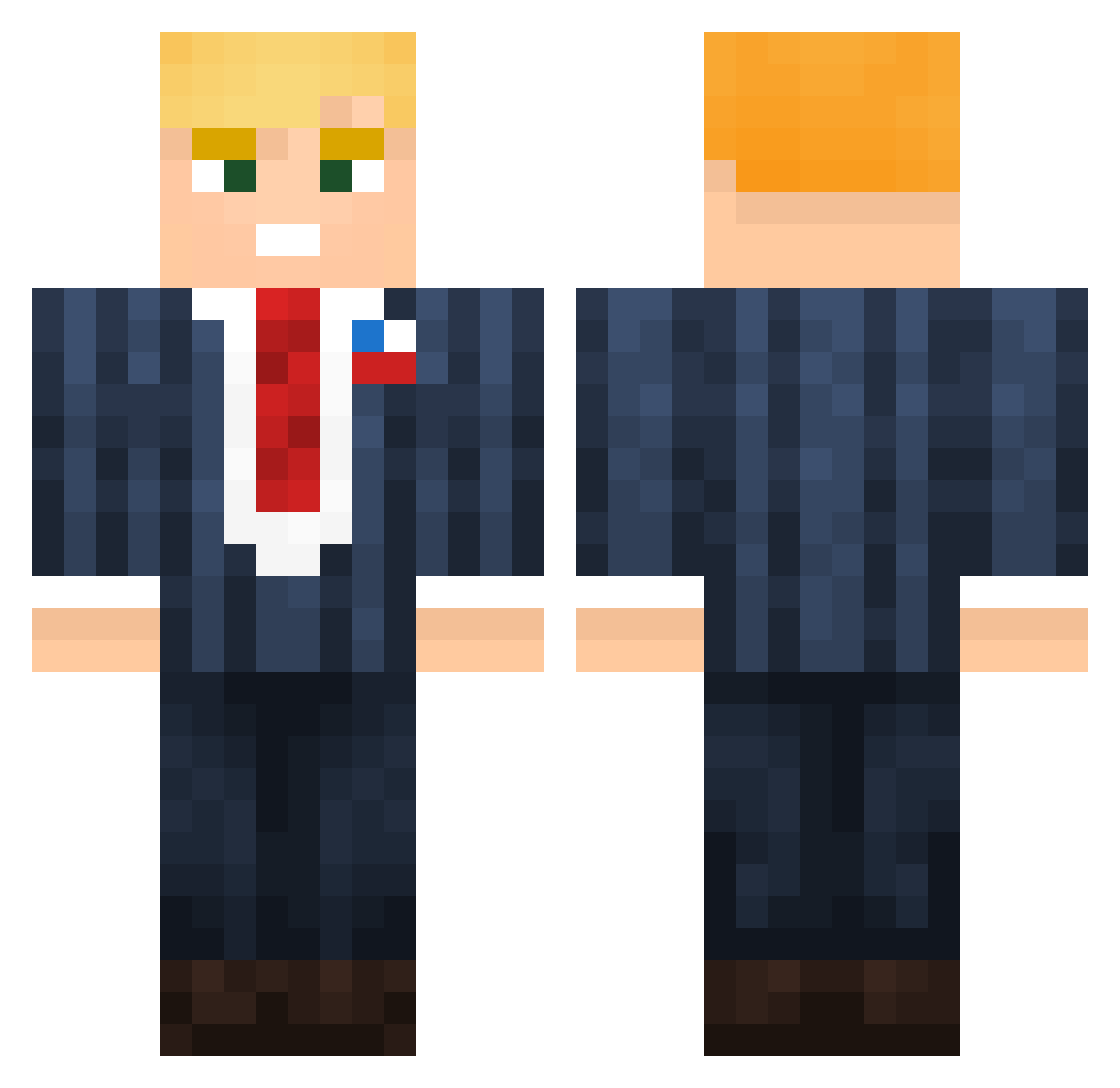
Current Minecraft skin of the player SkillsYanick05, loaded from the official Mojang API. Rotate the 3D model with your mouse or finger, then download the skin as a PNG file and use it in Minecraft: Bedrock Edition or Java Edition for free. When SkillsYanick05 changes their skin, this page updates automatically and the old skin stays in the history below.
Other players with this skin (155)
SkillsYanick05 was the 117th player we have seen with this skin, first spotted on 22.10.2026. The same skin was seen on these players. Open a nickname to see their current skin and skin history.
 HelpCantFindName dreamlit fladit janit0rr Fuzzyyyyyyyy sonstwas103 NotApollx KeNnnny000 dikke_bokt0r LeodoButeco Azaxan codymann hyunjoong55 Nitr0w DJWASKIII santigoja noahstove07 litpalta bmwangel milcho98 Daddy_J_Trump jurgen_klopp_ The_Space_Square _LadiesMAN___217 rampzalig Jornk05 iamzaddy Jonadan_ zack0529529 Kongolese Nlook MrBockClock69 Shawnis Quieett Fabioloos_09 KabanosPL Jayecei DarthLycidias TurkFrog390 ludsite BP38 Yukiritex Pasadek Shardohlo METTAR Rewoo1 Majinsteel ARTEN_1400 TrumpWall toni209jva RyuTNT Shamwow313 GayConservative recker12 DMBC_ xMuchaaa JKobz UltraWarden HooligansAlt10 patrick_tuning62
More Donald Trump Minecraft skins
See all 368 Donald Trump skins
How to install the SkillsYanick05 skin
- Press the Download button above to save the skin as a PNG file.
- Minecraft: Bedrock Edition (PE): open the Dressing Room from the main menu (or tap your character → Edit Character), go to Classic Skins → Owned, press the + (new skin) button, choose the downloaded PNG and pick the Classic (Steve) model. Works on PC and mobile; consoles cannot import custom skins.
- Minecraft: Java Edition: open the Minecraft Launcher, go to the Skins tab, click New Skin, load the PNG, pick the Classic (Steve) model and press Save & Use. You can also upload it at minecraft.net → Profile → Change Skin.
The skin does not show up after import - what should I do?
Restart Minecraft and open the Dressing Room again - imported skins sometimes appear only after a restart. Also make sure you selected the imported skin and picked the Classic (Steve) model.
Which model should I choose, Classic or Slim?
This skin is designed for the Classic (Steve) model. If you pick the wrong model, the arms of the skin will look stretched or squeezed.
Is the skin of SkillsYanick05 free to download?
Yes. Press Download, save the PNG file and use it in Minecraft: Bedrock Edition or Java Edition - no payment or registration needed. The skin also works on multiplayer servers and Realms.
More skins
Looking for more? Go back to all Minecraft skins and check the top skins of the week, month and all time, or find any player's skin by nickname.