
Yoru99 - Minecraft Skins & Skin History
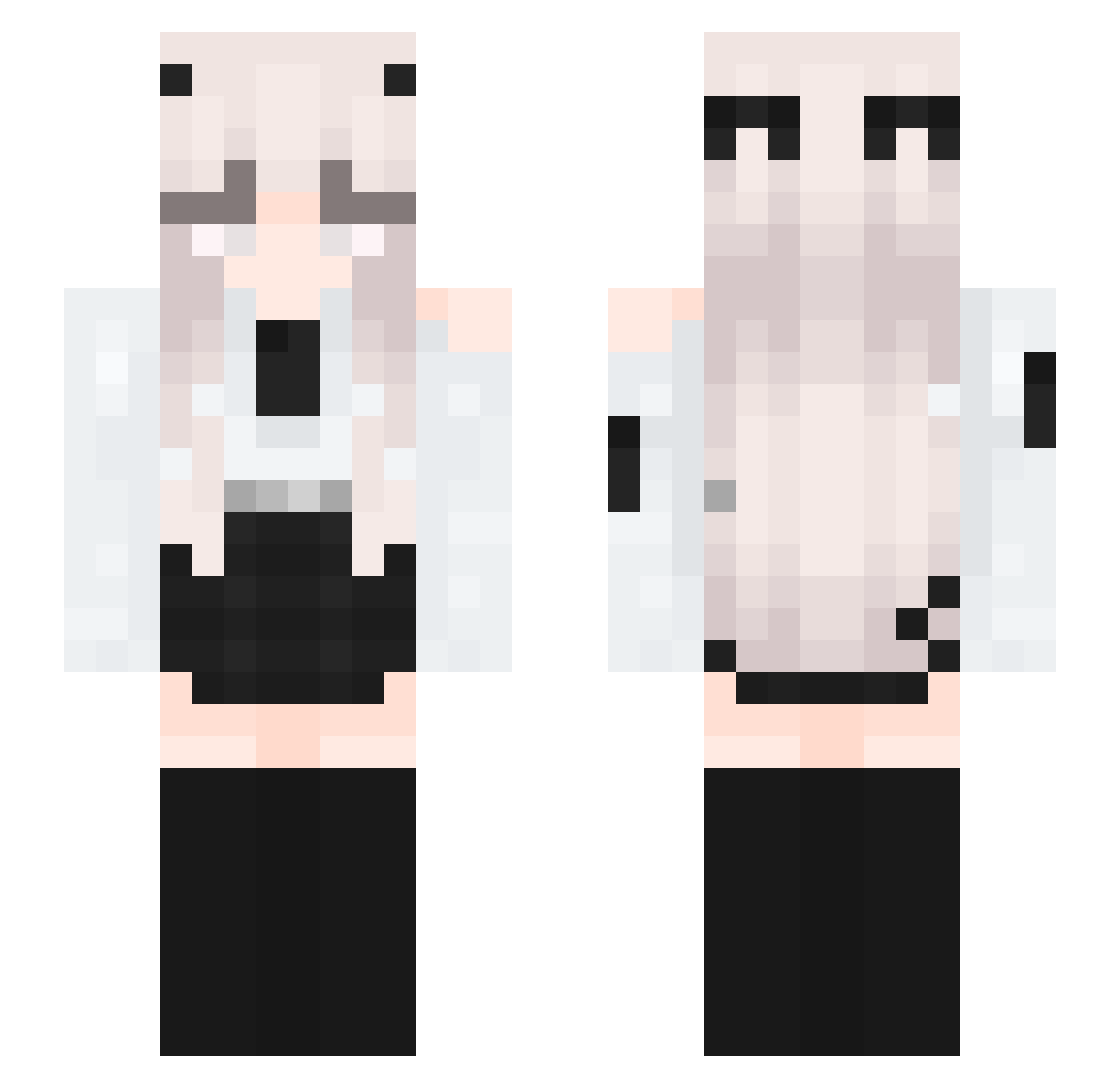
Current Minecraft skin of the player Yoru99, loaded from the official Mojang API. Rotate the 3D model with your mouse or finger, then download the skin as a PNG file and use it in Minecraft: Bedrock Edition or Java Edition for free. When Yoru99 changes their skin, this page updates automatically and the old skin stays in the history below.
Other players with this skin (337)
Yoru99 was the 229th player we have seen with this skin, first spotted on 03.10.2026. The same skin was seen on these players. Open a nickname to see their current skin and skin history.
 Inf1n1ty_Oni AltLosangeles Bubai0 Lordya FeilongSB Jayluk BillyJesusworth aleyws Edinoroshka RN_Unknown11 PatrickTwitter 0nii_iin0 matchya030 Valep23 cooing_0916 Darth_N1hilus 116537 Dahliiaa amehlee VicFull Nynystarr VickScarlet Missry10 ChiyoLin LuckyWolfs yunhyeok3253 Wafwik Sx1nxwy_ Misaki_Mei_1007 ouths Xiexieli Taff09 Thillex LEITOny 2tps slurpy64260 Eroina_ zMxti12 Duxilop Hippogryph dias1225 Angelus7410 dumptyE Autrii Arokz chongguangzhi IceGirl_22 Noobiix03 Mynrasil max201465 lemniscata12 Justawildwolf xmzzsds kittxq DarkNightHero284 arabek_fem_boy MIMIMIIII0 Shoushou38 Gushry geeeni
More Horns Minecraft skins
How to install the Yoru99 skin
- Press the Download button above to save the skin as a PNG file.
- Minecraft: Bedrock Edition (PE): open the Dressing Room from the main menu (or tap your character → Edit Character), go to Classic Skins → Owned, press the + (new skin) button, choose the downloaded PNG and pick the Slim (Alex) model. Works on PC and mobile; consoles cannot import custom skins.
- Minecraft: Java Edition: open the Minecraft Launcher, go to the Skins tab, click New Skin, load the PNG, pick the Slim (Alex) model and press Save & Use. You can also upload it at minecraft.net → Profile → Change Skin.
The skin does not show up after import - what should I do?
Restart Minecraft and open the Dressing Room again - imported skins sometimes appear only after a restart. Also make sure you selected the imported skin and picked the Slim (Alex) model.
Which model should I choose, Classic or Slim?
This skin is designed for the Slim (Alex) model. If you pick the wrong model, the arms of the skin will look stretched or squeezed.
Is the skin of Yoru99 free to download?
Yes. Press Download, save the PNG file and use it in Minecraft: Bedrock Edition or Java Edition - no payment or registration needed. The skin also works on multiplayer servers and Realms.
More skins
Looking for more? Go back to all Minecraft skins and check the top skins of the week, month and all time, or find any player's skin by nickname.