
Yohwa___ - Minecraft Skins & Skin History
Current Minecraft skin of the player Yohwa___, loaded from the official Mojang API. Rotate the 3D model with your mouse or finger, then download the skin as a PNG file and use it in Minecraft: Bedrock Edition or Java Edition for free. When Yohwa___ changes their skin, this page updates automatically and the old skin stays in the history below.
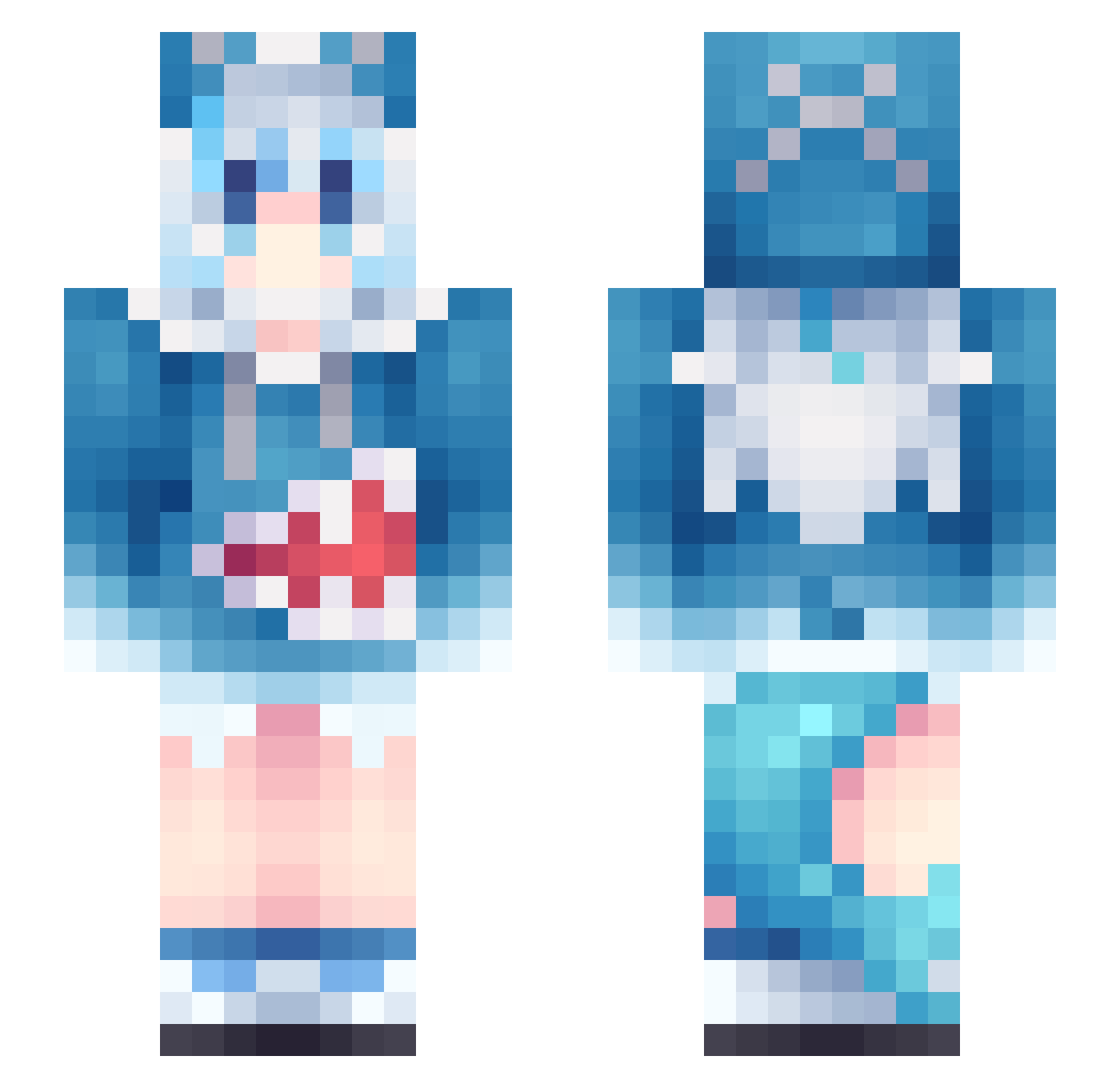
Other players with this skin (956)
Yohwa___ was the 905th player we have seen with this skin, first spotted on 18.10.2026. The same skin was seen on these players. Open a nickname to see their current skin and skin history.
 xiaojiaxiaojia liam111207 Jensyn_jiang ninihui Rebzyy1 OverIceFreezing Bunnyzaychik Saiko_gamer cddy7 BenDrowned963 Tricole RoninJostar Haerang_ JoshiaLoveFish ty91vip CPPDK Twiilayt ChxnYuki ED_kuai TYRHT XCHTP WangJunfei MirthaLeblanc linyyy123 CDPooo Haro1win suancaiy iChaosCandy mulingxue chaenyad_ GR3ED Shark_pro mua999 Ao1kundao Wurmi55 KarenAraragi xiaofeng408 qqynk423 FO3EN Dastten JOJO_AA IUSWLP Sacretta xinggou_1 BestAlvin123 nike0326 mrl_msmc_06h ggwp666 Guillo1452 LikeDrake068950 aaaStar666 Tennima ruk1ya gaga304 hyunsiik EternityKnight Dialgue1 yinyuhan lingkoda KANG0714
More Gawr Gura Minecraft skins
How to install the Yohwa___ skin
- Press the Download button above to save the skin as a PNG file.
- Minecraft: Bedrock Edition (PE): open the Dressing Room from the main menu (or tap your character → Edit Character), go to Classic Skins → Owned, press the + (new skin) button, choose the downloaded PNG and pick the Slim (Alex) model. Works on PC and mobile; consoles cannot import custom skins.
- Minecraft: Java Edition: open the Minecraft Launcher, go to the Skins tab, click New Skin, load the PNG, pick the Slim (Alex) model and press Save & Use. You can also upload it at minecraft.net → Profile → Change Skin.
The skin does not show up after import - what should I do?
Restart Minecraft and open the Dressing Room again - imported skins sometimes appear only after a restart. Also make sure you selected the imported skin and picked the Slim (Alex) model.
Which model should I choose, Classic or Slim?
This skin is designed for the Slim (Alex) model. If you pick the wrong model, the arms of the skin will look stretched or squeezed.
Is the skin of Yohwa___ free to download?
Yes. Press Download, save the PNG file and use it in Minecraft: Bedrock Edition or Java Edition - no payment or registration needed. The skin also works on multiplayer servers and Realms.
More skins
Looking for more? Go back to all Minecraft skins and check the top skins of the week, month and all time, or find any player's skin by nickname.