
YoSynth - Minecraft Skins & Skin History
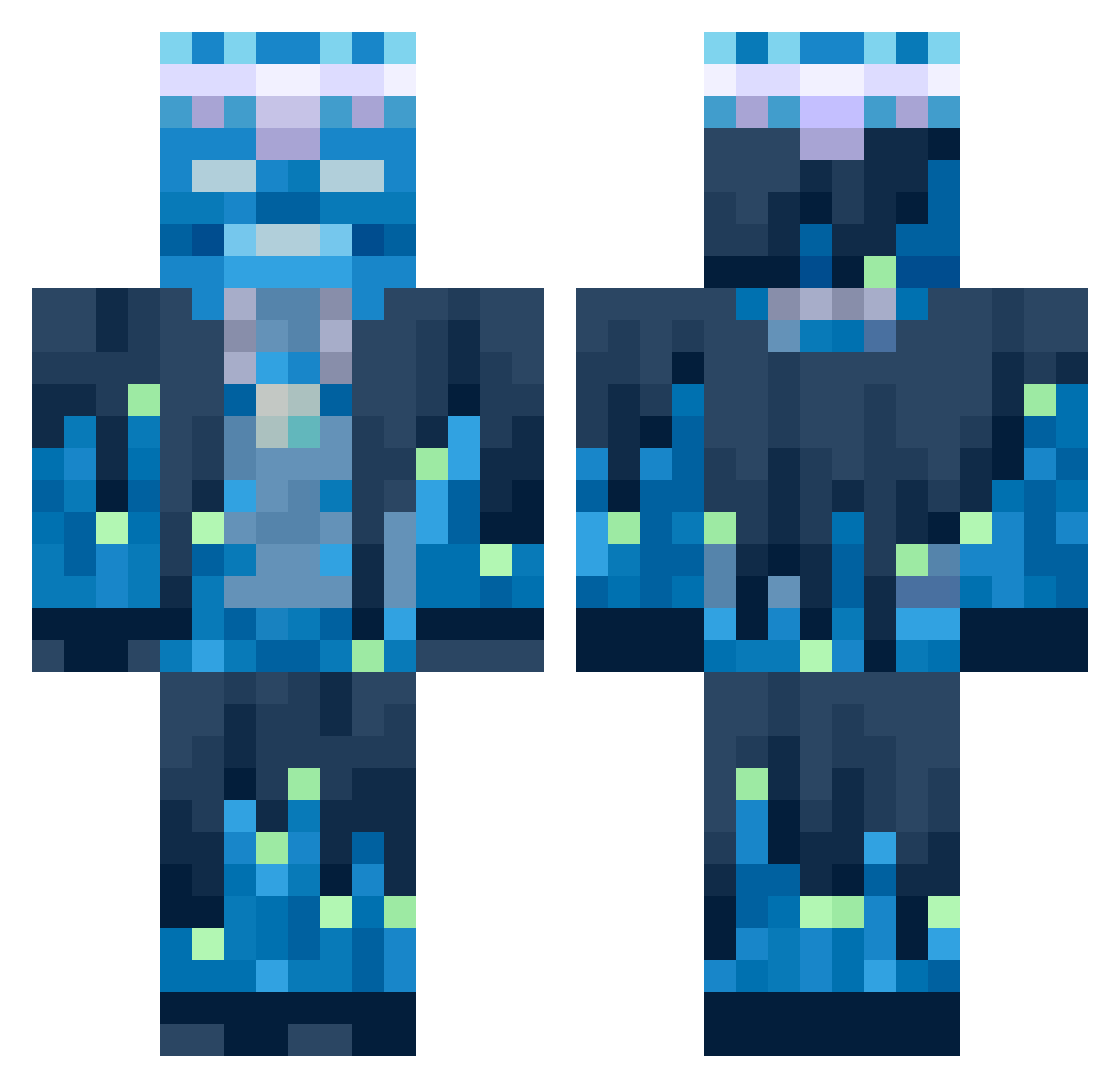
Current Minecraft skin of the player YoSynth, loaded from the official Mojang API. Rotate the 3D model with your mouse or finger, then download the skin as a PNG file and use it in Minecraft: Bedrock Edition or Java Edition for free. When YoSynth changes their skin, this page updates automatically and the old skin stays in the history below.
Other players with this skin (754)
YoSynth was the 737th player we have seen with this skin, first spotted on 17.11.2026. The same skin was seen on these players. Open a nickname to see their current skin and skin history.
 32xc sean201318 Nyashka5309 WonderWaffleDg1 abu_Faisal1 Tntdude225 QuarkyHadron Castchip1111 yapici m1l045 TrollNicht zabzon nightmare_db jeongtaesan ChazzaMaate WAJSF Droleee Mariiiiiiie somebod1 noobiw lowtabwalker ibby0709 IskoBisko V3n0mSh0t Mackybara sixsevenslayer Ansign luisinho200 spotchek OzzyOnMc Sanji_1337 uawso wetspagetnoodle sNigge123 black_mail bluespin4 Bruno_71 Kule_Suasage ithachi01 EJG23 bropro82 292z AS3XC BananSSS blazer1126 unempluz The__Juiceman VicFozter Xanderdu_2 PHV80 susjelly28 darren12344 XOSOKAL Kasjan_ pito88 DSTk4pital 4life1312 victurbio_ Hello747475 Moretovich
More Glowing Minecraft skins
How to install the YoSynth skin
- Press the Download button above to save the skin as a PNG file.
- Minecraft: Bedrock Edition (PE): open the Dressing Room from the main menu (or tap your character → Edit Character), go to Classic Skins → Owned, press the + (new skin) button, choose the downloaded PNG and pick the Classic (Steve) model. Works on PC and mobile; consoles cannot import custom skins.
- Minecraft: Java Edition: open the Minecraft Launcher, go to the Skins tab, click New Skin, load the PNG, pick the Classic (Steve) model and press Save & Use. You can also upload it at minecraft.net → Profile → Change Skin.
The skin does not show up after import - what should I do?
Restart Minecraft and open the Dressing Room again - imported skins sometimes appear only after a restart. Also make sure you selected the imported skin and picked the Classic (Steve) model.
Which model should I choose, Classic or Slim?
This skin is designed for the Classic (Steve) model. If you pick the wrong model, the arms of the skin will look stretched or squeezed.
Is the skin of YoSynth free to download?
Yes. Press Download, save the PNG file and use it in Minecraft: Bedrock Edition or Java Edition - no payment or registration needed. The skin also works on multiplayer servers and Realms.
More skins
Looking for more? Go back to all Minecraft skins and check the top skins of the week, month and all time, or find any player's skin by nickname.