
YngStrlw - Minecraft Skins & Skin History
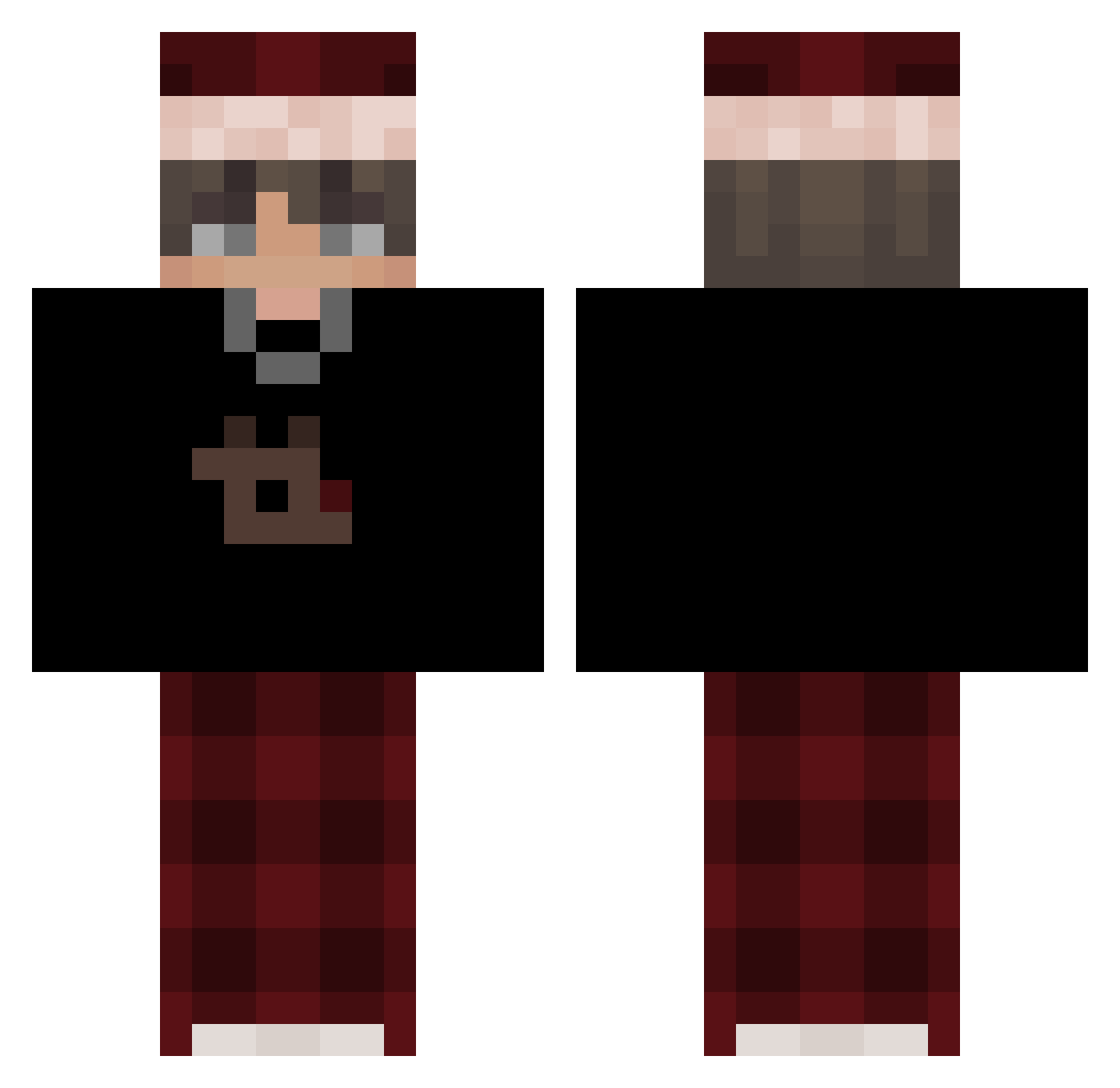
Current Minecraft skin of the player YngStrlw, loaded from the official Mojang API. Rotate the 3D model with your mouse or finger, then download the skin as a PNG file and use it in Minecraft: Bedrock Edition or Java Edition for free. When YngStrlw changes their skin, this page updates automatically and the old skin stays in the history below.
Other players with this skin (507)
YngStrlw was the 23rd player we have seen with this skin, first spotted on 26.07.2026. The same skin was seen on these players. Open a nickname to see their current skin and skin history.
 mizrahinot _Werdion_ JanzenEnLinea Onimat8 wanted5897 Madricito _Jannik_LP seb0z ERDMGKTRK Zadrot69 jvmieson 00zenta JulianMatteo CRAWSs52 ludo3629 PendiiAncokk Marcus0ct
 Provokxnt MoFireFrank Paariss_ PlzDontCryy Cielepa nagwi111 L2MauC Lecisz_mordo Iznoo99 Zhorka x761 virels tuex_ Zaskitun potworeqqqqq 1Choppy xSikko ian_209 FelixNoel ItzNumoYT CNJDEV Liam_314 The_Revax Yusuf_28132 TaRoOo1 Tibbe030 SkyVeils m1crofv mihaiFernando wojtek2000k ArtisticTwinkle AkashRoxx DrogiTowar DrexFX minjun717 jo300013 aka_Rosca
 AkazaMoon3 JBoi1833 njetmaxi wojti09056
 Bolshevikfv JIU2015
More Santa Hat Minecraft skins
How to install the YngStrlw skin
- Press the Download button above to save the skin as a PNG file.
- Minecraft: Bedrock Edition (PE): open the Dressing Room from the main menu (or tap your character → Edit Character), go to Classic Skins → Owned, press the + (new skin) button, choose the downloaded PNG and pick the Classic (Steve) model. Works on PC and mobile; consoles cannot import custom skins.
- Minecraft: Java Edition: open the Minecraft Launcher, go to the Skins tab, click New Skin, load the PNG, pick the Classic (Steve) model and press Save & Use. You can also upload it at minecraft.net → Profile → Change Skin.
The skin does not show up after import - what should I do?
Restart Minecraft and open the Dressing Room again - imported skins sometimes appear only after a restart. Also make sure you selected the imported skin and picked the Classic (Steve) model.
Which model should I choose, Classic or Slim?
This skin is designed for the Classic (Steve) model. If you pick the wrong model, the arms of the skin will look stretched or squeezed.
Is the skin of YngStrlw free to download?
Yes. Press Download, save the PNG file and use it in Minecraft: Bedrock Edition or Java Edition - no payment or registration needed. The skin also works on multiplayer servers and Realms.
More skins
Looking for more? Go back to all Minecraft skins and check the top skins of the week, month and all time, or find any player's skin by nickname.