
Yellowsnowblock - Minecraft Skins & Skin History
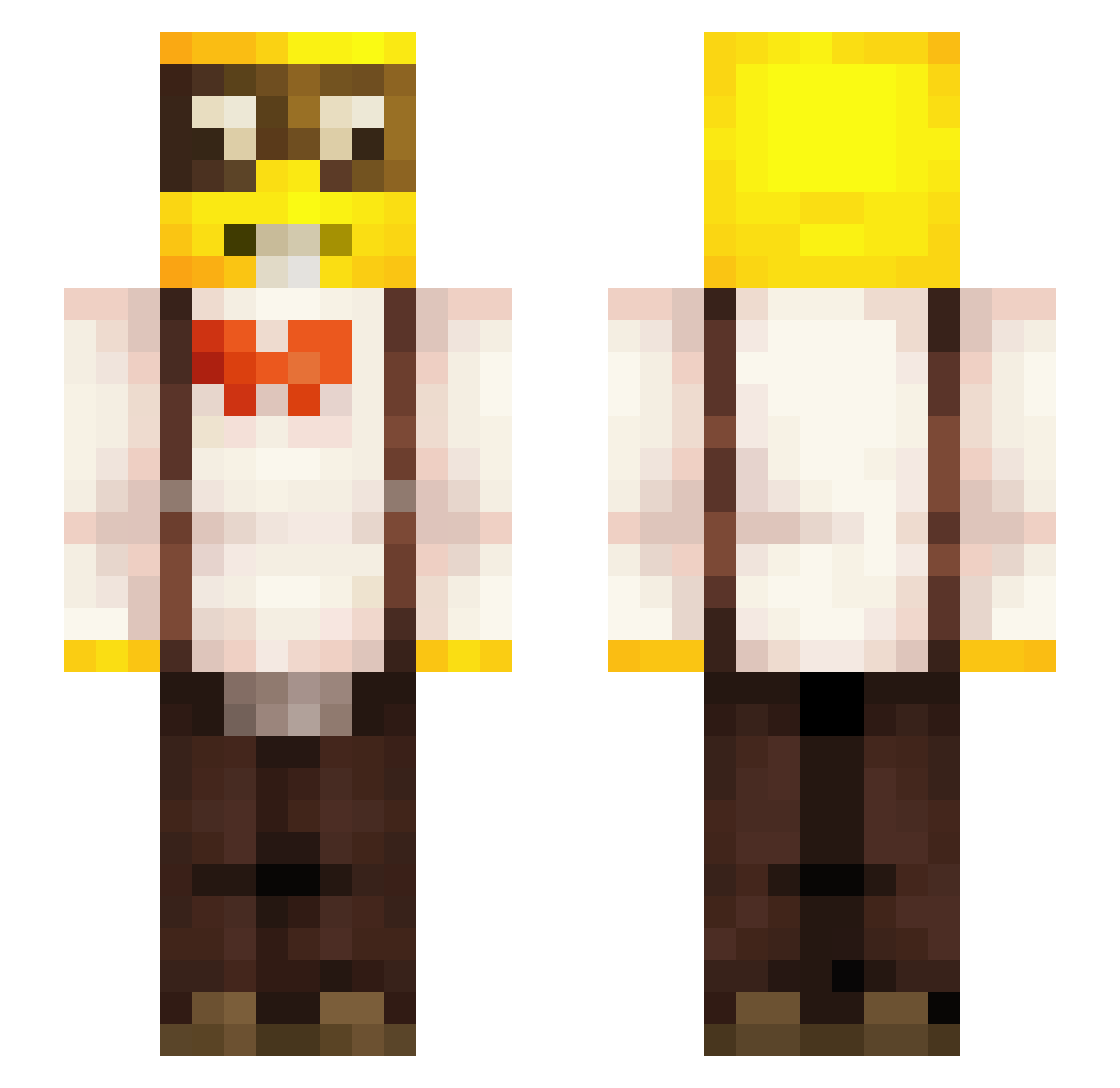
Current Minecraft skin of the player Yellowsnowblock, loaded from the official Mojang API. Rotate the 3D model with your mouse or finger, then download the skin as a PNG file and use it in Minecraft: Bedrock Edition or Java Edition for free. When Yellowsnowblock changes their skin, this page updates automatically and the old skin stays in the history below.
Other players with this skin (259)
Yellowsnowblock was the 32nd player we have seen with this skin, first spotted on 04.08.2026. The same skin was seen on these players. Open a nickname to see their current skin and skin history.
 Corn69420 yiih The_GhOST_PvPz lelzinn lukaesium jhena21 FearTheSponge nathann7247 Skittlenot IdaBello cosmikyuu NalkQc ArtemisWl PPtapiaa BaitMaster410 LydSquiid crkbell Randommanisreal 1HeGod Txhomir kawasaki49 brsnake11
 JIGO14 KEYGAMER_123_ HoIymoIy 9marshall Dr_Lughzin Lazaniaaa KingiPingi CristiD69 GRINDEItheGOD No_n4m3_oN Omego12 Ken1_2345 seseOtk TelaDeivyXD_ Jeennyy_ godlikesensation BrunnerFX Donsterr shorts83 Betadin_ Calangol YeaToBeFairTho
 zSlesh_ DeviateComet KongenSiggi09 Denisz_A_Komisz Lorenzo669 rowinxkees Szymon11YT mettydexMC _cherman lalafs tomino58 Kabub10 Kamaruju Milerson xxponponxx BryceLovesRice
More Yellow Guy Minecraft skins
How to install the Yellowsnowblock skin
- Press the Download button above to save the skin as a PNG file.
- Minecraft: Bedrock Edition (PE): open the Dressing Room from the main menu (or tap your character → Edit Character), go to Classic Skins → Owned, press the + (new skin) button, choose the downloaded PNG and pick the Slim (Alex) model. Works on PC and mobile; consoles cannot import custom skins.
- Minecraft: Java Edition: open the Minecraft Launcher, go to the Skins tab, click New Skin, load the PNG, pick the Slim (Alex) model and press Save & Use. You can also upload it at minecraft.net → Profile → Change Skin.
The skin does not show up after import - what should I do?
Restart Minecraft and open the Dressing Room again - imported skins sometimes appear only after a restart. Also make sure you selected the imported skin and picked the Slim (Alex) model.
Which model should I choose, Classic or Slim?
This skin is designed for the Slim (Alex) model. If you pick the wrong model, the arms of the skin will look stretched or squeezed.
Is the skin of Yellowsnowblock free to download?
Yes. Press Download, save the PNG file and use it in Minecraft: Bedrock Edition or Java Edition - no payment or registration needed. The skin also works on multiplayer servers and Realms.
More skins
Looking for more? Go back to all Minecraft skins and check the top skins of the week, month and all time, or find any player's skin by nickname.