
Xyndicate - Minecraft Skins & Skin History
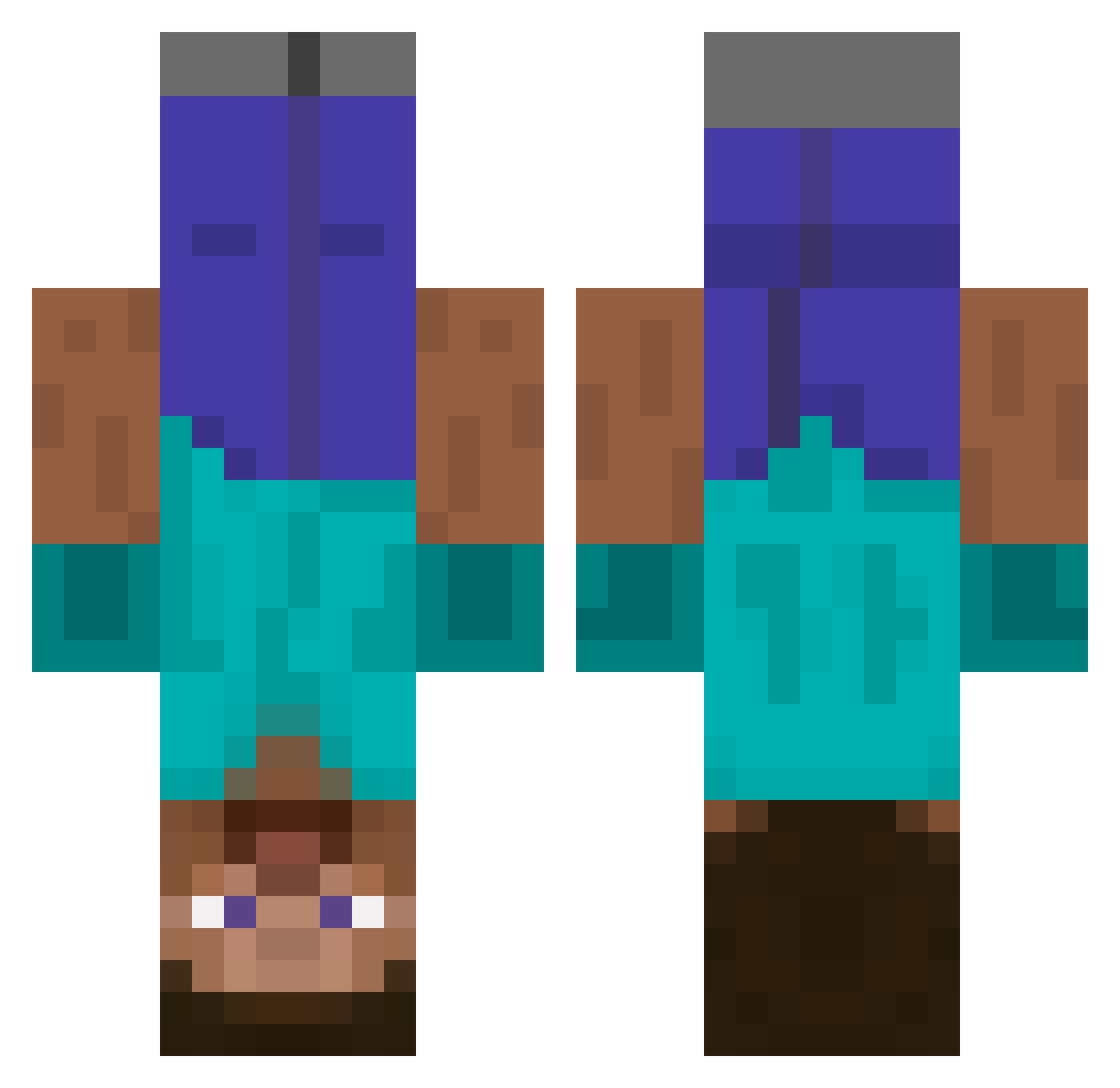
Current Minecraft skin of the player Xyndicate, loaded from the official Mojang API. Rotate the 3D model with your mouse or finger, then download the skin as a PNG file and use it in Minecraft: Bedrock Edition or Java Edition for free. When Xyndicate changes their skin, this page updates automatically and the old skin stays in the history below.
Other players with this skin (641)
Xyndicate was the 238th player we have seen with this skin, first spotted on 05.09.2026. The same skin was seen on these players. Open a nickname to see their current skin and skin history.
 Dip1733 On1ight Fakenlol hjdaboss SucodeGelo SSSStalinius SOUZZX M4tt8el Defyon Bret090 Jessi_luv KimboDynamics Rut360 ___Zeno_ SplashFantastic adodge_ xBYK3NTRO M1K0_0 Iameruayy m4rcu5es Radcrabdad cactusclap Agarestdarkangle joon21505 Swithal bubmet zakoma10120 Bowl_0000 bws127 Messss SirMang0 haooo0725 Coffeeaboo motyjohn SpankyIsBOSS CaCassPaDesBrik LilItch3000 Yinyanyunpip TheLongar NokusuKnox al_GG Na3e dainagon89 gustj5266 Laminatd PICCARDO06 Oceanary bigmacro enukkk stormshadoww kangjehy ni993rsaurus69 Nelio225 3___3___3 dggh31 WhatDaDogBeDoin DikkeJonkoLover Theoffical11 TilinQuispe22 maddin77
More Dinnerbone Minecraft skins
How to install the Xyndicate skin
- Press the Download button above to save the skin as a PNG file.
- Minecraft: Bedrock Edition (PE): open the Dressing Room from the main menu (or tap your character → Edit Character), go to Classic Skins → Owned, press the + (new skin) button, choose the downloaded PNG and pick the Classic (Steve) model. Works on PC and mobile; consoles cannot import custom skins.
- Minecraft: Java Edition: open the Minecraft Launcher, go to the Skins tab, click New Skin, load the PNG, pick the Classic (Steve) model and press Save & Use. You can also upload it at minecraft.net → Profile → Change Skin.
The skin does not show up after import - what should I do?
Restart Minecraft and open the Dressing Room again - imported skins sometimes appear only after a restart. Also make sure you selected the imported skin and picked the Classic (Steve) model.
Which model should I choose, Classic or Slim?
This skin is designed for the Classic (Steve) model. If you pick the wrong model, the arms of the skin will look stretched or squeezed.
Is the skin of Xyndicate free to download?
Yes. Press Download, save the PNG file and use it in Minecraft: Bedrock Edition or Java Edition - no payment or registration needed. The skin also works on multiplayer servers and Realms.
More skins
Looking for more? Go back to all Minecraft skins and check the top skins of the week, month and all time, or find any player's skin by nickname.