
XxDannyboiiixX - Minecraft Skins & Skin History
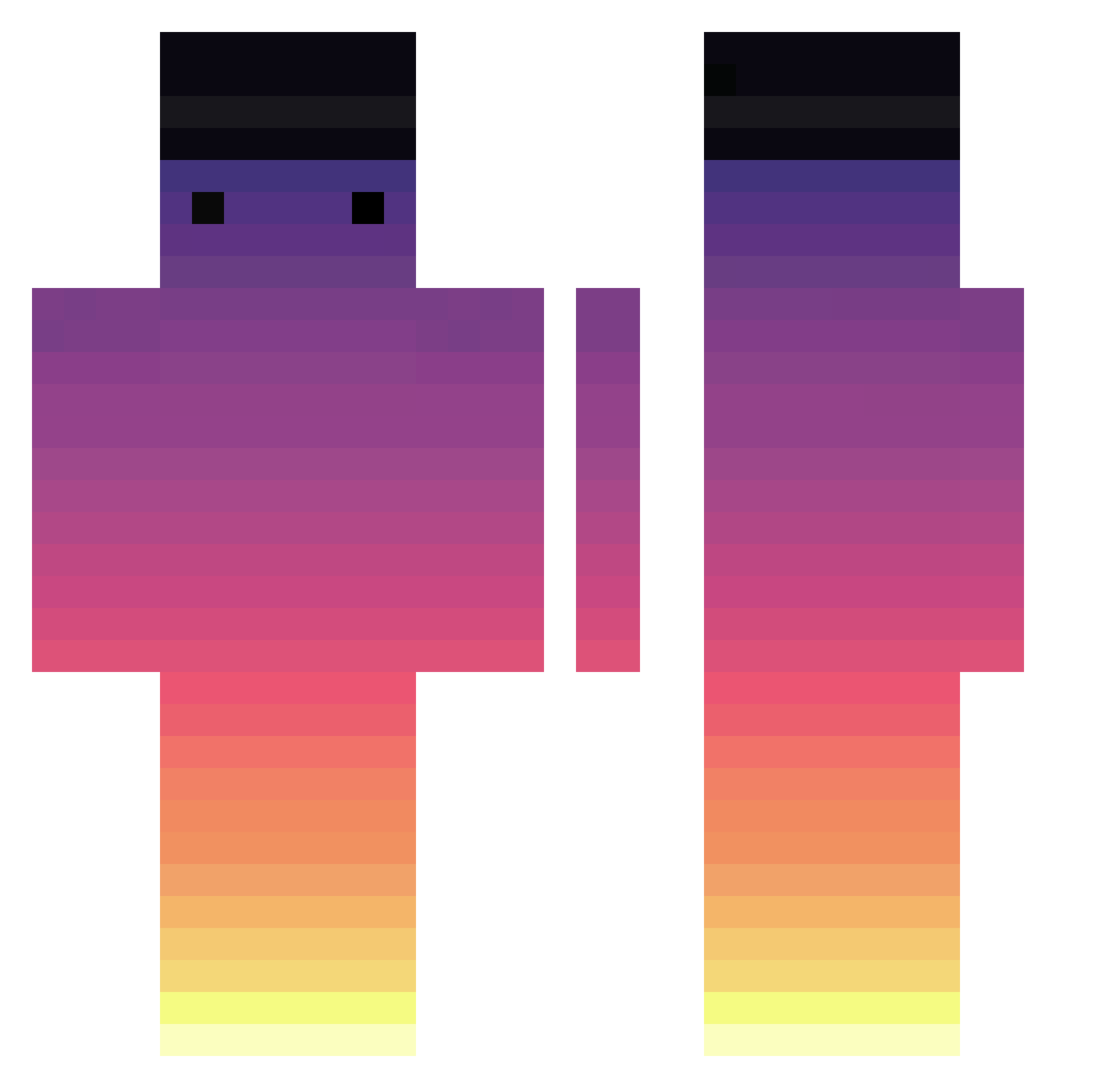
Current Minecraft skin of the player XxDannyboiiixX, loaded from the official Mojang API. Rotate the 3D model with your mouse or finger, then download the skin as a PNG file and use it in Minecraft: Bedrock Edition or Java Edition for free. When XxDannyboiiixX changes their skin, this page updates automatically and the old skin stays in the history below.
Other players with this skin (717)
XxDannyboiiixX was the 440th player we have seen with this skin, first spotted on 02.10.2026. The same skin was seen on these players. Open a nickname to see their current skin and skin history.
 twilight57 SomeUser456 melihkoray SauucyOT OllieTheNoob El_Galva Madase Striks77 Gandalf0609 Poesox xSora__ Werblle ZakHaar216 MrMax999 YYyouyou jlad999 Naopop Piko_ra XwomboX pitouleking zKinqLuke Pastranu Iriduck Kalen95 aksoedj14 oopzy mygr16a WG_test4 Jyan_J ItsSnowiii Kadaafjee 1murphy BReeeZx ASPGAMINGYT Ext_ch min945554 floriancog racconut todoroki244 WHITE__F0X MarbleStraw2496 SteppeKracken Lebasterr Serzhick deivisbeibis LcasV olidog8 Jan3kk_ XxarmaxX EscalaReal OldStreets ZKWill212 54lili mriynuk ianhung0318 Wilson2304 petiks 3l_mi4u mondkeks123 FreedomLIQ
How to install the XxDannyboiiixX skin
- Press the Download button above to save the skin as a PNG file.
- Minecraft: Bedrock Edition (PE): open the Dressing Room from the main menu (or tap your character → Edit Character), go to Classic Skins → Owned, press the + (new skin) button, choose the downloaded PNG and pick the Classic (Steve) model. Works on PC and mobile; consoles cannot import custom skins.
- Minecraft: Java Edition: open the Minecraft Launcher, go to the Skins tab, click New Skin, load the PNG, pick the Classic (Steve) model and press Save & Use. You can also upload it at minecraft.net → Profile → Change Skin.
The skin does not show up after import - what should I do?
Restart Minecraft and open the Dressing Room again - imported skins sometimes appear only after a restart. Also make sure you selected the imported skin and picked the Classic (Steve) model.
Which model should I choose, Classic or Slim?
This skin is designed for the Classic (Steve) model. If you pick the wrong model, the arms of the skin will look stretched or squeezed.
Is the skin of XxDannyboiiixX free to download?
Yes. Press Download, save the PNG file and use it in Minecraft: Bedrock Edition or Java Edition - no payment or registration needed. The skin also works on multiplayer servers and Realms.
More skins
Looking for more? Go back to all Minecraft skins and check the top skins of the week, month and all time, or find any player's skin by nickname.