
Xuyun - Minecraft Skins & Skin History
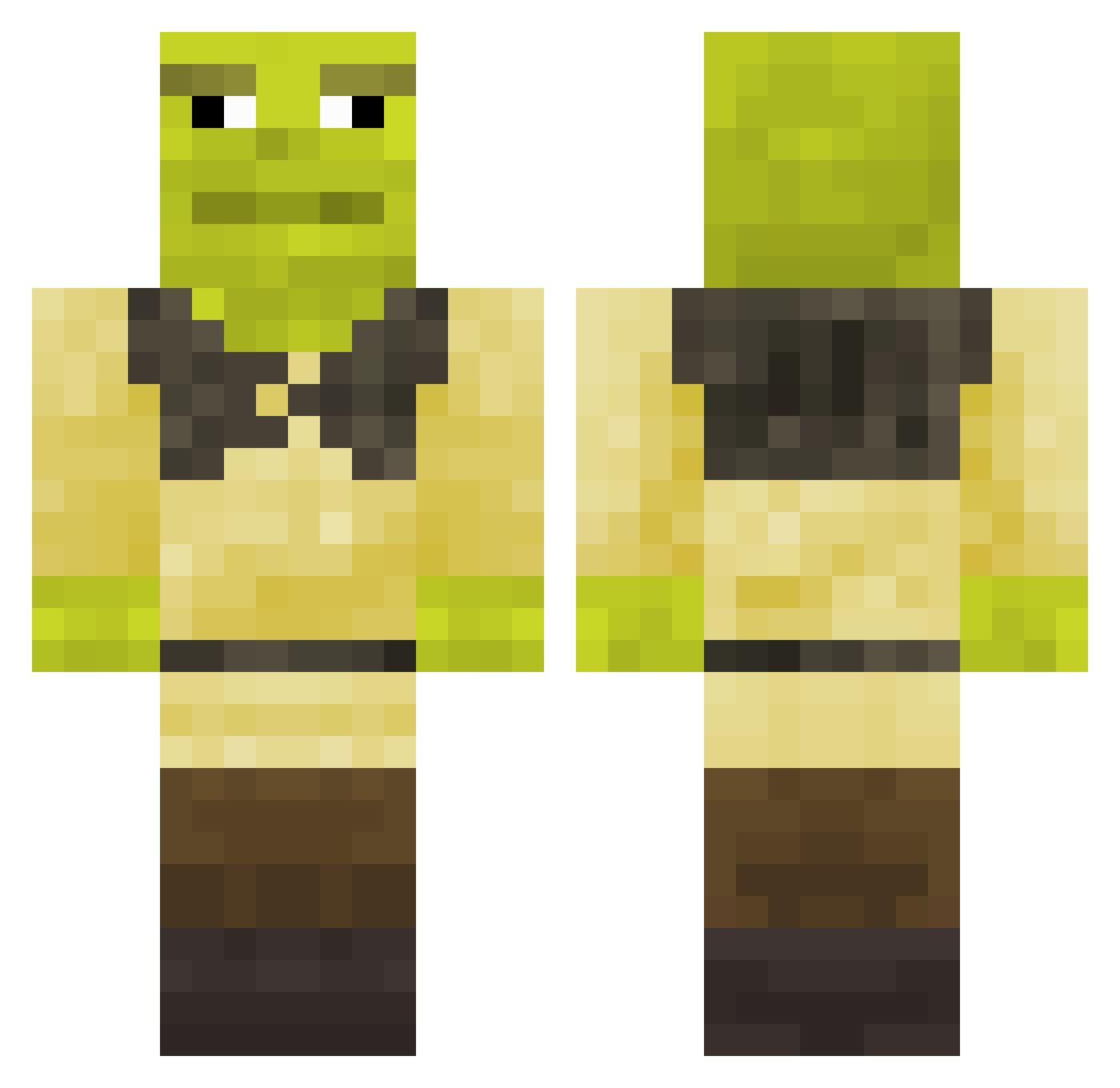
Current Minecraft skin of the player Xuyun, loaded from the official Mojang API. Rotate the 3D model with your mouse or finger, then download the skin as a PNG file and use it in Minecraft: Bedrock Edition or Java Edition for free. When Xuyun changes their skin, this page updates automatically and the old skin stays in the history below.
Other players with this skin (338)
Xuyun was the 40th player we have seen with this skin, first spotted on 08.08.2026. The same skin was seen on these players. Open a nickname to see their current skin and skin history.
 zakgry JoeGags Ilzyoce dalak78 Fructora NoahBrrr willeg Jester__Joe BadisMach SamtHam RosZar111 Valtsuboe22 Mark3s4891 JeSuisMechant Machi_Con PoPoBoiii Lobopazzosgravo shrekgamer10 asman666 ShrekVEVO BigJoynt HumbleMicrobe55
 sayolight Zov1n Tuukka123 MaxiCr1nge Werksy david1813
 MINEDIAMONDS_ Vinagrin Polski_Menel ickx6 NYMZZZY AdeleM MrNayn KourouK Zamaroth cloiseau NotHok SOPACI Shlepok_Shreka SequencerEXE Liam_Reid hina44 iSvett Shaitaaaaaan haiwing2 pdcamargo Donald02 gokuks012 groovinikki Sahlo KaiShao_PVP _Ryzor_ JoaoFontana15 CroutonPierre Cyrillus michalpiat xXGabeTheGamerXx Mr_Joa
More Shrek Minecraft skins
How to install the Xuyun skin
- Press the Download button above to save the skin as a PNG file.
- Minecraft: Bedrock Edition (PE): open the Dressing Room from the main menu (or tap your character → Edit Character), go to Classic Skins → Owned, press the + (new skin) button, choose the downloaded PNG and pick the Classic (Steve) model. Works on PC and mobile; consoles cannot import custom skins.
- Minecraft: Java Edition: open the Minecraft Launcher, go to the Skins tab, click New Skin, load the PNG, pick the Classic (Steve) model and press Save & Use. You can also upload it at minecraft.net → Profile → Change Skin.
The skin does not show up after import - what should I do?
Restart Minecraft and open the Dressing Room again - imported skins sometimes appear only after a restart. Also make sure you selected the imported skin and picked the Classic (Steve) model.
Which model should I choose, Classic or Slim?
This skin is designed for the Classic (Steve) model. If you pick the wrong model, the arms of the skin will look stretched or squeezed.
Is the skin of Xuyun free to download?
Yes. Press Download, save the PNG file and use it in Minecraft: Bedrock Edition or Java Edition - no payment or registration needed. The skin also works on multiplayer servers and Realms.
More skins
Looking for more? Go back to all Minecraft skins and check the top skins of the week, month and all time, or find any player's skin by nickname.