
XXLBertha - Minecraft Skins & Skin History
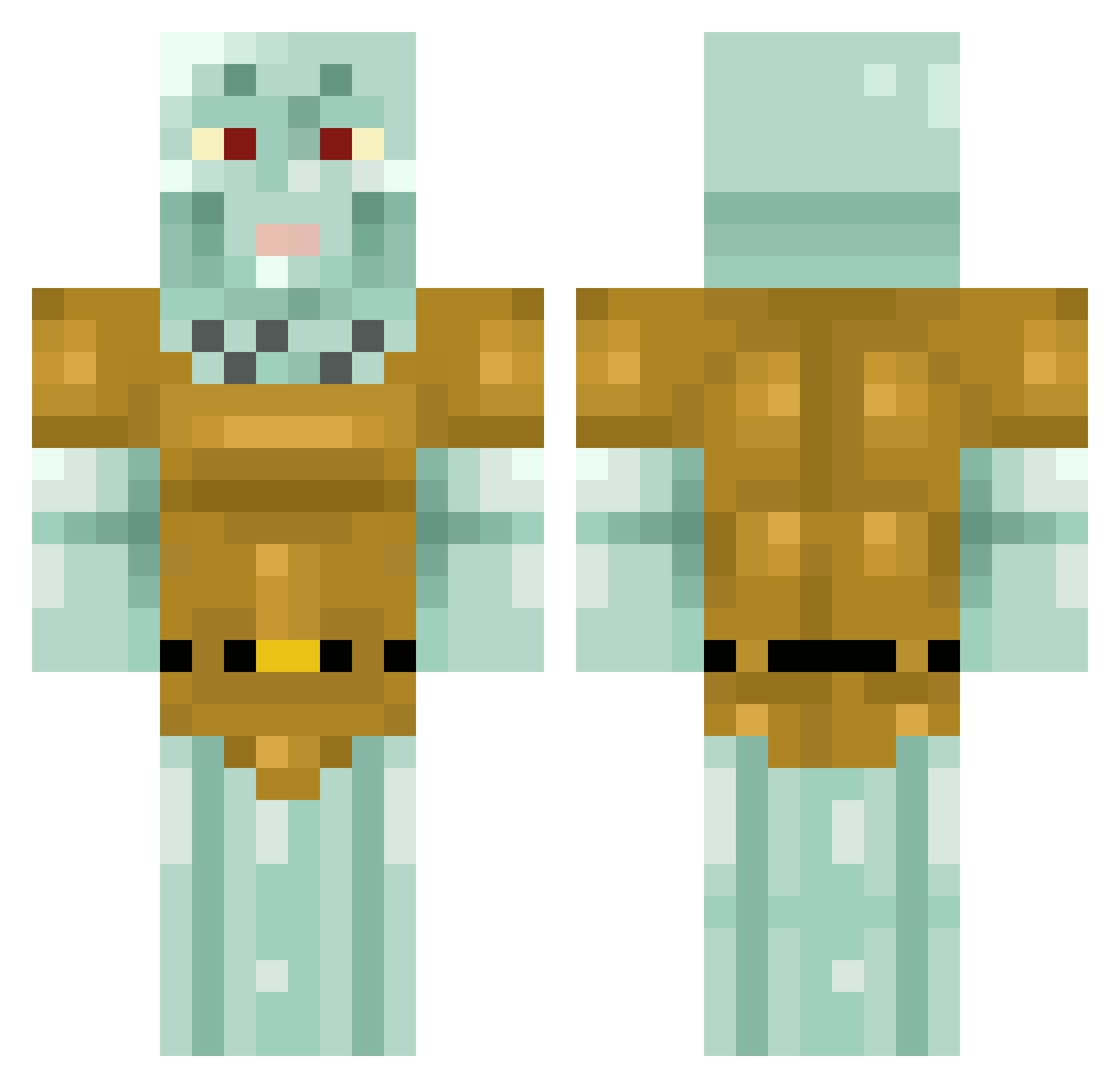
Current Minecraft skin of the player XXLBertha, loaded from the official Mojang API. Rotate the 3D model with your mouse or finger, then download the skin as a PNG file and use it in Minecraft: Bedrock Edition or Java Edition for free. When XXLBertha changes their skin, this page updates automatically and the old skin stays in the history below.
Other players with this skin (433)
XXLBertha was the 50th player we have seen with this skin, first spotted on 13.08.2026. The same skin was seen on these players. Open a nickname to see their current skin and skin history.
 hidyho67 CDNpoutine YeOstrich Pelly2500 mestogan TheAcademic112 T4HA08 KungFuDounut Boe_Jorman Bradley0413 SLNGSHOT720 Wycliffe_ Subluke MCFinn1 KosmicTwist MellamoWorldwide SinaSystem MachewPichu Cerebrix Exedoxy Neez__Duts Yflowz_1 TrailFire1 Potatoe_Sacc Elcheche1994 jakejanssen RyuuSaikou Vonstermonster BasedSquidward DonYorcho arbeq SiennaPrice TraciePoo Saharahx DealDemon666 HerrSchinkler subtleobserver eitex27 eepaloupe KalleKanin01 UPin3 ChefGusteau420 duchessdingus iagolete DiceSanity IchBimsOmar i_choke_on_legos Naveltje anornge _Qork_ Ceuby bxyah Spolsdes619 GermanLetsLEL DunnpfiffGurgler OllieStalefish fat_ball_ssack Mygames25 eazymal Kwitikill
More Squidward Tentacles Minecraft skins
See all 90 Squidward Tentacles skins
How to install the XXLBertha skin
- Press the Download button above to save the skin as a PNG file.
- Minecraft: Bedrock Edition (PE): open the Dressing Room from the main menu (or tap your character → Edit Character), go to Classic Skins → Owned, press the + (new skin) button, choose the downloaded PNG and pick the Classic (Steve) model. Works on PC and mobile; consoles cannot import custom skins.
- Minecraft: Java Edition: open the Minecraft Launcher, go to the Skins tab, click New Skin, load the PNG, pick the Classic (Steve) model and press Save & Use. You can also upload it at minecraft.net → Profile → Change Skin.
The skin does not show up after import - what should I do?
Restart Minecraft and open the Dressing Room again - imported skins sometimes appear only after a restart. Also make sure you selected the imported skin and picked the Classic (Steve) model.
Which model should I choose, Classic or Slim?
This skin is designed for the Classic (Steve) model. If you pick the wrong model, the arms of the skin will look stretched or squeezed.
Is the skin of XXLBertha free to download?
Yes. Press Download, save the PNG file and use it in Minecraft: Bedrock Edition or Java Edition - no payment or registration needed. The skin also works on multiplayer servers and Realms.
More skins
Looking for more? Go back to all Minecraft skins and check the top skins of the week, month and all time, or find any player's skin by nickname.