
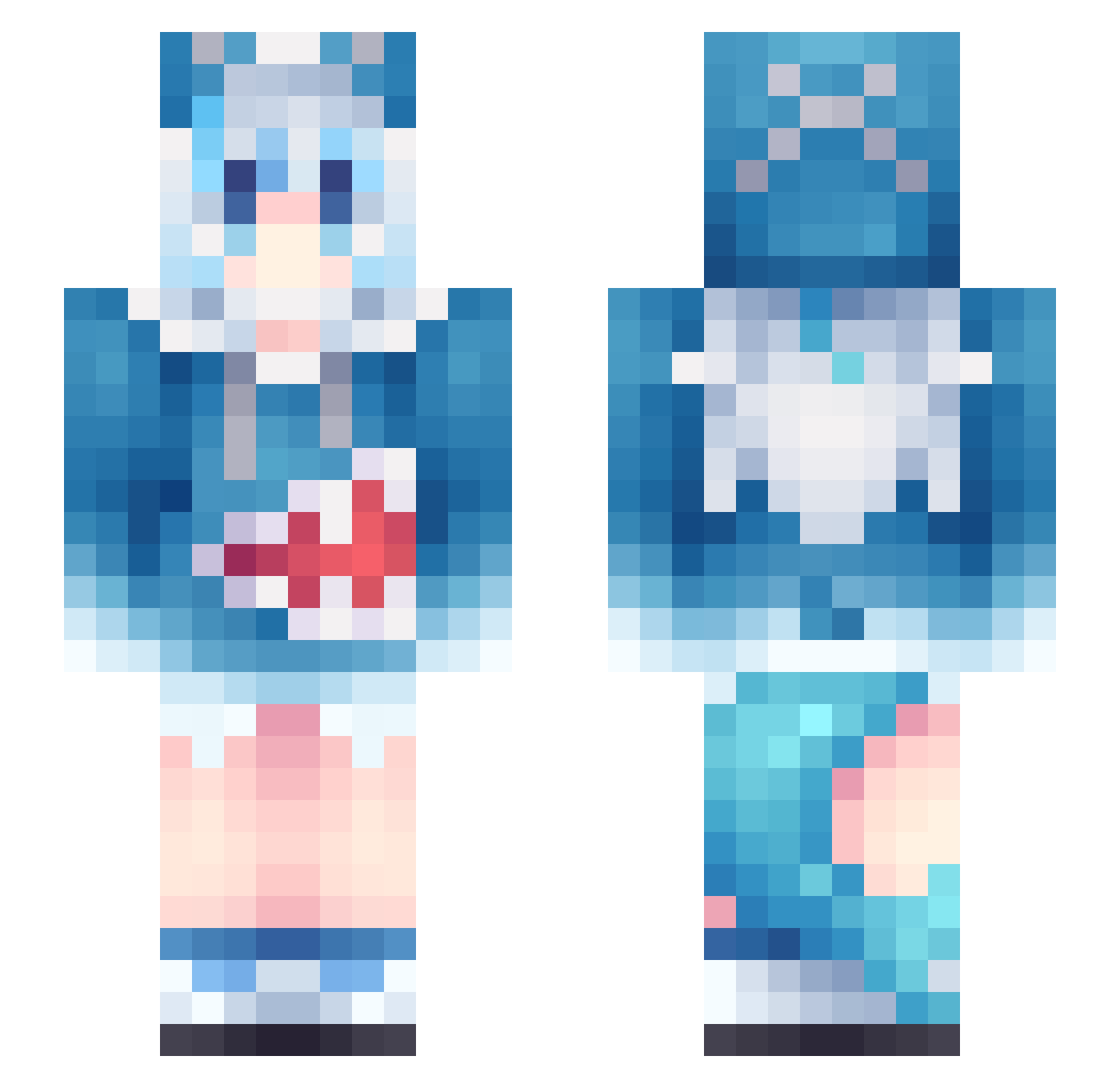
Current Minecraft skin of the player X1ao_lin, loaded from the official Mojang API. Rotate the 3D model with your mouse or finger, then download the skin as a PNG file and use it in Minecraft: Bedrock Edition or Java Edition for free. When X1ao_lin changes their skin, this page updates automatically and the old skin stays in the history below.
Other players with this skin (889)
X1ao_lin was the 236th player we have seen with this skin, first spotted on 17.08.2026. The same skin was seen on these players. Open a nickname to see their current skin and skin history.
 KreySpec FerTheGeko FLUTE_SONG RayRay549 Copper2610 tukemono08 fastphilip2 _Yun_lan_ xoqnic qweqeqeqeqe dimi88 uqiams Makaluny IEASTZAK Fan_0722 Astral1104 AMSoul0 Pyro_Lothbrok victor0401 ItzzKurumi snaXDD bialykrzak123 m_bolo yryqy Star_Biscuit_ Vinsmoke971 MOYUWUJI Ling_12 bocherrs Lucmlt78 LadyFairy65 Guswaza39 IHateTheEBU YISHENG0513 Felix_Yang Devil5464 Kiiyoura sjuzan_ Tony_BBQ 486174 PJ_GOD RealDASKINTV zz30095 Yrxzv LinhMine keyiii LuUwtf Minahs93 ToasterTwinz Dumens Vandellope lumos222 JumboBeet2001 ZerEarth yuiojjkp BlackRoom0103 M_arty Faros lbg_0MYU9_02_28 blocksuperman
More Gawr Gura Minecraft skins
How to install the X1ao_lin skin
- Press the Download button above to save the skin as a PNG file.
- Minecraft: Bedrock Edition (PE): open the Dressing Room from the main menu (or tap your character → Edit Character), go to Classic Skins → Owned, press the + (new skin) button, choose the downloaded PNG and pick the Slim (Alex) model. Works on PC and mobile; consoles cannot import custom skins.
- Minecraft: Java Edition: open the Minecraft Launcher, go to the Skins tab, click New Skin, load the PNG, pick the Slim (Alex) model and press Save & Use. You can also upload it at minecraft.net → Profile → Change Skin.
The skin does not show up after import - what should I do?
Restart Minecraft and open the Dressing Room again - imported skins sometimes appear only after a restart. Also make sure you selected the imported skin and picked the Slim (Alex) model.
Which model should I choose, Classic or Slim?
This skin is designed for the Slim (Alex) model. If you pick the wrong model, the arms of the skin will look stretched or squeezed.
Is the skin of X1ao_lin free to download?
Yes. Press Download, save the PNG file and use it in Minecraft: Bedrock Edition or Java Edition - no payment or registration needed. The skin also works on multiplayer servers and Realms.
More skins
Looking for more? Go back to all Minecraft skins and check the top skins of the week, month and all time, or find any player's skin by nickname.