
WolfStarr67 - Minecraft Skins & Skin History
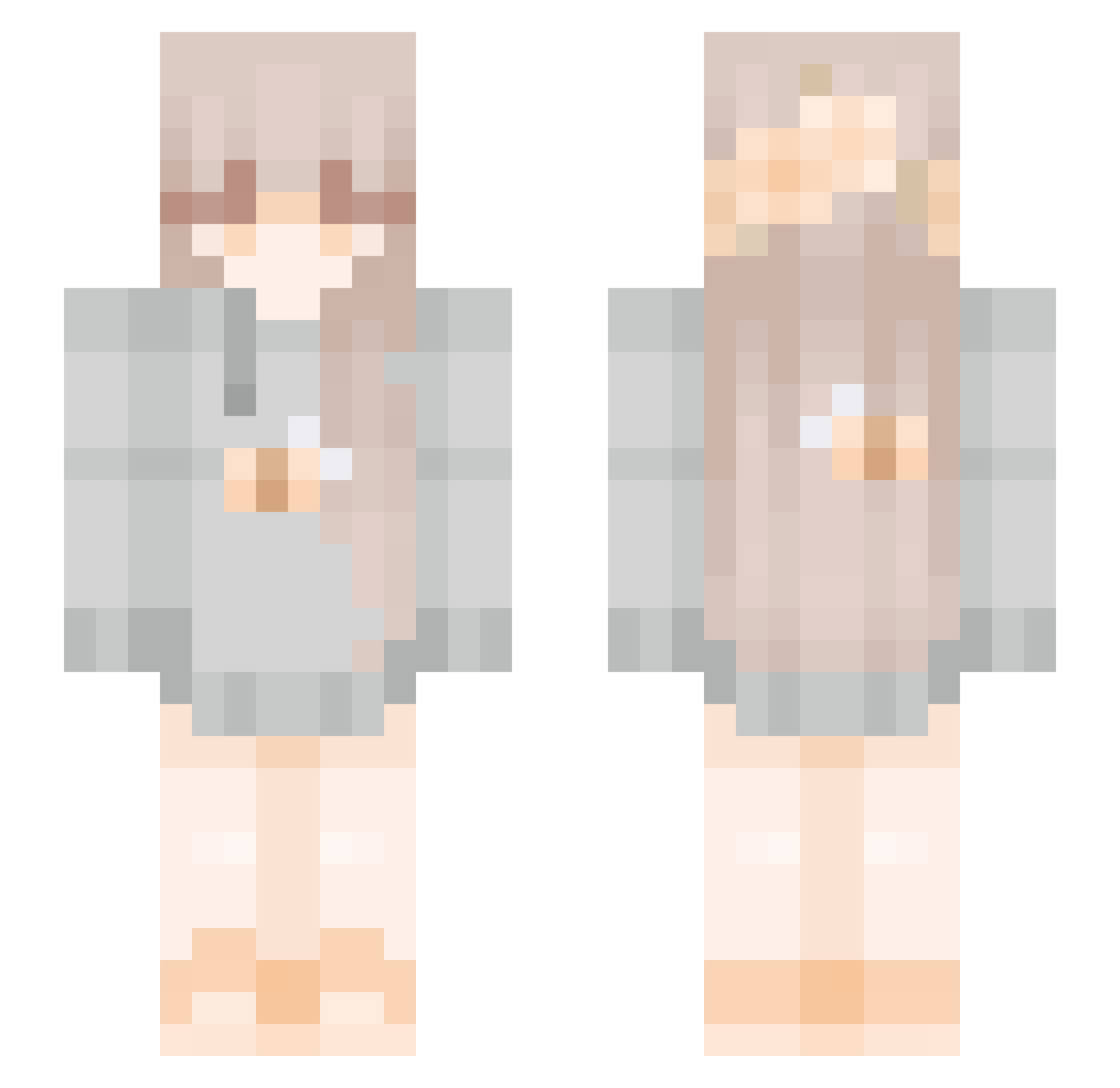
Current Minecraft skin of the player WolfStarr67, loaded from the official Mojang API. Rotate the 3D model with your mouse or finger, then download the skin as a PNG file and use it in Minecraft: Bedrock Edition or Java Edition for free. When WolfStarr67 changes their skin, this page updates automatically and the old skin stays in the history below.
Other players with this skin (272)
WolfStarr67 was the 156th player we have seen with this skin, first spotted on 01.10.2026. The same skin was seen on these players. Open a nickname to see their current skin and skin history.
 Lolkreker AveryHinazuki iriska5 DarkerByDesign Lyndss Citreme lavreche Mizuuhara egick Luciacalvopina10 PoggiesOWO Kagier kalemaster Bethanyyy76 w1ldflowerr geme233 Moobai ellawongmc RRnine Marmoset88 Kind_Wolf melotip soccermanliv pingwuu kanami718 Diana_Purples BeeGoBuzz vivinoble btw_charly Ershi pomi duuckkkk BirdGoddess_ Oriola biabadobee Saerr_ Wintermute2000 SoulToastIsLife MultiVitamineZ Circaa__ R0s3sx PawPowerXD Miiraa_ Isa_chan8 watson89 MinnieLJ AzaleaLeaves alinle Atokonoke ChayOkLove KarlaCutie SugarBee_ _Nep Brylee9239 Firemdragon REMEMBER_YOU GoldenRose14 AyakoNight acchan0222 Tapsie17
More Bee Minecraft skins
How to install the WolfStarr67 skin
- Press the Download button above to save the skin as a PNG file.
- Minecraft: Bedrock Edition (PE): open the Dressing Room from the main menu (or tap your character → Edit Character), go to Classic Skins → Owned, press the + (new skin) button, choose the downloaded PNG and pick the Slim (Alex) model. Works on PC and mobile; consoles cannot import custom skins.
- Minecraft: Java Edition: open the Minecraft Launcher, go to the Skins tab, click New Skin, load the PNG, pick the Slim (Alex) model and press Save & Use. You can also upload it at minecraft.net → Profile → Change Skin.
The skin does not show up after import - what should I do?
Restart Minecraft and open the Dressing Room again - imported skins sometimes appear only after a restart. Also make sure you selected the imported skin and picked the Slim (Alex) model.
Which model should I choose, Classic or Slim?
This skin is designed for the Slim (Alex) model. If you pick the wrong model, the arms of the skin will look stretched or squeezed.
Is the skin of WolfStarr67 free to download?
Yes. Press Download, save the PNG file and use it in Minecraft: Bedrock Edition or Java Edition - no payment or registration needed. The skin also works on multiplayer servers and Realms.
More skins
Looking for more? Go back to all Minecraft skins and check the top skins of the week, month and all time, or find any player's skin by nickname.