
Wmary1112 - Minecraft Skins & Skin History
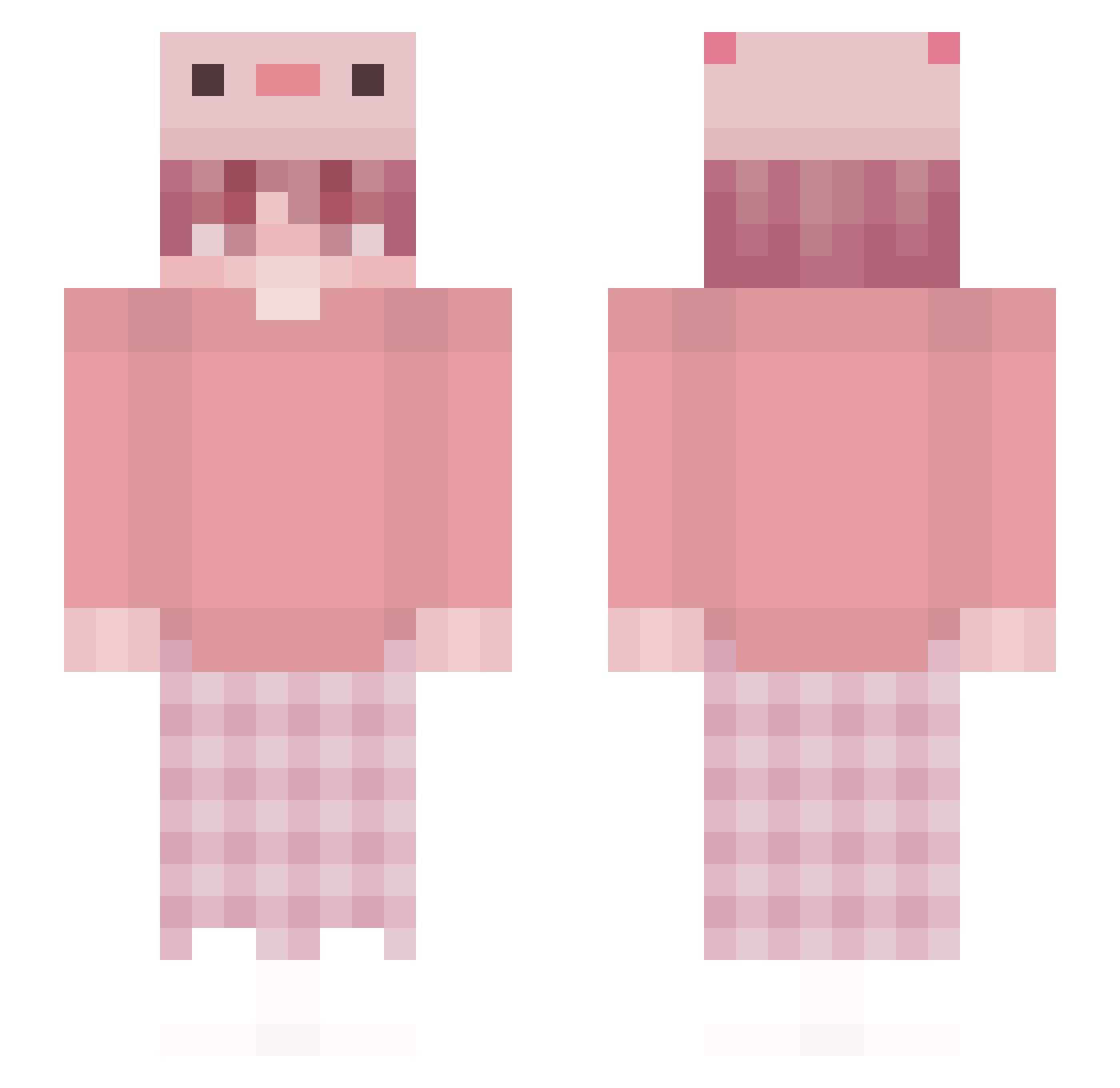
Current Minecraft skin of the player Wmary1112, loaded from the official Mojang API. Rotate the 3D model with your mouse or finger, then download the skin as a PNG file and use it in Minecraft: Bedrock Edition or Java Edition for free. When Wmary1112 changes their skin, this page updates automatically and the old skin stays in the history below.
Other players with this skin (247)
Wmary1112 was the 38th player we have seen with this skin, first spotted on 10.08.2026. The same skin was seen on these players. Open a nickname to see their current skin and skin history.
 pixxiepixx Cupcake000 scxrl3t akao1228 AntonioDL1880 Ciasteczek666 ZhtttyTong RokuStark cautivo ikukun jojobestty13 Snoowie1226 lKiwiOfDaLegendl EpicStingray423 Aizenuwu matismikkel NOZEZZ REDTNO Wishlist_ WhaleTiger macio_XD greeeeenday Thebadgamer6352 Schabikowy PoorSkid Billypig Proxaa Iviss014 Ratel_Pooh Pufal123 shion511 halilo povcarter
 KremitDeFroge ZletchenPlayer_ Nutnarak xMarylux Toy1044 Mr_KOTE_B_TANKE anthonyzq ginneko23 TwoAlex TheCreator37 Lan_xue IOPWQS p1nko Trainer_Grey Dfd319 I_Renaissance MoMoMoTuS ItsNotPaNiKa melody930606 Florskur_ youngwoongC kepahle HeadShotConnor iZhinji m00chiem00 MRuBi0 neselikivircik
More Axolotl Hat Minecraft skins
How to install the Wmary1112 skin
- Press the Download button above to save the skin as a PNG file.
- Minecraft: Bedrock Edition (PE): open the Dressing Room from the main menu (or tap your character → Edit Character), go to Classic Skins → Owned, press the + (new skin) button, choose the downloaded PNG and pick the Slim (Alex) model. Works on PC and mobile; consoles cannot import custom skins.
- Minecraft: Java Edition: open the Minecraft Launcher, go to the Skins tab, click New Skin, load the PNG, pick the Slim (Alex) model and press Save & Use. You can also upload it at minecraft.net → Profile → Change Skin.
The skin does not show up after import - what should I do?
Restart Minecraft and open the Dressing Room again - imported skins sometimes appear only after a restart. Also make sure you selected the imported skin and picked the Slim (Alex) model.
Which model should I choose, Classic or Slim?
This skin is designed for the Slim (Alex) model. If you pick the wrong model, the arms of the skin will look stretched or squeezed.
Is the skin of Wmary1112 free to download?
Yes. Press Download, save the PNG file and use it in Minecraft: Bedrock Edition or Java Edition - no payment or registration needed. The skin also works on multiplayer servers and Realms.
More skins
Looking for more? Go back to all Minecraft skins and check the top skins of the week, month and all time, or find any player's skin by nickname.