
WilsoMike - Minecraft Skins & Skin History
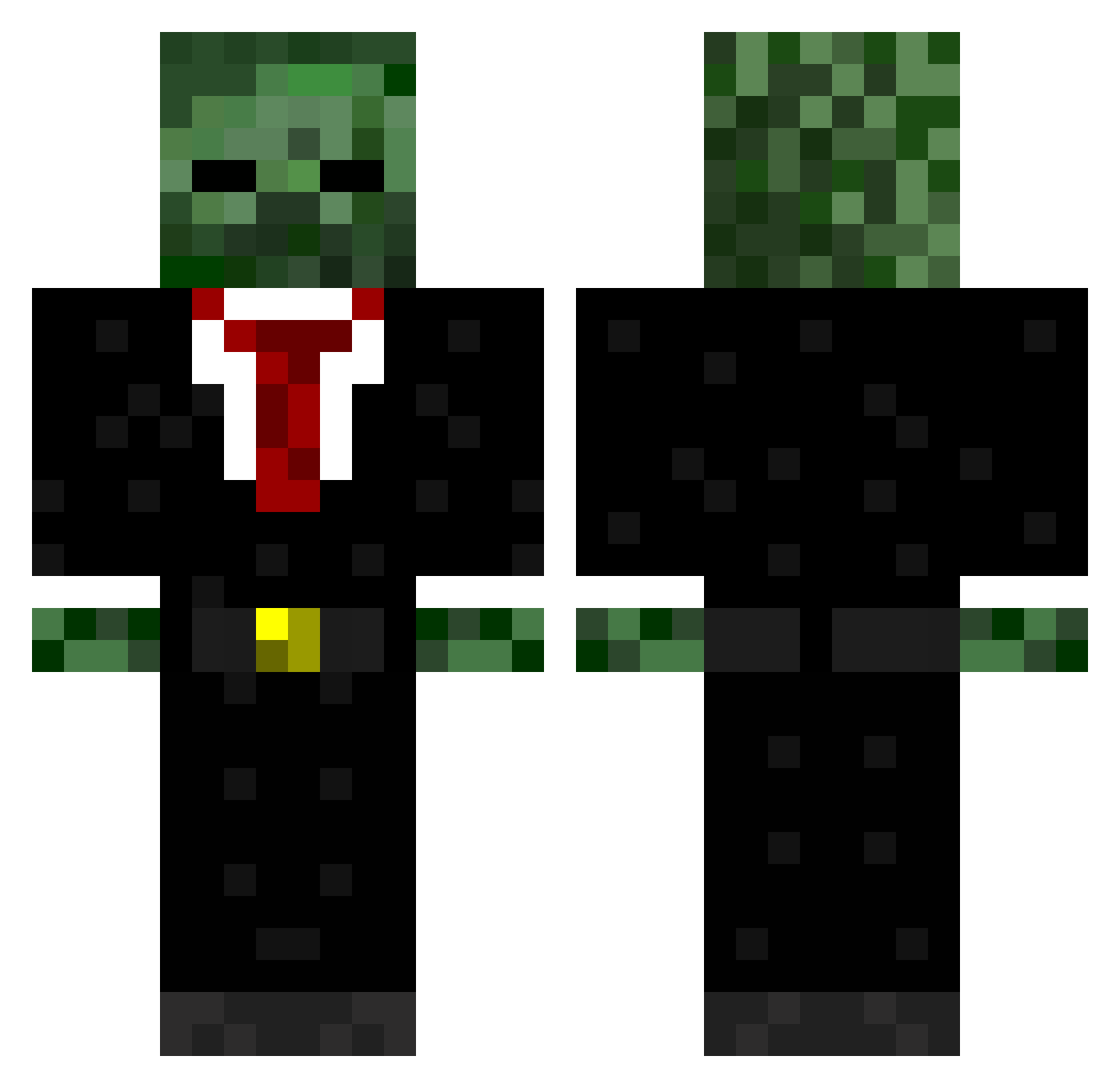
Current Minecraft skin of the player WilsoMike, loaded from the official Mojang API. Rotate the 3D model with your mouse or finger, then download the skin as a PNG file and use it in Minecraft: Bedrock Edition or Java Edition for free. When WilsoMike changes their skin, this page updates automatically and the old skin stays in the history below.
Other players with this skin (111)
WilsoMike was the 76th player we have seen with this skin, first spotted on 29.09.2026. The same skin was seen on these players. Open a nickname to see their current skin and skin history.
 ThenotoriousABT trisebear RealSloMotion Grapeape321 Xterminater3000 TiLTDRAMZ_ outbackzach ChaoticBasilisk Cheeoopp TheBigBlueJ SpecialProdigy somsom66 Prodigyxz SMASHER48 N0vaaatek SleepyStarfish ChadRemshik IxJosh ybj_ Thatgoldfish tomclough2000 PriiiimaL undeadproject ___Buck___ MrPresident712 vrokevin Tartarsaws Maciato Daddyaddy12 Marskay HorizonJD Blueeeeee Saundyy ap12056 B1urr9 OGPulz sirkinglee0303 Snake_Fire_14 Backbarbecue487 MunChuck Poopatron13000 cashman476 00Beans00 aidenh43 zelildrew mionis XirishXpandaX FTX_DanZ Fruitiboi utseyc NoahHunt455 Itz_Kev01 mikelis70 kingkow911 awmustard blackdragon0611 Trundy EpicWaffle897 Destroyer011 WolfHaley17
More Zombie Minecraft skins
How to install the WilsoMike skin
- Press the Download button above to save the skin as a PNG file.
- Minecraft: Bedrock Edition (PE): open the Dressing Room from the main menu (or tap your character → Edit Character), go to Classic Skins → Owned, press the + (new skin) button, choose the downloaded PNG and pick the Classic (Steve) model. Works on PC and mobile; consoles cannot import custom skins.
- Minecraft: Java Edition: open the Minecraft Launcher, go to the Skins tab, click New Skin, load the PNG, pick the Classic (Steve) model and press Save & Use. You can also upload it at minecraft.net → Profile → Change Skin.
The skin does not show up after import - what should I do?
Restart Minecraft and open the Dressing Room again - imported skins sometimes appear only after a restart. Also make sure you selected the imported skin and picked the Classic (Steve) model.
Which model should I choose, Classic or Slim?
This skin is designed for the Classic (Steve) model. If you pick the wrong model, the arms of the skin will look stretched or squeezed.
Is the skin of WilsoMike free to download?
Yes. Press Download, save the PNG file and use it in Minecraft: Bedrock Edition or Java Edition - no payment or registration needed. The skin also works on multiplayer servers and Realms.
More skins
Looking for more? Go back to all Minecraft skins and check the top skins of the week, month and all time, or find any player's skin by nickname.