
WillyaWill - Minecraft Skins & Skin History
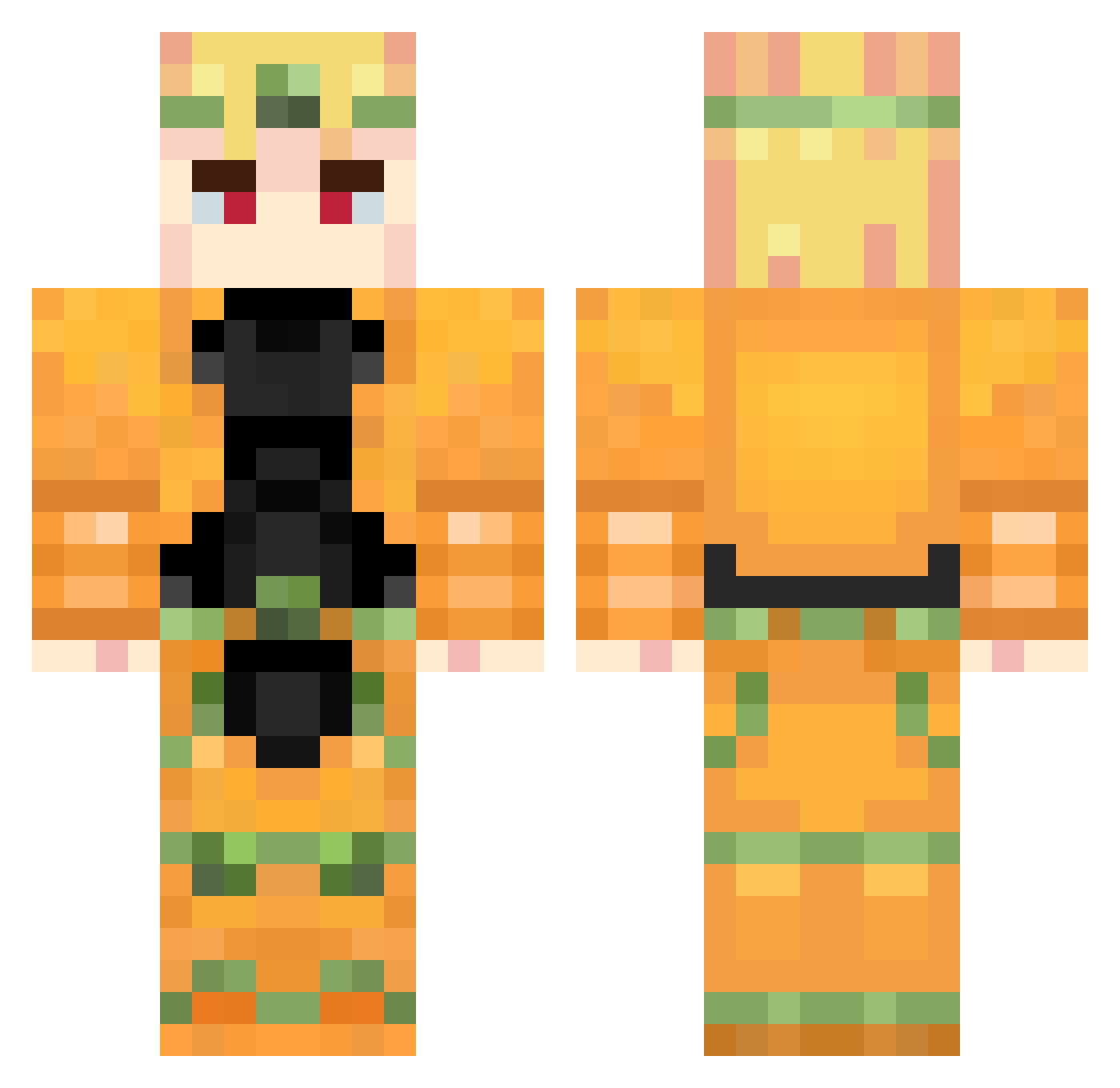
Current Minecraft skin of the player WillyaWill, loaded from the official Mojang API. Rotate the 3D model with your mouse or finger, then download the skin as a PNG file and use it in Minecraft: Bedrock Edition or Java Edition for free. When WillyaWill changes their skin, this page updates automatically and the old skin stays in the history below.
Other players with this skin (880)
WillyaWill was the 373rd player we have seen with this skin, first spotted on 11.09.2026. The same skin was seen on these players. Open a nickname to see their current skin and skin history.
 drizin_ moldofslime DiosRightNvt Elrasch Bxenediktt
 _Vindes_ Sventulox EstoneX9 ChingChingChong takeC9 moderncatch FrenchSpearzy gaabbzx PixelOuO RKING007 pythonthon Gormac Thecrabss GuiCardozo Kazer1221 Astrxnity papucarnicero hiranottin Honig_und_Milch LALLOGAMER123 Lalatexas iRoseHD ToxicPoke Yuu_San___ Dinorexmaster20 EmergentZeroX aceofrimmer Washasha_ Toashii IvanTHEGamer42 neillmine YC_0101 onyanpo unpoko893 DIO_TheWorld1867 elsko starchief_ juiiiceeee marionetka_on_ Endernerd06 Vincent0419 KonoDio_MudaMuda ZaWarudo93 stanchercloth SUUUUUUUUUUCAAAA Branch33 FlareDem Degero BOSG_ACOG_EZ Ma319th mexicanwookiee TheAlexcaf MonsterRrat meziro2020 Erixos
More Dio Brando Minecraft skins
How to install the WillyaWill skin
- Press the Download button above to save the skin as a PNG file.
- Minecraft: Bedrock Edition (PE): open the Dressing Room from the main menu (or tap your character → Edit Character), go to Classic Skins → Owned, press the + (new skin) button, choose the downloaded PNG and pick the Classic (Steve) model. Works on PC and mobile; consoles cannot import custom skins.
- Minecraft: Java Edition: open the Minecraft Launcher, go to the Skins tab, click New Skin, load the PNG, pick the Classic (Steve) model and press Save & Use. You can also upload it at minecraft.net → Profile → Change Skin.
The skin does not show up after import - what should I do?
Restart Minecraft and open the Dressing Room again - imported skins sometimes appear only after a restart. Also make sure you selected the imported skin and picked the Classic (Steve) model.
Which model should I choose, Classic or Slim?
This skin is designed for the Classic (Steve) model. If you pick the wrong model, the arms of the skin will look stretched or squeezed.
Is the skin of WillyaWill free to download?
Yes. Press Download, save the PNG file and use it in Minecraft: Bedrock Edition or Java Edition - no payment or registration needed. The skin also works on multiplayer servers and Realms.
More skins
Looking for more? Go back to all Minecraft skins and check the top skins of the week, month and all time, or find any player's skin by nickname.