
Wilks1 - Minecraft Skins & Skin History
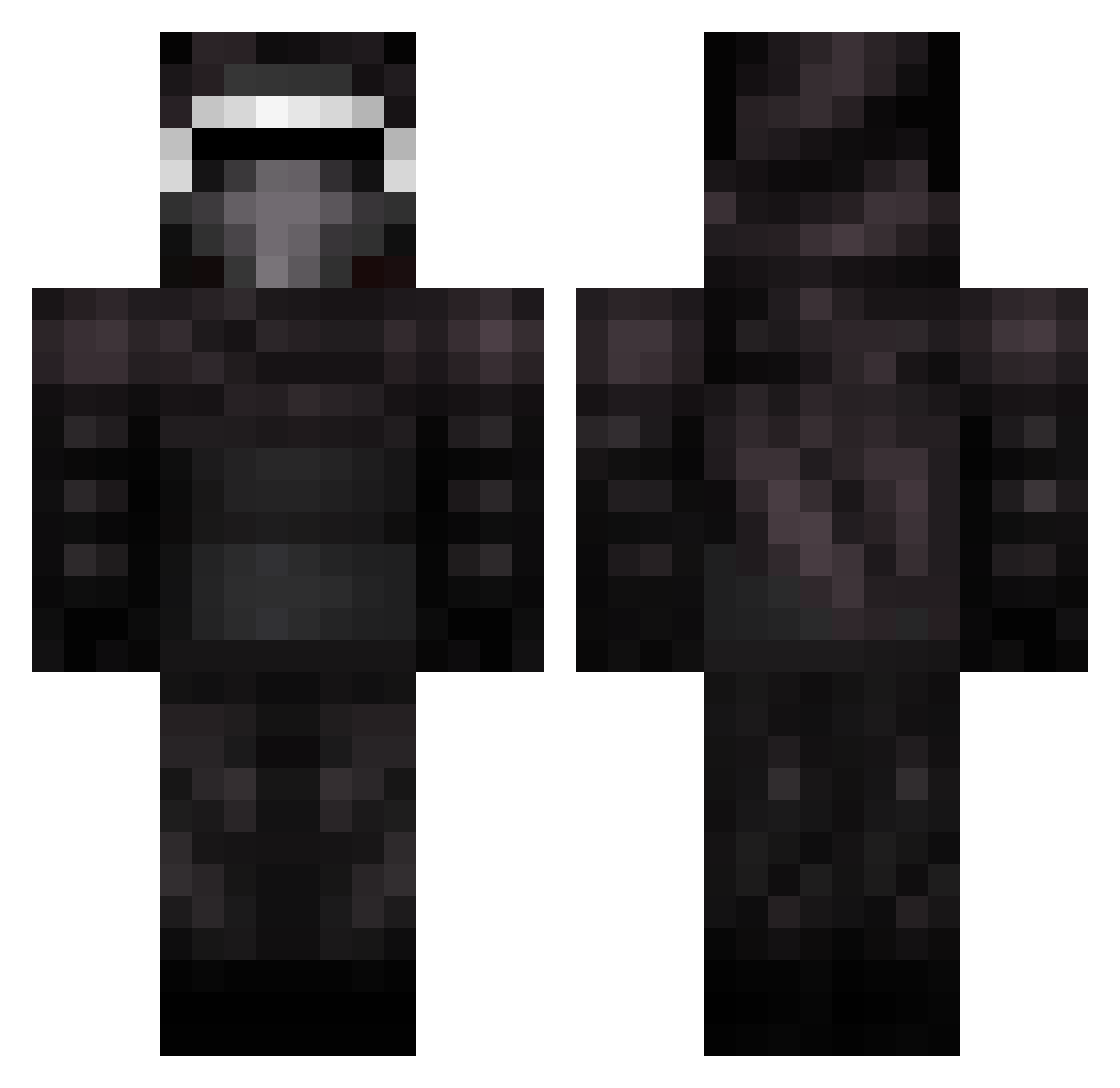
Current Minecraft skin of the player Wilks1, loaded from the official Mojang API. Rotate the 3D model with your mouse or finger, then download the skin as a PNG file and use it in Minecraft: Bedrock Edition or Java Edition for free. When Wilks1 changes their skin, this page updates automatically and the old skin stays in the history below.
Other players with this skin (399)
Wilks1 was the 10th player we have seen with this skin, first spotted on 28.07.2026. The same skin was seen on these players. Open a nickname to see their current skin and skin history.
 ClarkWithoutAnE RobstarFTW Th3King24 LorrustLondola Wonder_mouse2 SamuelPlayz bubbyman acebaseball26 Rowa Regiuzz GutPuncher777 casman03 Minemole3 harry_potter6544 GamerNurd Neo2TX OD77 MSwarley Department1234 lauri225 Nachtklaue Bahgz Perilous_ xShadowLord12 Dropped__ Johanjohan kylo_skywalker TheDarkMister Jackdawgg Hascler ItzJustusPvP Alconem RichardFlaa Dendarian CrockerElLegend Dhyther23 mat_68 New_Harmony Olofmeister115 Fletcher19 DrizzyDiamonds Fxltz FishAim coletrain263 Marpro123 ImLuciferrr 365wildman OutrageousMitch Henning_Primdal TheSavageGod Khosravy Daevil999 Puma945 xShadowLord16 Rainbowleroy justahunter nightkiller620 sausagesuperman jb949 Kasper_zombie
More Kylo Ren Minecraft skins
How to install the Wilks1 skin
- Press the Download button above to save the skin as a PNG file.
- Minecraft: Bedrock Edition (PE): open the Dressing Room from the main menu (or tap your character → Edit Character), go to Classic Skins → Owned, press the + (new skin) button, choose the downloaded PNG and pick the Classic (Steve) model. Works on PC and mobile; consoles cannot import custom skins.
- Minecraft: Java Edition: open the Minecraft Launcher, go to the Skins tab, click New Skin, load the PNG, pick the Classic (Steve) model and press Save & Use. You can also upload it at minecraft.net → Profile → Change Skin.
The skin does not show up after import - what should I do?
Restart Minecraft and open the Dressing Room again - imported skins sometimes appear only after a restart. Also make sure you selected the imported skin and picked the Classic (Steve) model.
Which model should I choose, Classic or Slim?
This skin is designed for the Classic (Steve) model. If you pick the wrong model, the arms of the skin will look stretched or squeezed.
Is the skin of Wilks1 free to download?
Yes. Press Download, save the PNG file and use it in Minecraft: Bedrock Edition or Java Edition - no payment or registration needed. The skin also works on multiplayer servers and Realms.
More skins
Looking for more? Go back to all Minecraft skins and check the top skins of the week, month and all time, or find any player's skin by nickname.