
WestHarbor68496 - Minecraft Skins & Skin History
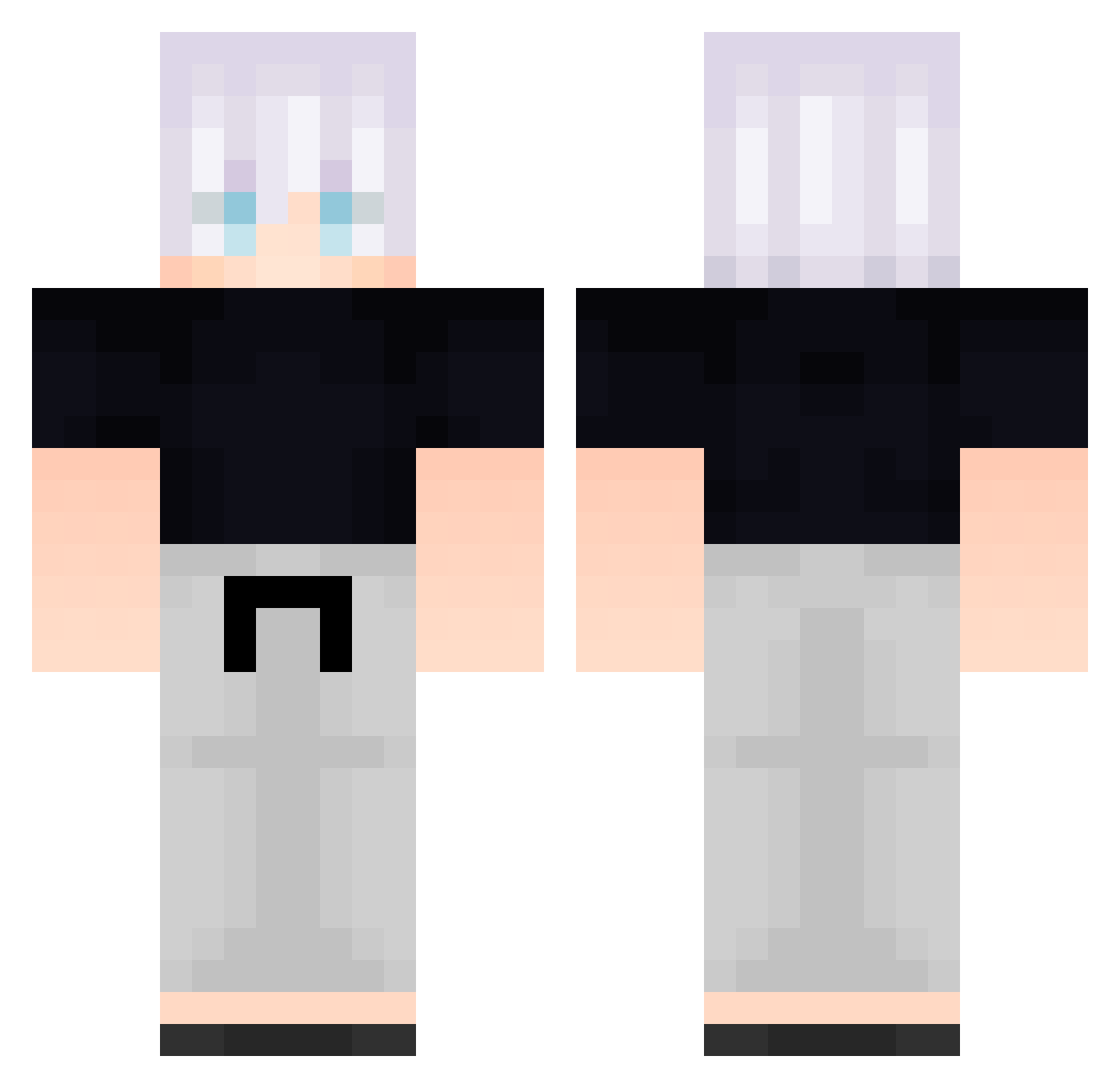
Current Minecraft skin of the player WestHarbor68496, loaded from the official Mojang API. Rotate the 3D model with your mouse or finger, then download the skin as a PNG file and use it in Minecraft: Bedrock Edition or Java Edition for free. When WestHarbor68496 changes their skin, this page updates automatically and the old skin stays in the history below.
Other players with this skin (703)
WestHarbor68496 was the 605th player we have seen with this skin, first spotted on 03.11.2026. The same skin was seen on these players. Open a nickname to see their current skin and skin history.
 FreeLoganRain375 wiw505 Suben0223 PoulpeJouasse amd613 ePhloca wnfyqs _backbeingaaG869 whddn8725 lichoni SargentSenpai iMx272 bgW721 FreeLoganRain175 JohnV101 LeoSpessotto wqr70 wcY514 oSonnie XeC480 GoDuckYqE548 feeeeelp msv319 _Jir0_ Kwg451 mrTxRuQgjDLZz571 ElConchetumare FreeLoganRain616 Kongtiao______98 aa_backbeingn858 FreeLoganRain315 CvO443 qYT815 bQD160 Kcf371 LucasHrP RoronoaDoka Umbriniss UwH123 uou460 oqT376 Mathereus FolloMinecraft80 SnoWy_7Y Qfs777 iElemental__ JameFoster B_DHnWMCcEJgy299 FreeLoganRain415 Particularize027 Revolta_18 _backbeinganY988 Sny342 Refiiley mcH664 Particularize059 Particularize034 Dqi715 _backbeingaBG141 Hyo_joong365
More Satoru Gojo Minecraft skins
See all 1484 Satoru Gojo skins
How to install the WestHarbor68496 skin
- Press the Download button above to save the skin as a PNG file.
- Minecraft: Bedrock Edition (PE): open the Dressing Room from the main menu (or tap your character → Edit Character), go to Classic Skins → Owned, press the + (new skin) button, choose the downloaded PNG and pick the Classic (Steve) model. Works on PC and mobile; consoles cannot import custom skins.
- Minecraft: Java Edition: open the Minecraft Launcher, go to the Skins tab, click New Skin, load the PNG, pick the Classic (Steve) model and press Save & Use. You can also upload it at minecraft.net → Profile → Change Skin.
The skin does not show up after import - what should I do?
Restart Minecraft and open the Dressing Room again - imported skins sometimes appear only after a restart. Also make sure you selected the imported skin and picked the Classic (Steve) model.
Which model should I choose, Classic or Slim?
This skin is designed for the Classic (Steve) model. If you pick the wrong model, the arms of the skin will look stretched or squeezed.
Is the skin of WestHarbor68496 free to download?
Yes. Press Download, save the PNG file and use it in Minecraft: Bedrock Edition or Java Edition - no payment or registration needed. The skin also works on multiplayer servers and Realms.
More skins
Looking for more? Go back to all Minecraft skins and check the top skins of the week, month and all time, or find any player's skin by nickname.