
WaspsStings - Minecraft Skins & Skin History
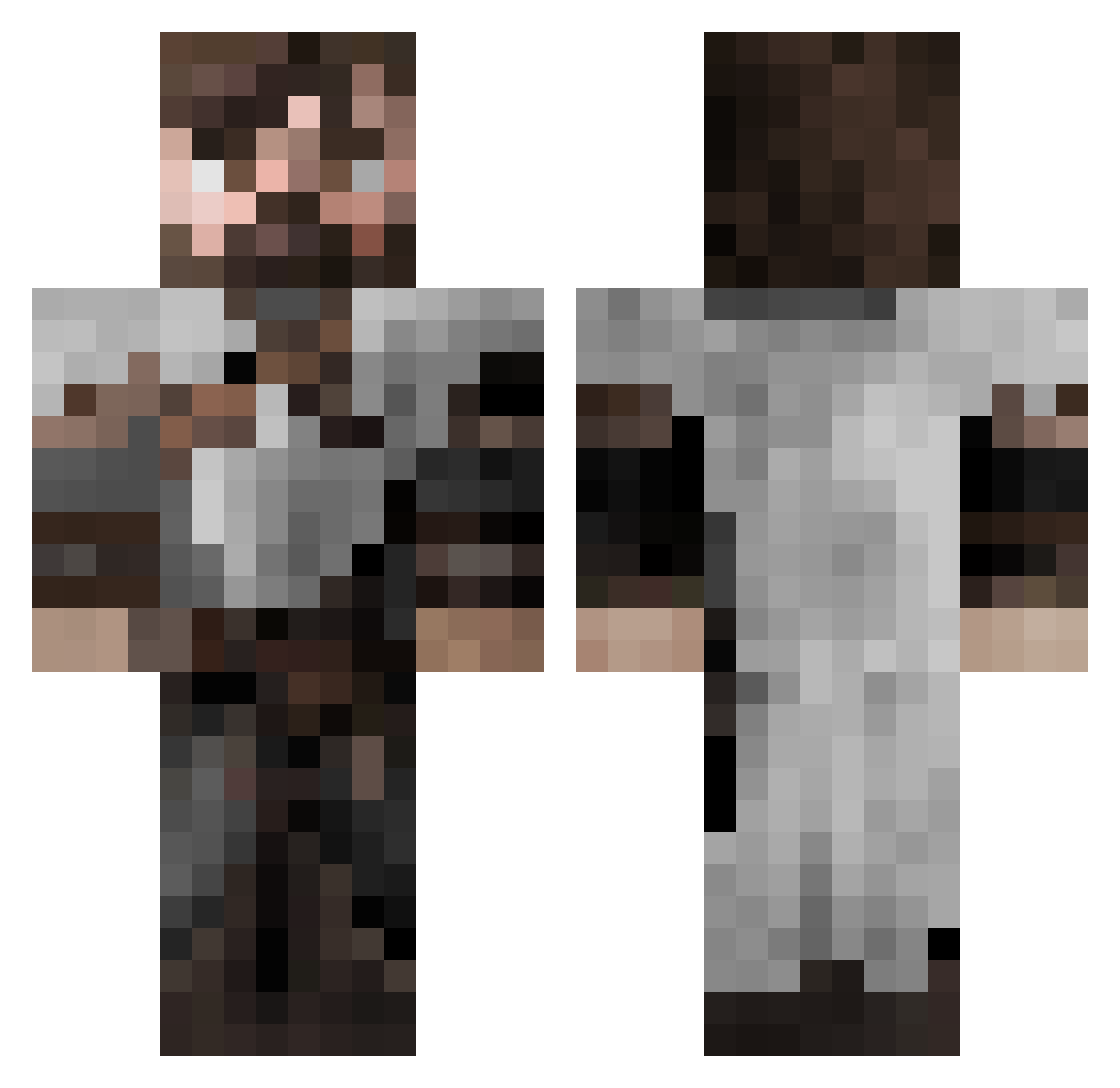
Current Minecraft skin of the player WaspsStings, loaded from the official Mojang API. Rotate the 3D model with your mouse or finger, then download the skin as a PNG file and use it in Minecraft: Bedrock Edition or Java Edition for free. When WaspsStings changes their skin, this page updates automatically and the old skin stays in the history below.
Other players with this skin (553)
WaspsStings was the 76th player we have seen with this skin, first spotted on 08.08.2026. The same skin was seen on these players. Open a nickname to see their current skin and skin history.
 juangabe xFreii BROOM3R AirCJordan23 Malphasvok VictorVonTaylor ZopharPtay Rikushino dannykkr9 hehehihihuhu1597 A_sean_ BoltedBee DingusIII Crazylegs1313 norbi78 AynRayk Vytris MarMan69 timinator147 tomgreen21 Lazy_Developer Dobermeister Ricoplays19 Dariusdrake tommypeterson Swiz429
 KwinnWyatt SendRamenOi TomLA_ Smileyman_BE Nexthns Nazar_303 XRSTFR Delpster magiction62 remzso SirBlackb1rd Keyaton onefrag VVu28 EpicOosh JasherCarlyle SAZS20 Benandru RoyceRollins Dragovick_ xLoreon ironman1919 Lucifurry Griffin08 Soveraigne TruEcho777 CidMatters ElShuke Somonulux fred_le_qc bgkillas DysFunkt10nal Dolkstar UrsTrooly
More Crusader Minecraft skins
How to install the WaspsStings skin
- Press the Download button above to save the skin as a PNG file.
- Minecraft: Bedrock Edition (PE): open the Dressing Room from the main menu (or tap your character → Edit Character), go to Classic Skins → Owned, press the + (new skin) button, choose the downloaded PNG and pick the Classic (Steve) model. Works on PC and mobile; consoles cannot import custom skins.
- Minecraft: Java Edition: open the Minecraft Launcher, go to the Skins tab, click New Skin, load the PNG, pick the Classic (Steve) model and press Save & Use. You can also upload it at minecraft.net → Profile → Change Skin.
The skin does not show up after import - what should I do?
Restart Minecraft and open the Dressing Room again - imported skins sometimes appear only after a restart. Also make sure you selected the imported skin and picked the Classic (Steve) model.
Which model should I choose, Classic or Slim?
This skin is designed for the Classic (Steve) model. If you pick the wrong model, the arms of the skin will look stretched or squeezed.
Is the skin of WaspsStings free to download?
Yes. Press Download, save the PNG file and use it in Minecraft: Bedrock Edition or Java Edition - no payment or registration needed. The skin also works on multiplayer servers and Realms.
More skins
Looking for more? Go back to all Minecraft skins and check the top skins of the week, month and all time, or find any player's skin by nickname.