
Wait4Cobweb - Minecraft Skins & Skin History
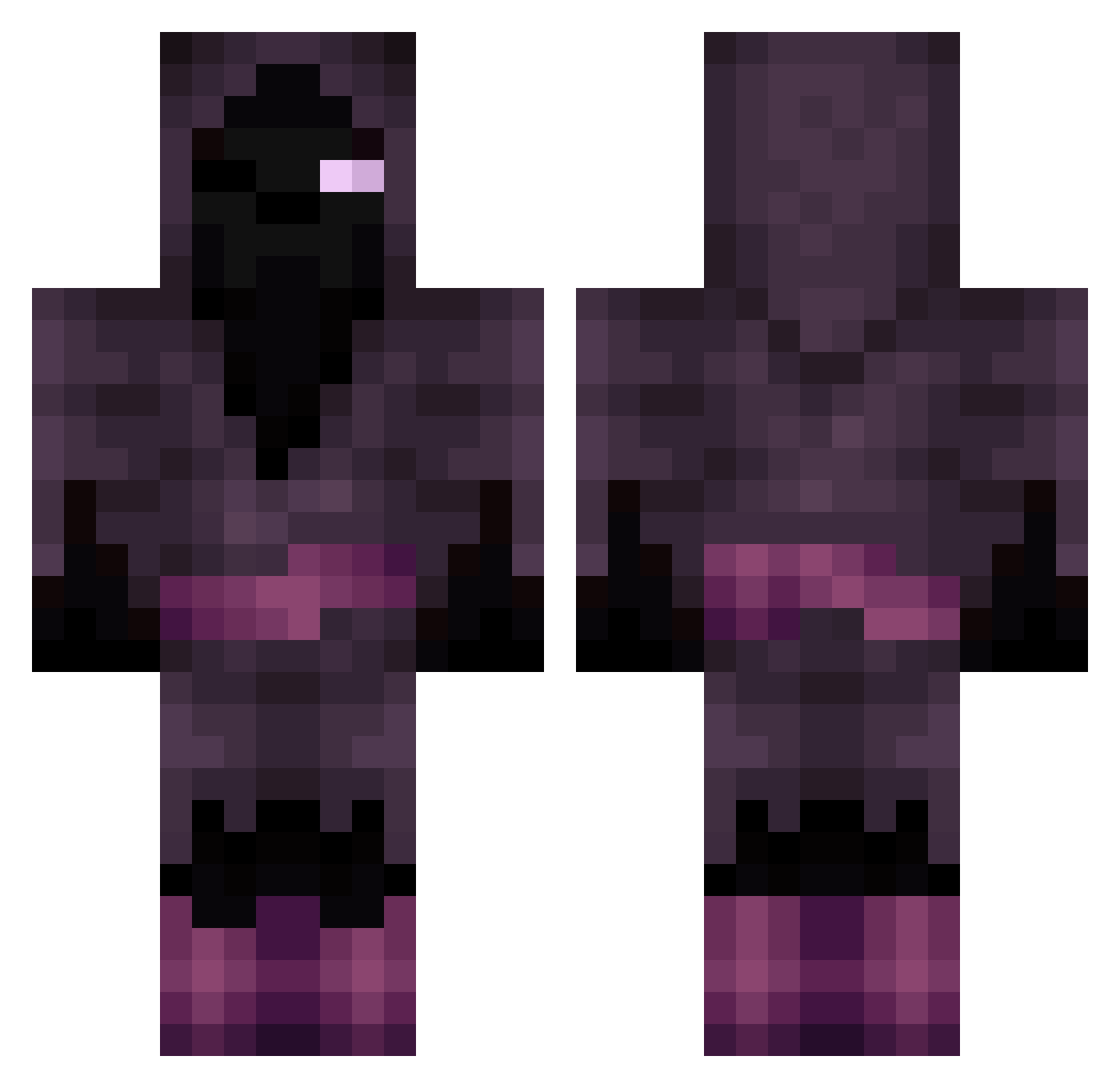
Current Minecraft skin of the player Wait4Cobweb, loaded from the official Mojang API. Rotate the 3D model with your mouse or finger, then download the skin as a PNG file and use it in Minecraft: Bedrock Edition or Java Edition for free. When Wait4Cobweb changes their skin, this page updates automatically and the old skin stays in the history below.
Other players with this skin (143)
Wait4Cobweb was the 93rd player we have seen with this skin, first spotted on 28.09.2026. The same skin was seen on these players. Open a nickname to see their current skin and skin history.
 PandaMorbid MrKrenzyyy CojurFrajer ToxicShadow4 Fern4ndo11XP Tsugugiri Exzeilior LordBananaJesus Mr_Felice AT1nybear xFIRESCOPEDx Agzesu jjogerga Sub_toxic Sm1lechubaka Carlostm99 Zuan4969PL Eragon001 SRTMoo Papa_JD RayT6 SellyMoon HEROSBRAN RottingBobo GLOKKENHEIMER Frasekur MurlinTheWizard GodForsak3n Pateroni102 mathbrain226 StinaGod miner2251 ShadowSkyKIng Prezmek Borolass Alpha_Creator NimRaidS Valaxin VaiLynt sebbe_yaboy charitoz14 TTVTheShadowz Saaam116 firekatz101 daligo356 B_I_G_FortresS spookyquail marcusdob DanBrave WillowyMold987 DirtyManBaby Alstaris mtaebb b_Horus Mouthful_Mode Chromistr Sr_Abou wiseon Erwin_Eichelhart LordPinkWolf
More Mage Minecraft skins
How to install the Wait4Cobweb skin
- Press the Download button above to save the skin as a PNG file.
- Minecraft: Bedrock Edition (PE): open the Dressing Room from the main menu (or tap your character → Edit Character), go to Classic Skins → Owned, press the + (new skin) button, choose the downloaded PNG and pick the Classic (Steve) model. Works on PC and mobile; consoles cannot import custom skins.
- Minecraft: Java Edition: open the Minecraft Launcher, go to the Skins tab, click New Skin, load the PNG, pick the Classic (Steve) model and press Save & Use. You can also upload it at minecraft.net → Profile → Change Skin.
The skin does not show up after import - what should I do?
Restart Minecraft and open the Dressing Room again - imported skins sometimes appear only after a restart. Also make sure you selected the imported skin and picked the Classic (Steve) model.
Which model should I choose, Classic or Slim?
This skin is designed for the Classic (Steve) model. If you pick the wrong model, the arms of the skin will look stretched or squeezed.
Is the skin of Wait4Cobweb free to download?
Yes. Press Download, save the PNG file and use it in Minecraft: Bedrock Edition or Java Edition - no payment or registration needed. The skin also works on multiplayer servers and Realms.
More skins
Looking for more? Go back to all Minecraft skins and check the top skins of the week, month and all time, or find any player's skin by nickname.