
Wabber - Minecraft Skins & Skin History
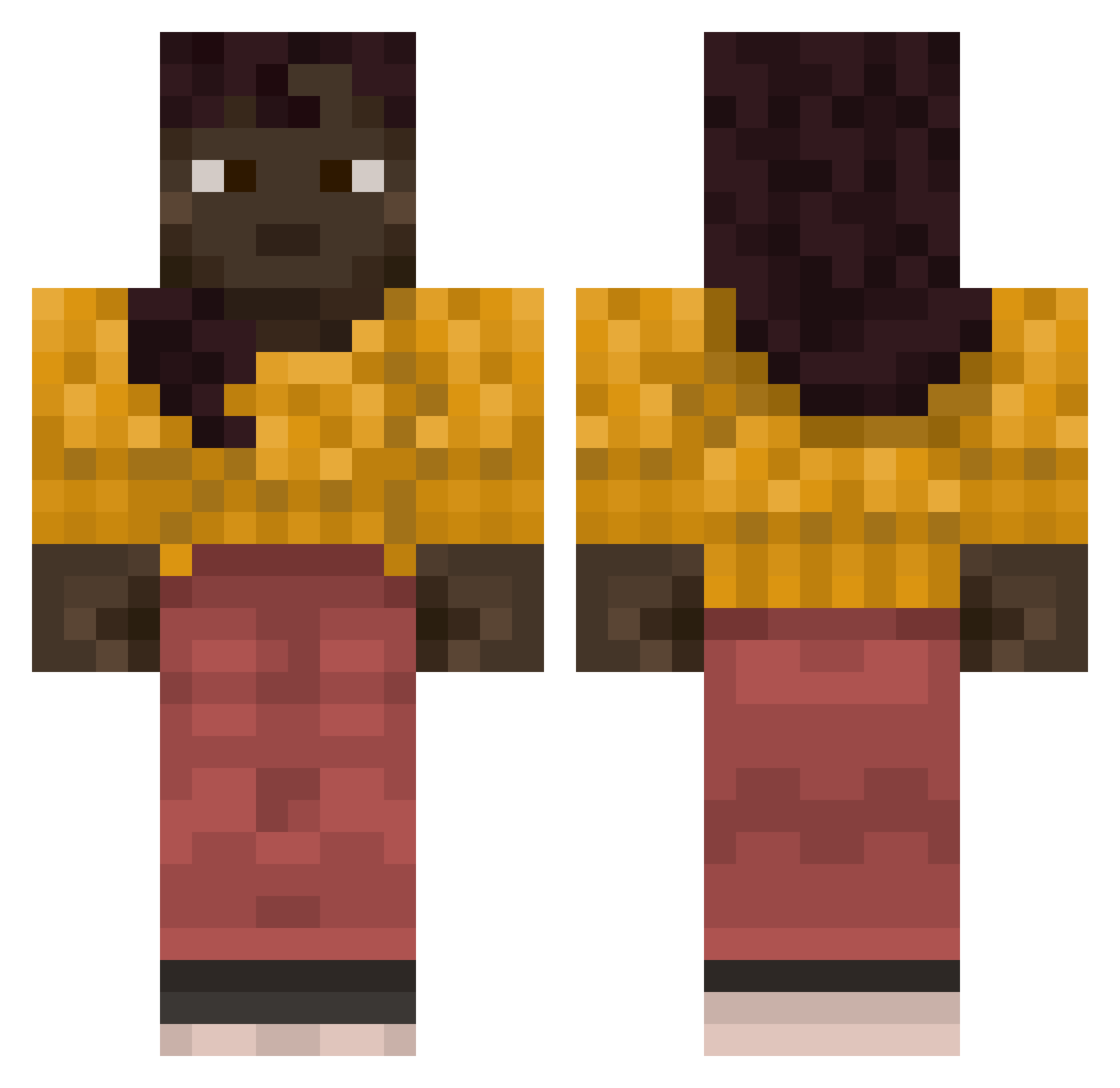
Current Minecraft skin of the player Wabber, loaded from the official Mojang API. Rotate the 3D model with your mouse or finger, then download the skin as a PNG file and use it in Minecraft: Bedrock Edition or Java Edition for free. When Wabber changes their skin, this page updates automatically and the old skin stays in the history below.
Other players with this skin (741)
Wabber was the 680th player we have seen with this skin, first spotted on 18.10.2026. The same skin was seen on these players. Open a nickname to see their current skin and skin history.
 Aethylus Sizzaa ordinal witnessable emperor__andrew Cuttles Prevailingness Calker dev1ntorti1lla spinny pegh Progressor hydromechanics P_Didds Funkymonkey67 aleks5323 clucks iKellinio_ Appeasers Roolm coalesced SolitudeFN BigSisMoon Pavi undereye dsmanneke Nexus145 UltimateGryphon adeodatus isurus luxa65098 Nero_T AgarthaKirk1776 LadyDom Famz_ Whup excruciator Poseidium RemoveLapisFromZ hydrophobic Closed spiraling JeanRomain NikolajCole pvparen SourBerries yuca2 St4LLin rdoct_ mmonexx Albaha Cltz Mathiasss17 Hoopla Clumsiest enlaced Remontado Cocotropico72 Gris Cilamz
More Girl Minecraft skins
How to install the Wabber skin
- Press the Download button above to save the skin as a PNG file.
- Minecraft: Bedrock Edition (PE): open the Dressing Room from the main menu (or tap your character → Edit Character), go to Classic Skins → Owned, press the + (new skin) button, choose the downloaded PNG and pick the Classic (Steve) model. Works on PC and mobile; consoles cannot import custom skins.
- Minecraft: Java Edition: open the Minecraft Launcher, go to the Skins tab, click New Skin, load the PNG, pick the Classic (Steve) model and press Save & Use. You can also upload it at minecraft.net → Profile → Change Skin.
The skin does not show up after import - what should I do?
Restart Minecraft and open the Dressing Room again - imported skins sometimes appear only after a restart. Also make sure you selected the imported skin and picked the Classic (Steve) model.
Which model should I choose, Classic or Slim?
This skin is designed for the Classic (Steve) model. If you pick the wrong model, the arms of the skin will look stretched or squeezed.
Is the skin of Wabber free to download?
Yes. Press Download, save the PNG file and use it in Minecraft: Bedrock Edition or Java Edition - no payment or registration needed. The skin also works on multiplayer servers and Realms.
More skins
Looking for more? Go back to all Minecraft skins and check the top skins of the week, month and all time, or find any player's skin by nickname.