
WNSTL - Minecraft Skins & Skin History
Current Minecraft skin of the player WNSTL, loaded from the official Mojang API. Rotate the 3D model with your mouse or finger, then download the skin as a PNG file and use it in Minecraft: Bedrock Edition or Java Edition for free. When WNSTL changes their skin, this page updates automatically and the old skin stays in the history below.
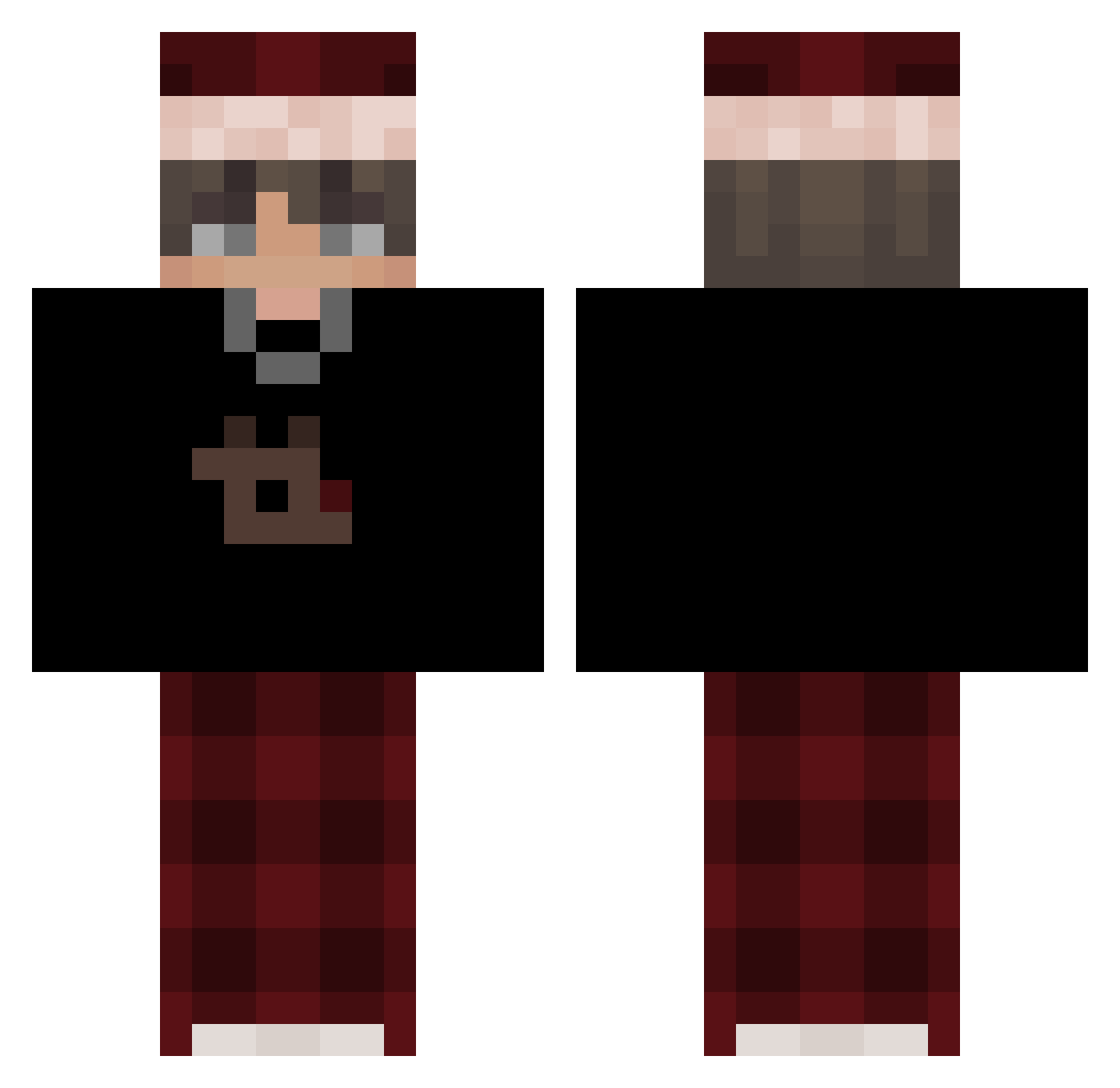
Other players with this skin (506)
WNSTL was the 148th player we have seen with this skin, first spotted on 17.08.2026. The same skin was seen on these players. Open a nickname to see their current skin and skin history.
 09hp Daylight24 TheShy926 HeartieXD J2T3 zNoxhx i2gorlo ItzJirik Iz_Maxi yvngemin Floxy_12
 Fxlx_ A_l_ng Frauenspielzeug NotBamoL Aminuosi01 PerX0 971m redevixin556 _Bart_P ueeer FrostyPacks leohenningsen strm999 Cwaniakkk ilovecamaleon Joyerr emrortnc45 nohxcks rbgus_ Mxritzzzz ManucrackYT Gmkk_yigitBEY
 Skizix xlejo14 dezawu_v2 zPedro_HG321z Takeyatsu sammy787 Sev1161 Crunch8703 sillygoose1210 olxyy TOXICZ_1 vyiireo FrancoOnceA yasOO0
 KabirTheGoat dani_242 iamkeyos SrNike thefighter0315 Merryluca0102
 Jajji07 Cheekyfilip Wolfe0 Bellpepper88 Szymlux brocanelli IWantedLove
More Santa Hat Minecraft skins
How to install the WNSTL skin
- Press the Download button above to save the skin as a PNG file.
- Minecraft: Bedrock Edition (PE): open the Dressing Room from the main menu (or tap your character → Edit Character), go to Classic Skins → Owned, press the + (new skin) button, choose the downloaded PNG and pick the Classic (Steve) model. Works on PC and mobile; consoles cannot import custom skins.
- Minecraft: Java Edition: open the Minecraft Launcher, go to the Skins tab, click New Skin, load the PNG, pick the Classic (Steve) model and press Save & Use. You can also upload it at minecraft.net → Profile → Change Skin.
The skin does not show up after import - what should I do?
Restart Minecraft and open the Dressing Room again - imported skins sometimes appear only after a restart. Also make sure you selected the imported skin and picked the Classic (Steve) model.
Which model should I choose, Classic or Slim?
This skin is designed for the Classic (Steve) model. If you pick the wrong model, the arms of the skin will look stretched or squeezed.
Is the skin of WNSTL free to download?
Yes. Press Download, save the PNG file and use it in Minecraft: Bedrock Edition or Java Edition - no payment or registration needed. The skin also works on multiplayer servers and Realms.
More skins
Looking for more? Go back to all Minecraft skins and check the top skins of the week, month and all time, or find any player's skin by nickname.