
Vortex1cLipz - Minecraft Skins & Skin History
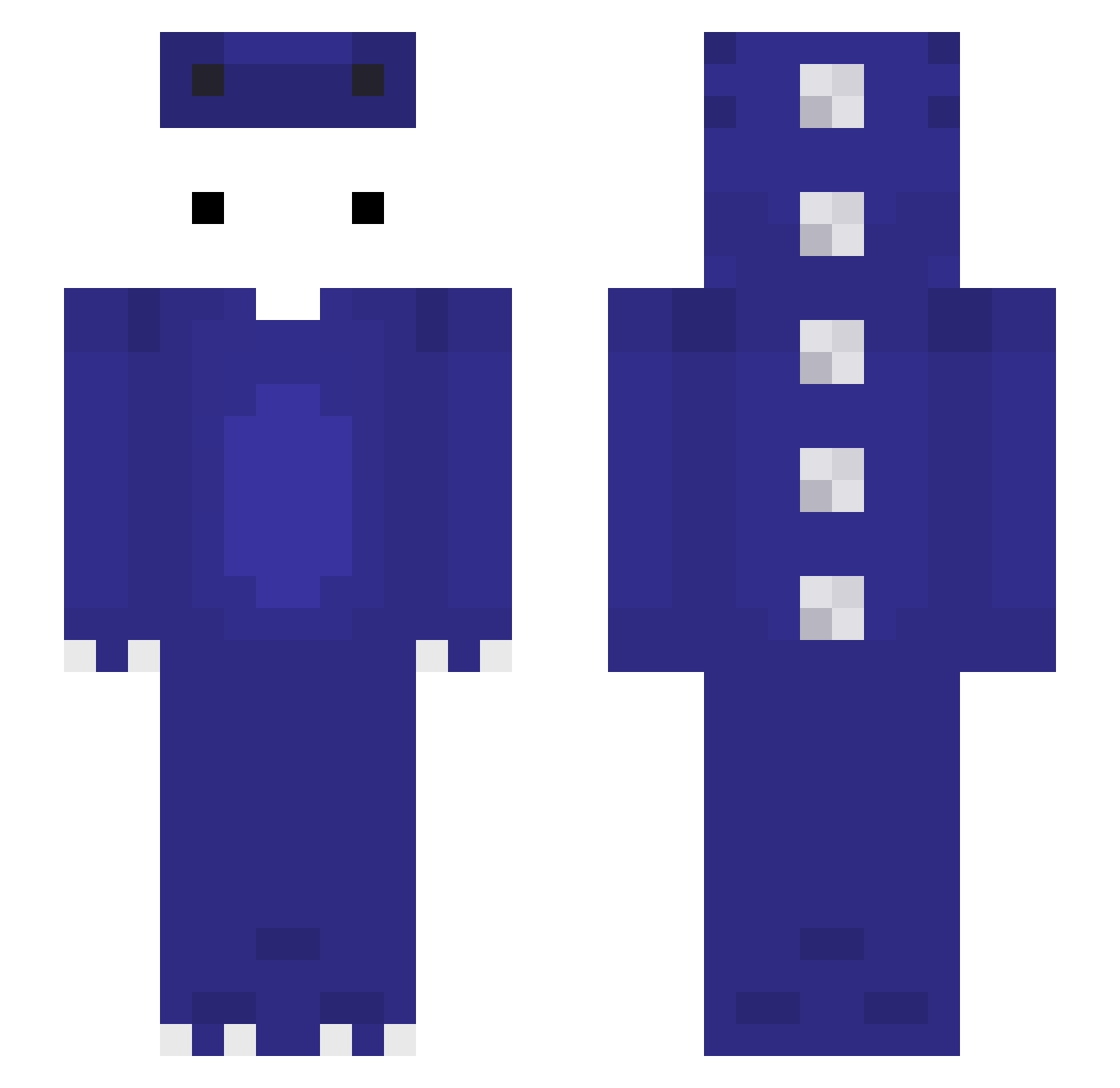
Current Minecraft skin of the player Vortex1cLipz, loaded from the official Mojang API. Rotate the 3D model with your mouse or finger, then download the skin as a PNG file and use it in Minecraft: Bedrock Edition or Java Edition for free. When Vortex1cLipz changes their skin, this page updates automatically and the old skin stays in the history below.
Other players with this skin (125)
Vortex1cLipz was the 35th player we have seen with this skin, first spotted on 25.08.2026. The same skin was seen on these players. Open a nickname to see their current skin and skin history.
 valengame bucai yonegii CdeEduardo melon_man94 Joshua_PvP ZzulL_ CloverGem 99911 sundim NO_SkillTT LucianoEle Daynight2544 MATTIA3456792 MrFarmerBear
 _ivsyy_ B1gMuck zThomzim Xsan00 Uhjeffim Kapix1234 GooodDreng qweeqw2312 Mfg007 Xyze777 agdba
 Fl0wix1 XIYUMIAO Regiex LDS_YoungSpust3r
 Xandeeeer apaplle P_Shung Fizzi_W AnY0mi Marcu3 Jonas101910 Rice0323 Yanlong8950 dt_gamer1712 Autissmus Himazrli ssilhiery Nunnkyman GiscardDestin _wldn1x widocznik_ LexRua john_3229 Larnit Mor4nitoHD Byc_m0ze anothersidedev IkerTheKing1 KyrozRdc iwayori alpha6_0 NER000000 aron36351 d4ffpower
More Dinosaur Minecraft skins
How to install the Vortex1cLipz skin
- Press the Download button above to save the skin as a PNG file.
- Minecraft: Bedrock Edition (PE): open the Dressing Room from the main menu (or tap your character → Edit Character), go to Classic Skins → Owned, press the + (new skin) button, choose the downloaded PNG and pick the Slim (Alex) model. Works on PC and mobile; consoles cannot import custom skins.
- Minecraft: Java Edition: open the Minecraft Launcher, go to the Skins tab, click New Skin, load the PNG, pick the Slim (Alex) model and press Save & Use. You can also upload it at minecraft.net → Profile → Change Skin.
The skin does not show up after import - what should I do?
Restart Minecraft and open the Dressing Room again - imported skins sometimes appear only after a restart. Also make sure you selected the imported skin and picked the Slim (Alex) model.
Which model should I choose, Classic or Slim?
This skin is designed for the Slim (Alex) model. If you pick the wrong model, the arms of the skin will look stretched or squeezed.
Is the skin of Vortex1cLipz free to download?
Yes. Press Download, save the PNG file and use it in Minecraft: Bedrock Edition or Java Edition - no payment or registration needed. The skin also works on multiplayer servers and Realms.
More skins
Looking for more? Go back to all Minecraft skins and check the top skins of the week, month and all time, or find any player's skin by nickname.