
aron36351 - Minecraft Skins & Skin History
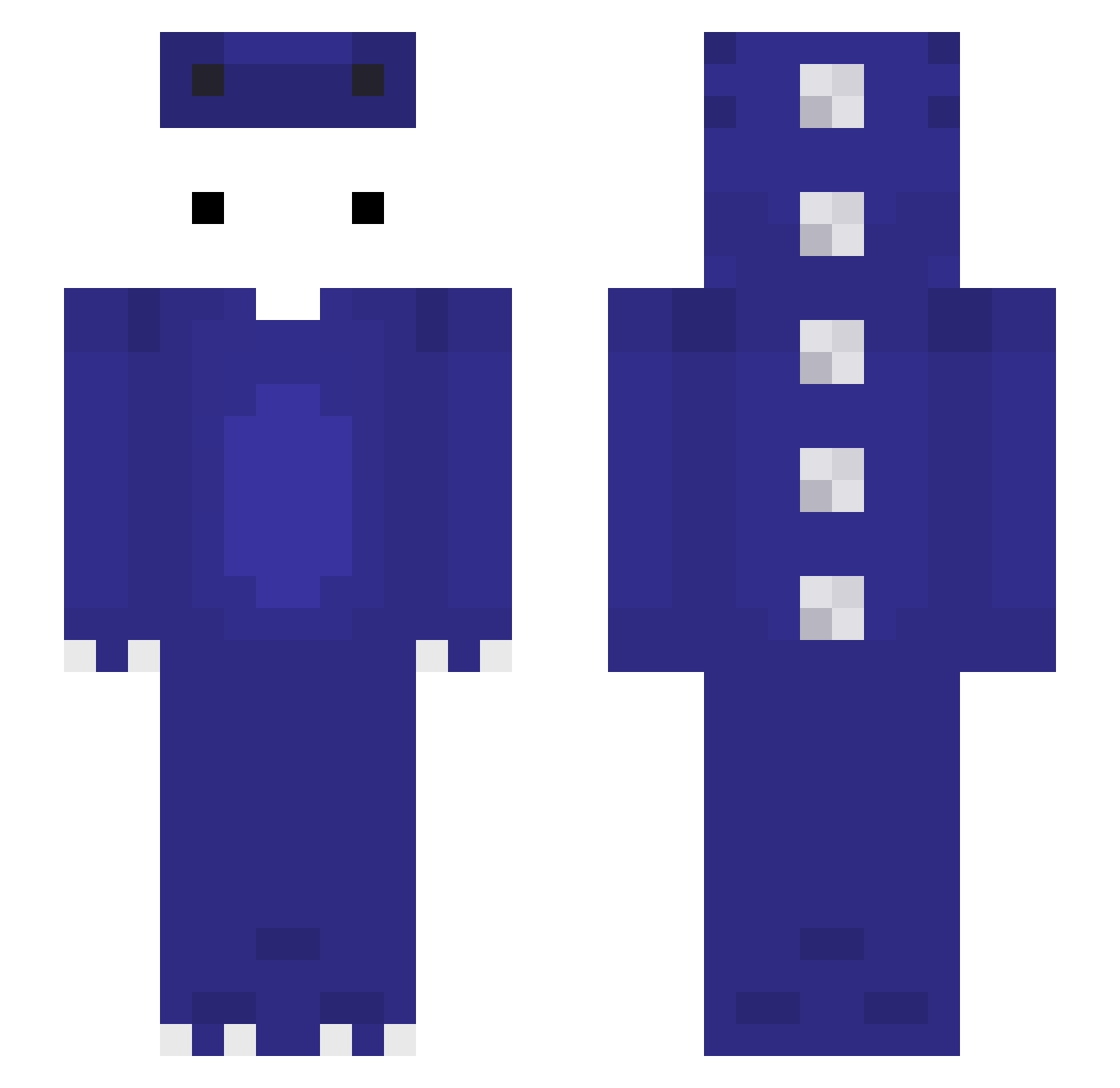
Current Minecraft skin of the player aron36351, loaded from the official Mojang API. Rotate the 3D model with your mouse or finger, then download the skin as a PNG file and use it in Minecraft: Bedrock Edition or Java Edition for free. When aron36351 changes their skin, this page updates automatically and the old skin stays in the history below.
Other players with this skin (122)
aron36351 was the 65th player we have seen with this skin, first spotted on 20.09.2026. The same skin was seen on these players. Open a nickname to see their current skin and skin history.
 d4ffpower _IceVanillaLatte amoproblematicas NER000000 StoneSheep99 owoc Akehoshi_Sakura alpha6_0 IkerTheKing1 ArhiLeRoiDeLaMeu Byc_m0ze Mor4nitoHD Larnit Kayra7799 Twujy_ ItzRegard 3li_k IlluminateAlec ifoxy22 Nunnkyman Himazrli Autissmus Yanlong8950 Jonas101910 6nn9 ottonaja ncgh0707 popolo1 Fizzi_W eto333x apaplle LDS_YoungSpust3r h4dv gamblemommy Sajmon97 PendeLi agdba carreproroblox qiqiyi Xyze777 Mfg007 qweeqw2312 GooodDreng _OfoO_ Xsan00 zThomzim B1gMuck ahmet2343131 Ta_shuoqukanhai MrFarmerBear perrfectttt Daynight2544 TNGamer K_1xx NO_SkillTT CozyNookz 99911 CloverGem FlewCPVP CesarRC_
More Dinosaur Minecraft skins
How to install the aron36351 skin
- Press the Download button above to save the skin as a PNG file.
- Minecraft: Bedrock Edition (PE): open the Dressing Room from the main menu (or tap your character → Edit Character), go to Classic Skins → Owned, press the + (new skin) button, choose the downloaded PNG and pick the Slim (Alex) model. Works on PC and mobile; consoles cannot import custom skins.
- Minecraft: Java Edition: open the Minecraft Launcher, go to the Skins tab, click New Skin, load the PNG, pick the Slim (Alex) model and press Save & Use. You can also upload it at minecraft.net → Profile → Change Skin.
The skin does not show up after import - what should I do?
Restart Minecraft and open the Dressing Room again - imported skins sometimes appear only after a restart. Also make sure you selected the imported skin and picked the Slim (Alex) model.
Which model should I choose, Classic or Slim?
This skin is designed for the Slim (Alex) model. If you pick the wrong model, the arms of the skin will look stretched or squeezed.
Is the skin of aron36351 free to download?
Yes. Press Download, save the PNG file and use it in Minecraft: Bedrock Edition or Java Edition - no payment or registration needed. The skin also works on multiplayer servers and Realms.
More skins
Looking for more? Go back to all Minecraft skins and check the top skins of the week, month and all time, or find any player's skin by nickname.