
eto333x - Minecraft Skins & Skin History
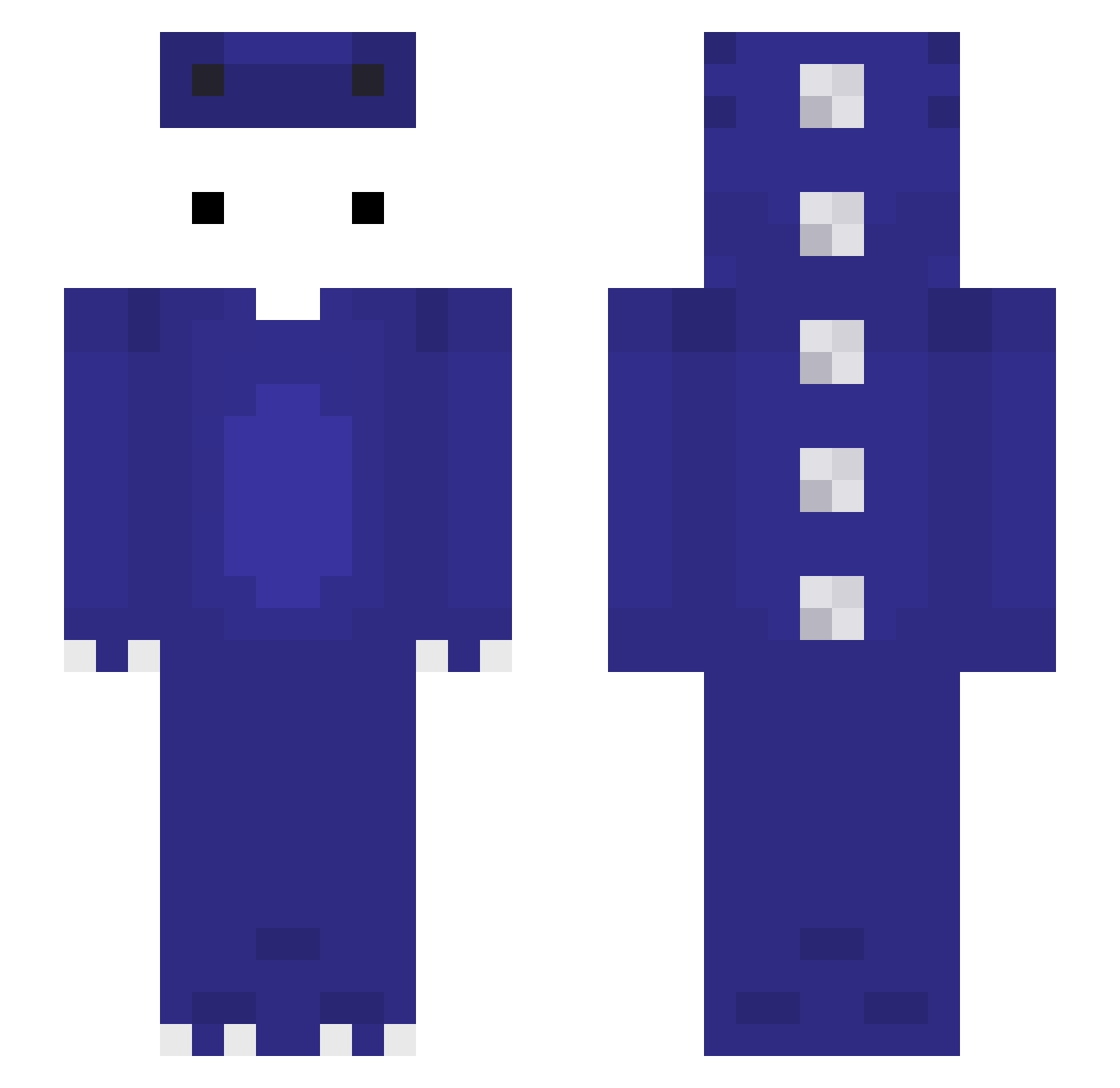
Current Minecraft skin of the player eto333x, loaded from the official Mojang API. Rotate the 3D model with your mouse or finger, then download the skin as a PNG file and use it in Minecraft: Bedrock Edition or Java Edition for free. When eto333x changes their skin, this page updates automatically and the old skin stays in the history below.
Other players with this skin (122)
eto333x was the 83rd player we have seen with this skin, first spotted on 04.10.2026. The same skin was seen on these players. Open a nickname to see their current skin and skin history.
 h4dv popolo1 gamblemommy Sajmon97 PendeLi ncgh0707 ottonaja carreproroblox 6nn9 qiqiyi _OfoO_ ahmet2343131 Ta_shuoqukanhai ifoxy22 IlluminateAlec 3li_k ItzRegard Twujy_ perrfectttt Kayra7799 TNGamer K_1xx CozyNookz ArhiLeRoiDeLaMeu FlewCPVP CesarRC_ Abyss386 Akehoshi_Sakura owoc StoneSheep99 hajm3181 amoproblematicas Il_Mark3ssino _IceVanillaLatte d4ffpower aron36351 KyzerZy thienmc4857 iteNext Dillom14 VVV1145514 zLiuz NER000000 itzRumble_ ghsytgfcfzxi J_jon alpha6_0 iksemf IkerTheKing1 Mick_bannanaja Alefs MisingM__ Byc_m0ze Mor4nitoHD Larnit Masko9999 Ignacioez Nunnkyman Himazrli Autissmus
More Dinosaur Minecraft skins
How to install the eto333x skin
- Press the Download button above to save the skin as a PNG file.
- Minecraft: Bedrock Edition (PE): open the Dressing Room from the main menu (or tap your character → Edit Character), go to Classic Skins → Owned, press the + (new skin) button, choose the downloaded PNG and pick the Slim (Alex) model. Works on PC and mobile; consoles cannot import custom skins.
- Minecraft: Java Edition: open the Minecraft Launcher, go to the Skins tab, click New Skin, load the PNG, pick the Slim (Alex) model and press Save & Use. You can also upload it at minecraft.net → Profile → Change Skin.
The skin does not show up after import - what should I do?
Restart Minecraft and open the Dressing Room again - imported skins sometimes appear only after a restart. Also make sure you selected the imported skin and picked the Slim (Alex) model.
Which model should I choose, Classic or Slim?
This skin is designed for the Slim (Alex) model. If you pick the wrong model, the arms of the skin will look stretched or squeezed.
Is the skin of eto333x free to download?
Yes. Press Download, save the PNG file and use it in Minecraft: Bedrock Edition or Java Edition - no payment or registration needed. The skin also works on multiplayer servers and Realms.
More skins
Looking for more? Go back to all Minecraft skins and check the top skins of the week, month and all time, or find any player's skin by nickname.