
VictorFreak - Minecraft Skins & Skin History
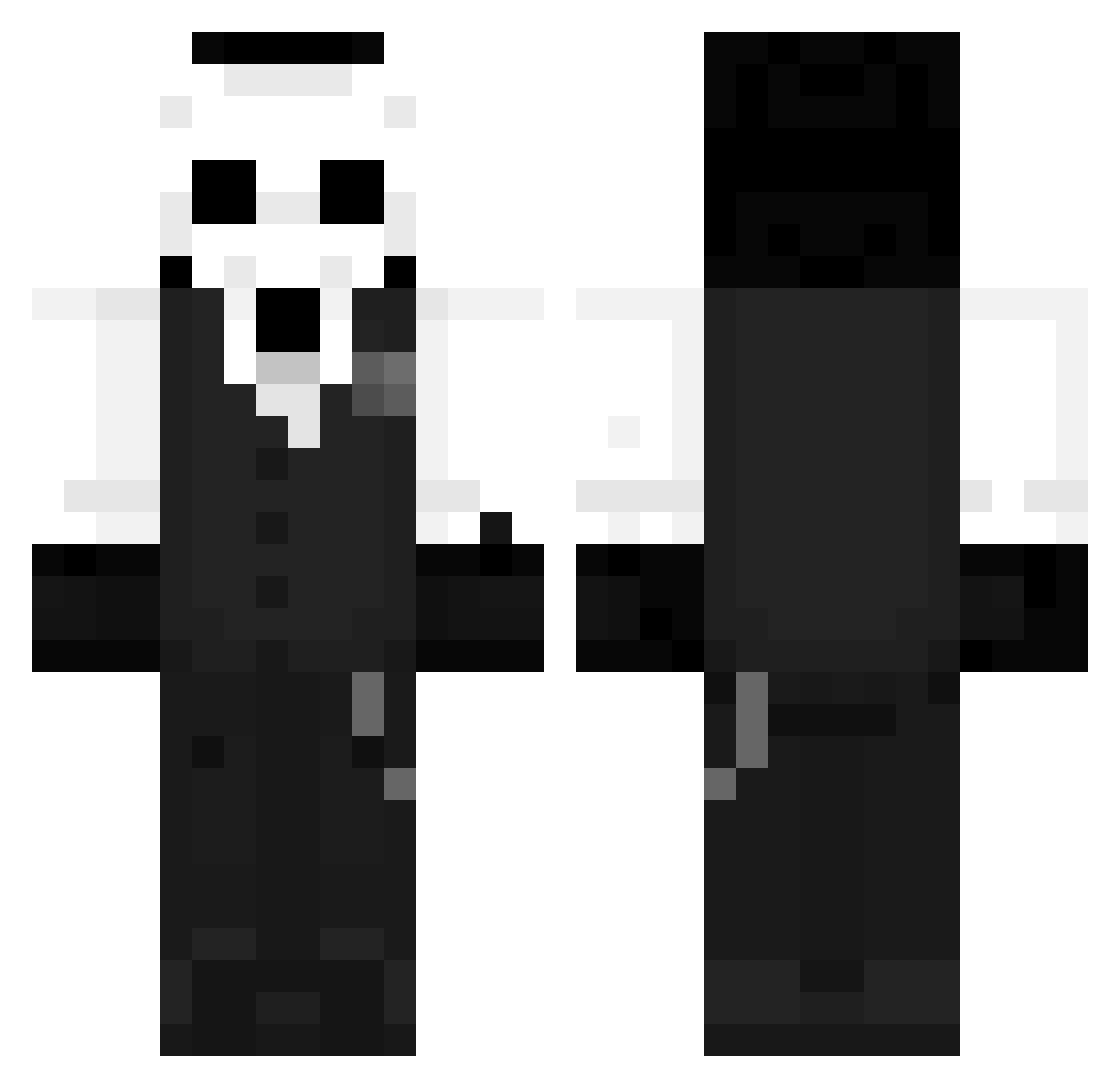
Current Minecraft skin of the player VictorFreak, loaded from the official Mojang API. Rotate the 3D model with your mouse or finger, then download the skin as a PNG file and use it in Minecraft: Bedrock Edition or Java Edition for free. When VictorFreak changes their skin, this page updates automatically and the old skin stays in the history below.
Other players with this skin (1456)
VictorFreak was the 1308th player we have seen with this skin, first spotted on 09.11.2026. The same skin was seen on these players. Open a nickname to see their current skin and skin history.
 HECJACK zhangcm BleakX Yamatik LegendMeta Weeperiq iRoxDz nikzov Reszyn RavenBlogs Mon_jjang Reimy_ Lolthed itdoesnotchange EmeraldSkyWalker AC2613 Kyubicat andy030304 EsunR MBR_6011 WinnieNoPooh PlatinumPlays Inkfeathers Anishmineo xTakesss_ Ascaper DarkSide_ Ceshmit Ruuuuiiii StaticK6768 292179 77Niki77 LYAMMMMM IFungX jokek_ FURKANAN77 StarKnight15 SoupBoy16 gunfox Fiidzy jpcs1049 VeronaWincent NightShadow07851 huashan520 fireLeBrillant_1 Air_Island Nolan712 Mato4r Yone_J RuBeN_4747 XallKid Slyozi logixkream Sn0wpillow HP_998 foxy1c coosts Bourbasse GGGVV EC942
More Sans Minecraft skins
How to install the VictorFreak skin
- Press the Download button above to save the skin as a PNG file.
- Minecraft: Bedrock Edition (PE): open the Dressing Room from the main menu (or tap your character → Edit Character), go to Classic Skins → Owned, press the + (new skin) button, choose the downloaded PNG and pick the Classic (Steve) model. Works on PC and mobile; consoles cannot import custom skins.
- Minecraft: Java Edition: open the Minecraft Launcher, go to the Skins tab, click New Skin, load the PNG, pick the Classic (Steve) model and press Save & Use. You can also upload it at minecraft.net → Profile → Change Skin.
The skin does not show up after import - what should I do?
Restart Minecraft and open the Dressing Room again - imported skins sometimes appear only after a restart. Also make sure you selected the imported skin and picked the Classic (Steve) model.
Which model should I choose, Classic or Slim?
This skin is designed for the Classic (Steve) model. If you pick the wrong model, the arms of the skin will look stretched or squeezed.
Is the skin of VictorFreak free to download?
Yes. Press Download, save the PNG file and use it in Minecraft: Bedrock Edition or Java Edition - no payment or registration needed. The skin also works on multiplayer servers and Realms.
More skins
Looking for more? Go back to all Minecraft skins and check the top skins of the week, month and all time, or find any player's skin by nickname.