
VezideJR - Minecraft Skins & Skin History
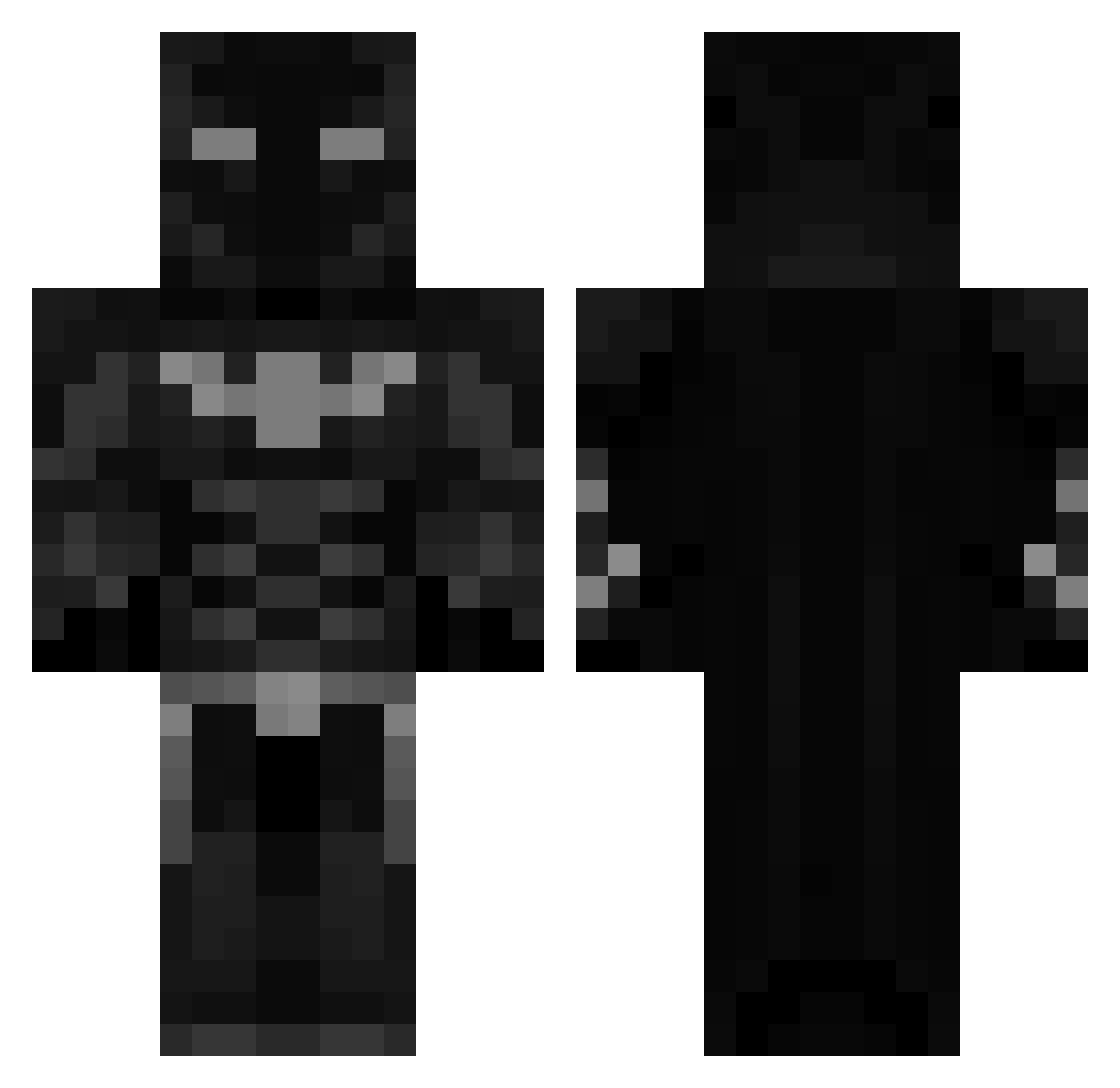
Current Minecraft skin of the player VezideJR, loaded from the official Mojang API. Rotate the 3D model with your mouse or finger, then download the skin as a PNG file and use it in Minecraft: Bedrock Edition or Java Edition for free. When VezideJR changes their skin, this page updates automatically and the old skin stays in the history below.
Other players with this skin (460)
VezideJR was the 191st player we have seen with this skin, first spotted on 06.09.2026. The same skin was seen on these players. Open a nickname to see their current skin and skin history.
 2809oliver Avia_Hartmann SabrosoGZ GeneralTyler272 FearSparxs CircuitTyrant Luiss12 Flavius019 nickocou syrier BastyG7 yukerson MiguelDiasT TrynoxElite Nobody_1212 bucket_yogurt Asskk0210 CozyXD123 Salehg venees22 271KIsntEnough Gaarcii05 VERYBIGMUSCLES Solyvnnn Hugonk10 ThorFynn_ xohachito hemivik BT117 zuru69 Jay_Jamie ROLLAD24 LoudBoi_ Samjey25 RNWJORGEML ImlBATMANl AMRD115 Iskagen Bob1nstein Thelil_Beast Lucasbrrr173 NiK4o121 ItzzzOllie_ gabridkk Speedy_Gonzalez3 veratonix FlashMidnight haydenyessir RedSpecterr SoyGotSauce 0fficialJxe L_Trays KrisWasTaken___ xsooviar 619n1ck MADARA_42069 BtG_Batman 9lna_ LiaLia109 S0W_
More Batman Minecraft skins
How to install the VezideJR skin
- Press the Download button above to save the skin as a PNG file.
- Minecraft: Bedrock Edition (PE): open the Dressing Room from the main menu (or tap your character → Edit Character), go to Classic Skins → Owned, press the + (new skin) button, choose the downloaded PNG and pick the Classic (Steve) model. Works on PC and mobile; consoles cannot import custom skins.
- Minecraft: Java Edition: open the Minecraft Launcher, go to the Skins tab, click New Skin, load the PNG, pick the Classic (Steve) model and press Save & Use. You can also upload it at minecraft.net → Profile → Change Skin.
The skin does not show up after import - what should I do?
Restart Minecraft and open the Dressing Room again - imported skins sometimes appear only after a restart. Also make sure you selected the imported skin and picked the Classic (Steve) model.
Which model should I choose, Classic or Slim?
This skin is designed for the Classic (Steve) model. If you pick the wrong model, the arms of the skin will look stretched or squeezed.
Is the skin of VezideJR free to download?
Yes. Press Download, save the PNG file and use it in Minecraft: Bedrock Edition or Java Edition - no payment or registration needed. The skin also works on multiplayer servers and Realms.
More skins
Looking for more? Go back to all Minecraft skins and check the top skins of the week, month and all time, or find any player's skin by nickname.