
Vekktor_18 - Minecraft Skins & Skin History
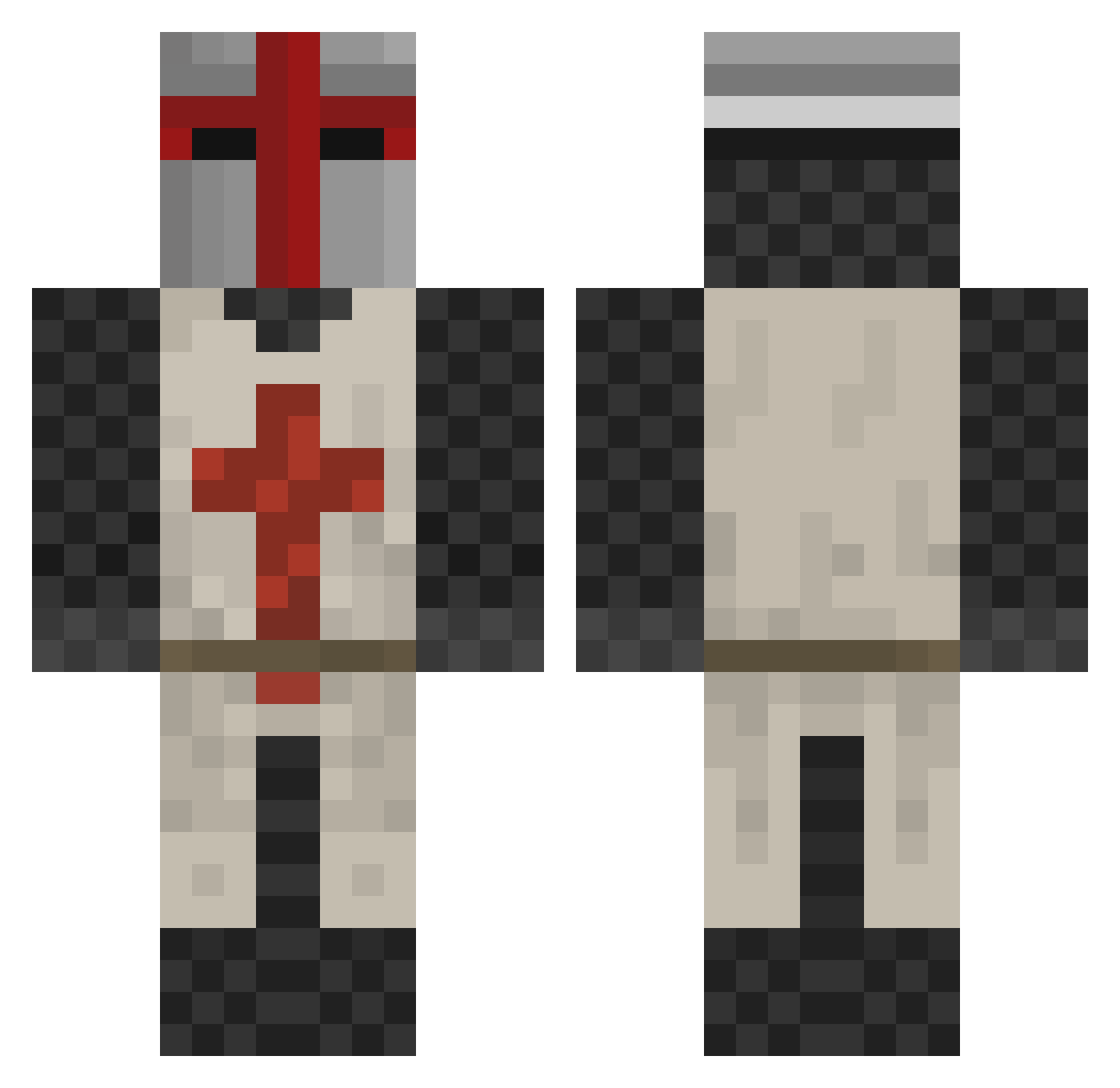
Current Minecraft skin of the player Vekktor_18, loaded from the official Mojang API. Rotate the 3D model with your mouse or finger, then download the skin as a PNG file and use it in Minecraft: Bedrock Edition or Java Edition for free. When Vekktor_18 changes their skin, this page updates automatically and the old skin stays in the history below.
Other players with this skin (413)
Vekktor_18 was the 273rd player we have seen with this skin, first spotted on 03.10.2026. The same skin was seen on these players. Open a nickname to see their current skin and skin history.
 PR0SH0CK STRELOOOOOOOOOOK hampton24 MantisKerensky McCrackerJack spykidc Shiverless Zaxcom Afarm15 mrnockers1 Du_Ross xXGabe_Itch glchumley Hansiball robertsm15 JonaSou EDGAR_CAT ljkole b6b6 _PeacefulMonk_ Jeviar fiskboys farness BxTheo Kaysic Long7 3arista darkkid134 jugernautt Alex100600 CharlieChills07 xNoonah grimaley CptFuzzybottom NerdBoy1110 Stegtophen JohnnyMacJohnsen Testament49 Knightofwhales pokerjake68 Templar_Veteran LiquidPlasmas turambar_7 GoldenSpartan99 Gavin3284 bac10 Flaxoto cykelolle LordRottingham seanorton123 iceman199213 novemonster Adastros HeartPupils Billy_Glover98 xions OXSpawn Terrorhawk svyban KuckFikes
More Crusader Minecraft skins
How to install the Vekktor_18 skin
- Press the Download button above to save the skin as a PNG file.
- Minecraft: Bedrock Edition (PE): open the Dressing Room from the main menu (or tap your character → Edit Character), go to Classic Skins → Owned, press the + (new skin) button, choose the downloaded PNG and pick the Classic (Steve) model. Works on PC and mobile; consoles cannot import custom skins.
- Minecraft: Java Edition: open the Minecraft Launcher, go to the Skins tab, click New Skin, load the PNG, pick the Classic (Steve) model and press Save & Use. You can also upload it at minecraft.net → Profile → Change Skin.
The skin does not show up after import - what should I do?
Restart Minecraft and open the Dressing Room again - imported skins sometimes appear only after a restart. Also make sure you selected the imported skin and picked the Classic (Steve) model.
Which model should I choose, Classic or Slim?
This skin is designed for the Classic (Steve) model. If you pick the wrong model, the arms of the skin will look stretched or squeezed.
Is the skin of Vekktor_18 free to download?
Yes. Press Download, save the PNG file and use it in Minecraft: Bedrock Edition or Java Edition - no payment or registration needed. The skin also works on multiplayer servers and Realms.
More skins
Looking for more? Go back to all Minecraft skins and check the top skins of the week, month and all time, or find any player's skin by nickname.