
VearonKnight - Minecraft Skins & Skin History
Current Minecraft skin of the player VearonKnight, loaded from the official Mojang API. Rotate the 3D model with your mouse or finger, then download the skin as a PNG file and use it in Minecraft: Bedrock Edition or Java Edition for free. When VearonKnight changes their skin, this page updates automatically and the old skin stays in the history below.
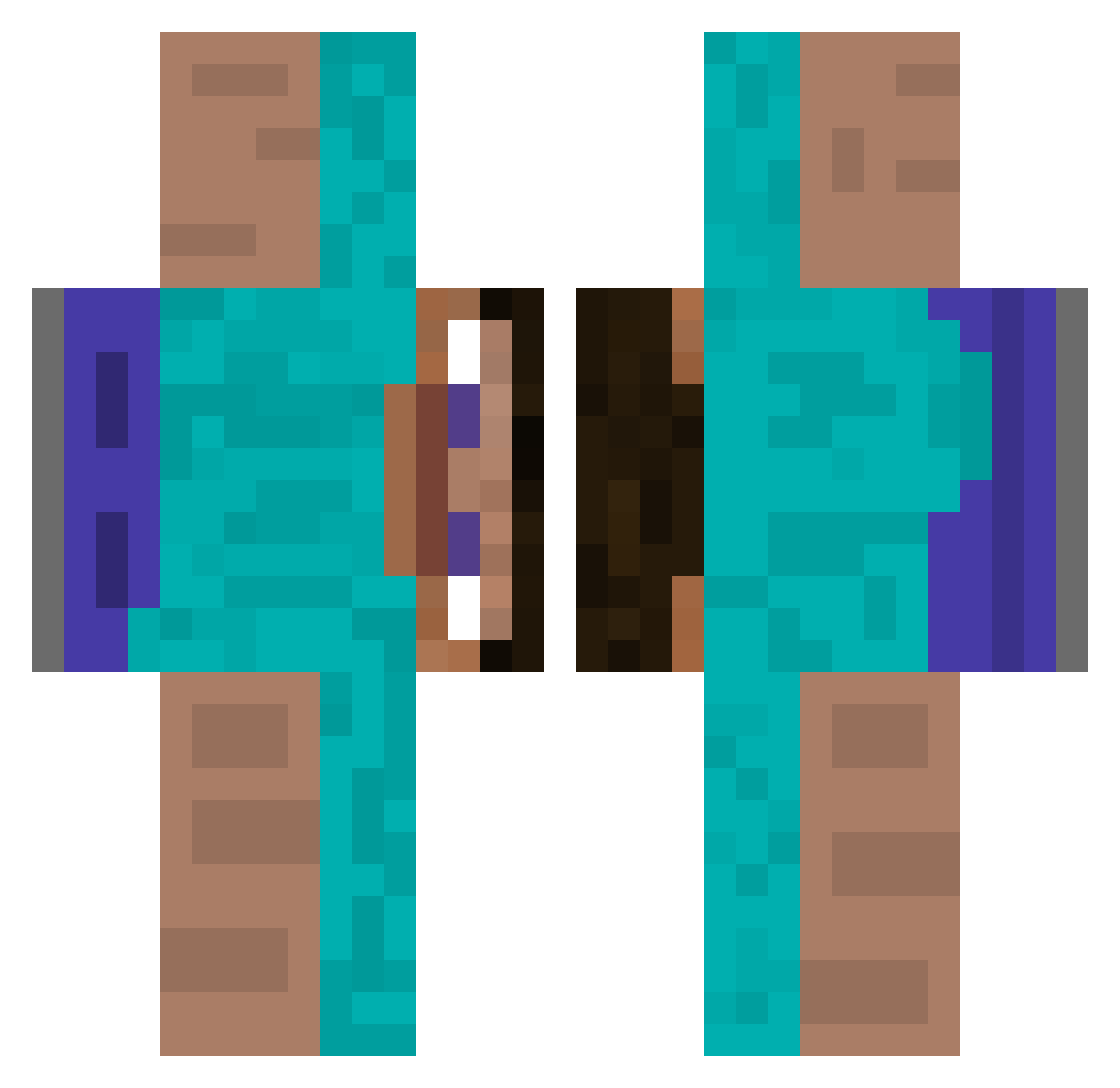
Other players with this skin (512)
VearonKnight was the 74th player we have seen with this skin, first spotted on 12.08.2026. The same skin was seen on these players. Open a nickname to see their current skin and skin history.
 Ripp256 Felipe1550 Abdullah42069 baiproo mimimi376 KsunT_ Max543213232 gamma1200 Dori2006 Folkersen98 drzwi89
 UltimateODP Imortas_ Epic_Jaxon KrejzolH_Q Plutoniasty OLinky_ _GBsay_ oliistvergeben MPEHeinrich MasterRL Zehroux ronaldopork WhitevanCandyman snakehunter2011 ErDefect SirBastiaan ForegoneCoffee3 bonjourrog Apollosbane ashhtrayy
 tender_UWU
 Julian1408 Esmagador2016 Sebaztion Bi11C0sby Superidolboi Dnts1 nnguan login121 yuhaignaht monkeydidler VitinTrakinas austin0912 olivinhales AsianParents1 ZavertiN_ fkngbot Ady3124 skeleton_2222 Jesus1337 NarkoZ0 Prof_Bobson otaviowv Maksiuuuuu_ LevinWasMyName The__Sinister ArgosCCCIII Falumate Tree03
How to install the VearonKnight skin
- Press the Download button above to save the skin as a PNG file.
- Minecraft: Bedrock Edition (PE): open the Dressing Room from the main menu (or tap your character → Edit Character), go to Classic Skins → Owned, press the + (new skin) button, choose the downloaded PNG and pick the Classic (Steve) model. Works on PC and mobile; consoles cannot import custom skins.
- Minecraft: Java Edition: open the Minecraft Launcher, go to the Skins tab, click New Skin, load the PNG, pick the Classic (Steve) model and press Save & Use. You can also upload it at minecraft.net → Profile → Change Skin.
The skin does not show up after import - what should I do?
Restart Minecraft and open the Dressing Room again - imported skins sometimes appear only after a restart. Also make sure you selected the imported skin and picked the Classic (Steve) model.
Which model should I choose, Classic or Slim?
This skin is designed for the Classic (Steve) model. If you pick the wrong model, the arms of the skin will look stretched or squeezed.
Is the skin of VearonKnight free to download?
Yes. Press Download, save the PNG file and use it in Minecraft: Bedrock Edition or Java Edition - no payment or registration needed. The skin also works on multiplayer servers and Realms.
More skins
Looking for more? Go back to all Minecraft skins and check the top skins of the week, month and all time, or find any player's skin by nickname.