
Vaelixs - Minecraft Skins & Skin History
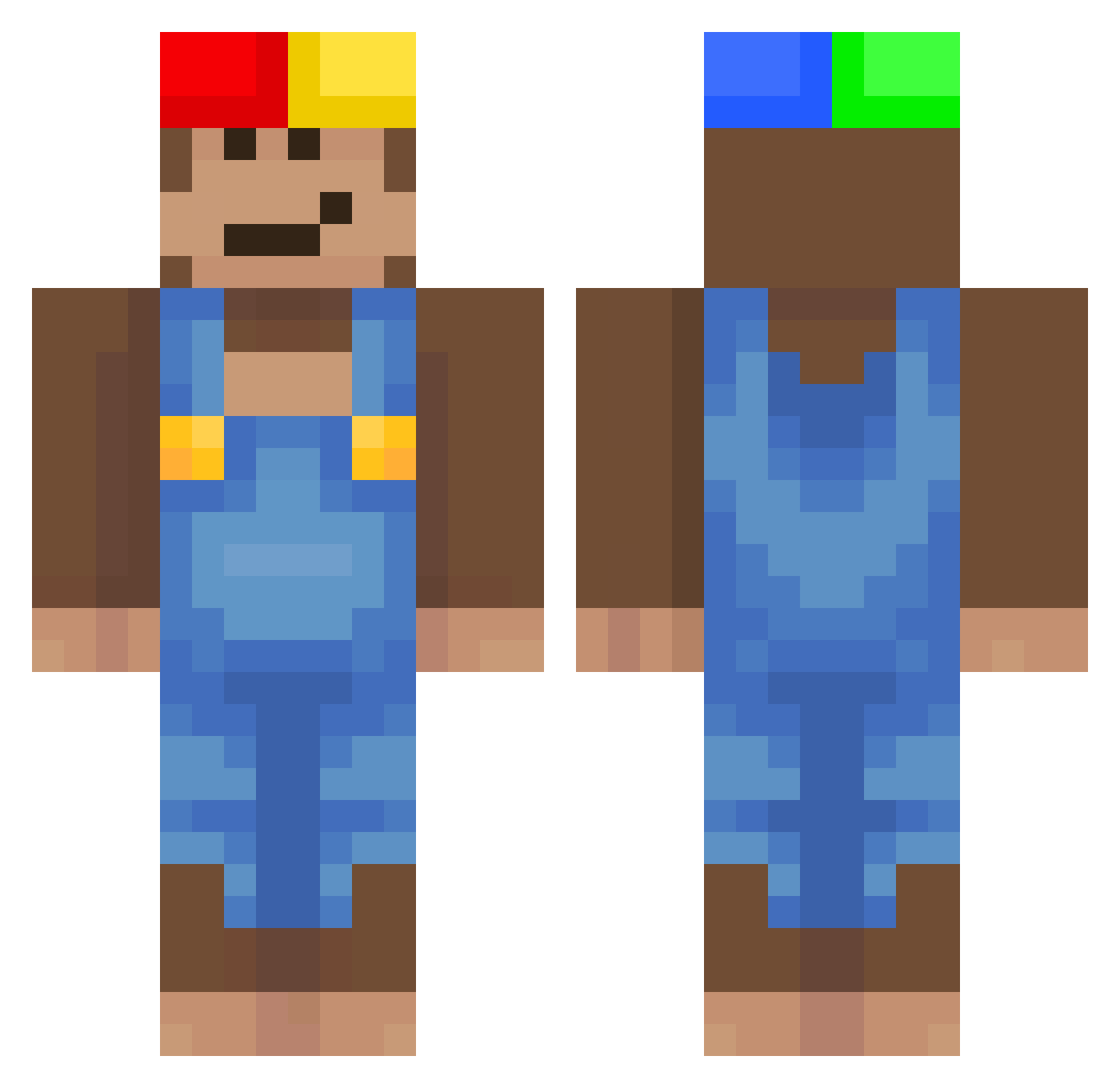
Current Minecraft skin of the player Vaelixs, loaded from the official Mojang API. Rotate the 3D model with your mouse or finger, then download the skin as a PNG file and use it in Minecraft: Bedrock Edition or Java Edition for free. When Vaelixs changes their skin, this page updates automatically and the old skin stays in the history below.
Other players with this skin (590)
Vaelixs was the 517th player we have seen with this skin, first spotted on 03.11.2026. The same skin was seen on these players. Open a nickname to see their current skin and skin history.
 Borgesz_ didier5926 PeanutTech_ TLCP_067 Franks_Butler Ygmj duffelious Tonphaii cceeddrriicc DemonLovesToast y3r1nn thatpaperbag lootgoblin200 MARILOBO SleppZzz sheshkaa ConsoleClient906 cha79 bENX34 PirdulisDundulis rorrinxd furiebtw PizzaMozzarelia Luckypanda1 Lewisking75 huyl Leduckus BOCHINESYT niekumam Gabriel4023 Jaysianboy kimsone RedRascal3 friggger dingleton3000 imbdo evolvedhimself C7FS Patryk11230 joecamell binghammer Vulcain62 DavicinPro Monke3792 Sv2_Fox_3j6 Van1linn Kann12281 oicheboy zivyboi Mouraak chickenyk Joy1207 golemtrout5 PequenoGolfo BaBati77 DanVenom13 applauz_ skelet0r9 ALVAPORONGA rcssxzn
More Donkey Kong Minecraft skins
How to install the Vaelixs skin
- Press the Download button above to save the skin as a PNG file.
- Minecraft: Bedrock Edition (PE): open the Dressing Room from the main menu (or tap your character → Edit Character), go to Classic Skins → Owned, press the + (new skin) button, choose the downloaded PNG and pick the Classic (Steve) model. Works on PC and mobile; consoles cannot import custom skins.
- Minecraft: Java Edition: open the Minecraft Launcher, go to the Skins tab, click New Skin, load the PNG, pick the Classic (Steve) model and press Save & Use. You can also upload it at minecraft.net → Profile → Change Skin.
The skin does not show up after import - what should I do?
Restart Minecraft and open the Dressing Room again - imported skins sometimes appear only after a restart. Also make sure you selected the imported skin and picked the Classic (Steve) model.
Which model should I choose, Classic or Slim?
This skin is designed for the Classic (Steve) model. If you pick the wrong model, the arms of the skin will look stretched or squeezed.
Is the skin of Vaelixs free to download?
Yes. Press Download, save the PNG file and use it in Minecraft: Bedrock Edition or Java Edition - no payment or registration needed. The skin also works on multiplayer servers and Realms.
More skins
Looking for more? Go back to all Minecraft skins and check the top skins of the week, month and all time, or find any player's skin by nickname.