
VJordi_ - Minecraft Skins & Skin History
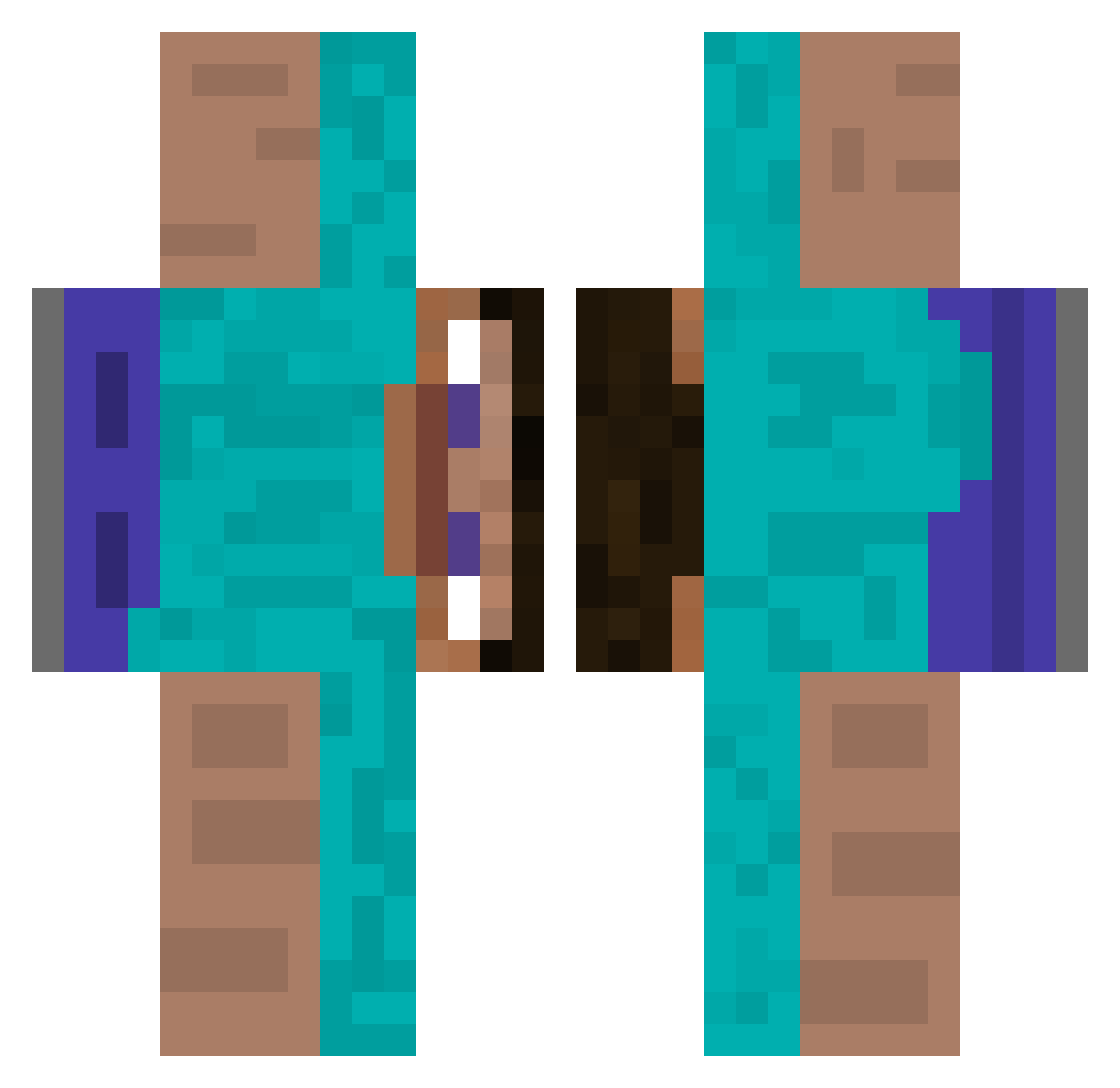
Current Minecraft skin of the player VJordi_, loaded from the official Mojang API. Rotate the 3D model with your mouse or finger, then download the skin as a PNG file and use it in Minecraft: Bedrock Edition or Java Edition for free. When VJordi_ changes their skin, this page updates automatically and the old skin stays in the history below.
Other players with this skin (512)
VJordi_ was the 337th player we have seen with this skin, first spotted on 06.10.2026. The same skin was seen on these players. Open a nickname to see their current skin and skin history.
 CarbonPlayz diiegomlk honckkj Safadex990 wutz_bernhard mazamorrasen9695 Luca111387 MatXXL ixa8_ MrChuckskull kikiayulomilol VitekJezek Kauflandmann GamerFlo_HD wetnikes Angelorss zlGxdDreamzZ Seabass193 MrPuls Lava3 Wedshib czylol whotfisjulie iamCartman neutinamu1 Draxwell Benneto microsoftsucks79 doldoly200 donutdan23 drerer cikitron AlexGGHM fhgfhgjf Yancraftxd Juliuuuuuuuuuuus tunnelsnok SehrDeformiert Maxi10s Mau_lo misok xatosfx murderhornet2O2O BJXK Faaa_ possumgod8637 heilend_Jig marcelo_cusujo Bl1zzy_ Alfa53 AHLTA KangarooJerky2 Joe_Monogwem ss1208 duke_jack_ HRNyanCat Zuutox Midnight33 EnderDragonNate Nekiuwu
How to install the VJordi_ skin
- Press the Download button above to save the skin as a PNG file.
- Minecraft: Bedrock Edition (PE): open the Dressing Room from the main menu (or tap your character → Edit Character), go to Classic Skins → Owned, press the + (new skin) button, choose the downloaded PNG and pick the Classic (Steve) model. Works on PC and mobile; consoles cannot import custom skins.
- Minecraft: Java Edition: open the Minecraft Launcher, go to the Skins tab, click New Skin, load the PNG, pick the Classic (Steve) model and press Save & Use. You can also upload it at minecraft.net → Profile → Change Skin.
The skin does not show up after import - what should I do?
Restart Minecraft and open the Dressing Room again - imported skins sometimes appear only after a restart. Also make sure you selected the imported skin and picked the Classic (Steve) model.
Which model should I choose, Classic or Slim?
This skin is designed for the Classic (Steve) model. If you pick the wrong model, the arms of the skin will look stretched or squeezed.
Is the skin of VJordi_ free to download?
Yes. Press Download, save the PNG file and use it in Minecraft: Bedrock Edition or Java Edition - no payment or registration needed. The skin also works on multiplayer servers and Realms.
More skins
Looking for more? Go back to all Minecraft skins and check the top skins of the week, month and all time, or find any player's skin by nickname.