
Uwusny_Stas69 - Minecraft Skins & Skin History
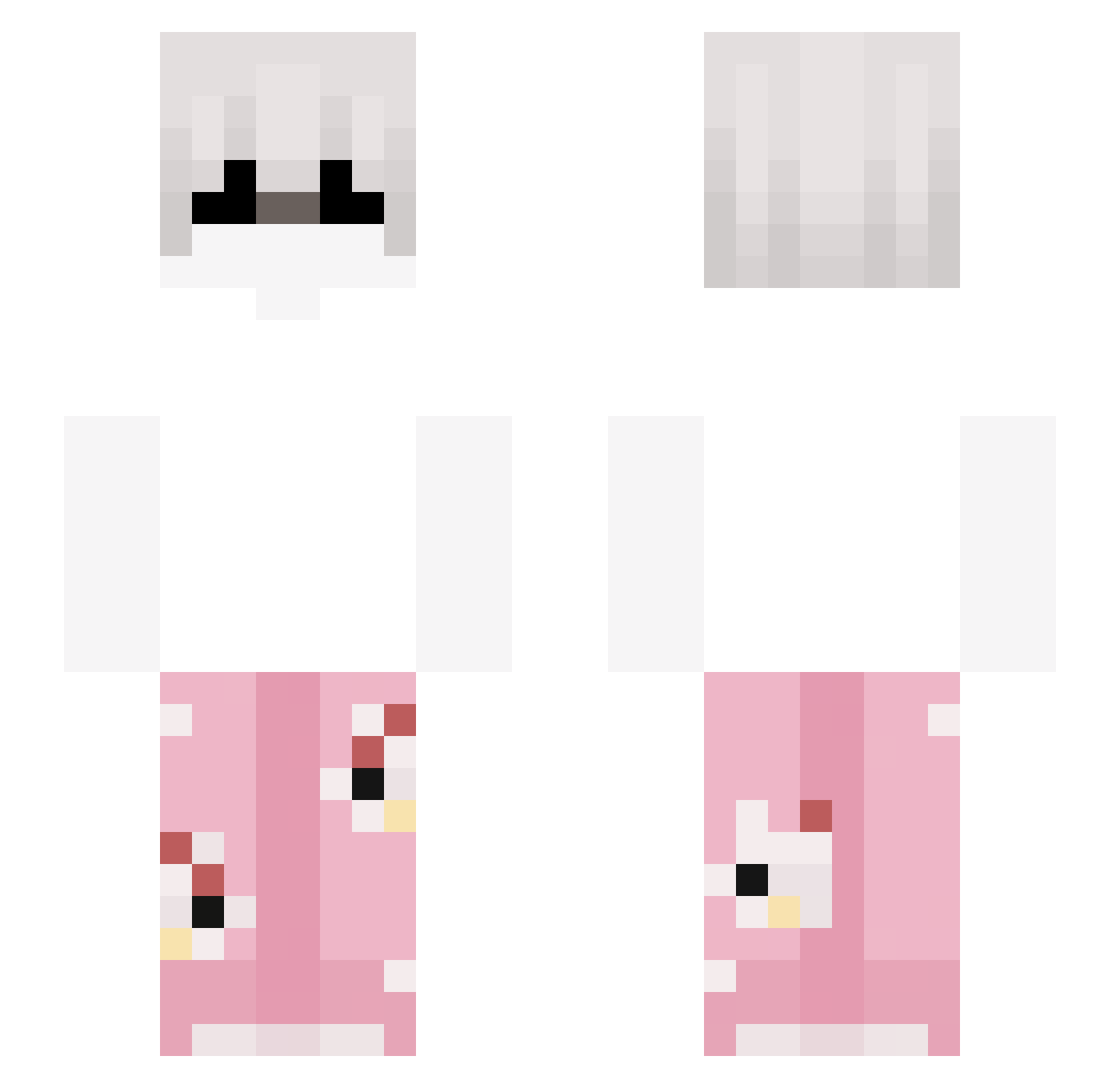
Current Minecraft skin of the player Uwusny_Stas69, loaded from the official Mojang API. Rotate the 3D model with your mouse or finger, then download the skin as a PNG file and use it in Minecraft: Bedrock Edition or Java Edition for free. When Uwusny_Stas69 changes their skin, this page updates automatically and the old skin stays in the history below.
Other players with this skin (318)
Uwusny_Stas69 was the 286th player we have seen with this skin, first spotted on 09.11.2026. The same skin was seen on these players. Open a nickname to see their current skin and skin history.
 kreizynoah wislak viruzFB SHlFTER Zackialon Elektrofy sjw23 y0ur__mum Dejmidnohand fthawi3138 _DrBaguette FIREDRAGON57171 Jalienn d4ltaday dxrk_26 Hiraesu Zlocus_ ngawrld pitermistrz GymEnoyer genesisss_ Blqck_Demon Morningstar82 nj421 koborniAk Napicik zRqiden Noise233 sigma_majoq CCyrusTT Bartman6954 dAREALBUNX vAy0sh1v Laksh_25 XxSky_ViperxX PatoFrances NyxoAbouChaker benqs1 _Nyksioo_ Makaku0001 FoxDrunken Ewdaki RUDYdp_ ItsRainbowDash llMouv Xx_Marco_xX06 CECILIANO_LABUBU 0teuzx zyvo17 donjuanzinho cirbi srputin69 ZeroXei itsHainz PhyCrafter Pikczu1 ryley67 stylusZEWW Former07 x_riven
More Pyjamas Minecraft skins
How to install the Uwusny_Stas69 skin
- Press the Download button above to save the skin as a PNG file.
- Minecraft: Bedrock Edition (PE): open the Dressing Room from the main menu (or tap your character → Edit Character), go to Classic Skins → Owned, press the + (new skin) button, choose the downloaded PNG and pick the Slim (Alex) model. Works on PC and mobile; consoles cannot import custom skins.
- Minecraft: Java Edition: open the Minecraft Launcher, go to the Skins tab, click New Skin, load the PNG, pick the Slim (Alex) model and press Save & Use. You can also upload it at minecraft.net → Profile → Change Skin.
The skin does not show up after import - what should I do?
Restart Minecraft and open the Dressing Room again - imported skins sometimes appear only after a restart. Also make sure you selected the imported skin and picked the Slim (Alex) model.
Which model should I choose, Classic or Slim?
This skin is designed for the Slim (Alex) model. If you pick the wrong model, the arms of the skin will look stretched or squeezed.
Is the skin of Uwusny_Stas69 free to download?
Yes. Press Download, save the PNG file and use it in Minecraft: Bedrock Edition or Java Edition - no payment or registration needed. The skin also works on multiplayer servers and Realms.
More skins
Looking for more? Go back to all Minecraft skins and check the top skins of the week, month and all time, or find any player's skin by nickname.