
UtaldoAlex727 - Minecraft Skins & Skin History
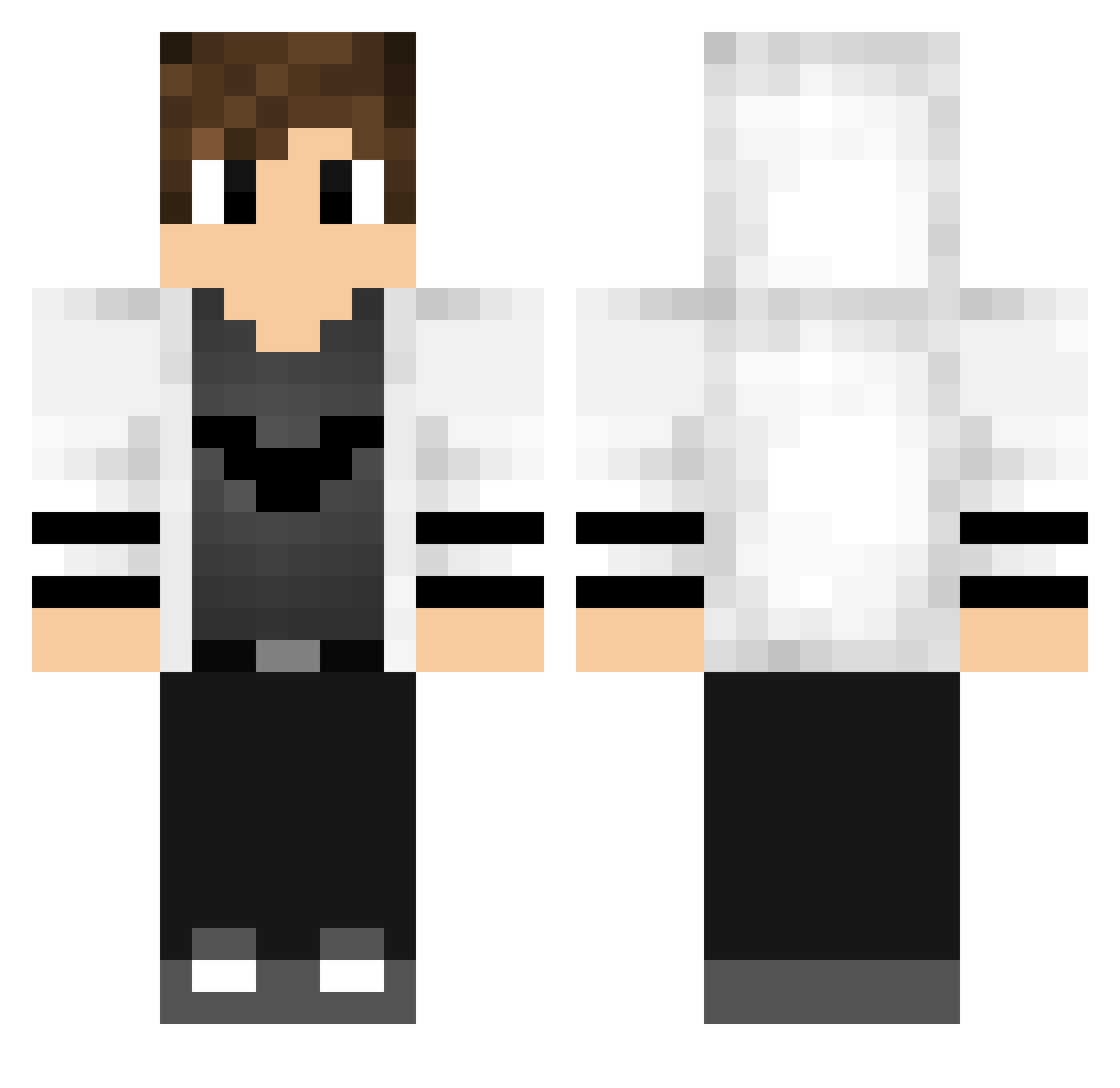
Current Minecraft skin of the player UtaldoAlex727, loaded from the official Mojang API. Rotate the 3D model with your mouse or finger, then download the skin as a PNG file and use it in Minecraft: Bedrock Edition or Java Edition for free. When UtaldoAlex727 changes their skin, this page updates automatically and the old skin stays in the history below.
Other players with this skin (768)
UtaldoAlex727 was the 39th player we have seen with this skin, first spotted on 30.07.2026. The same skin was seen on these players. Open a nickname to see their current skin and skin history.
 NorbertPogromca NighTWasT xiaoz45 Jernisto Filogamer05YT MIKS_09 Earlobes4life Sammaelun 3cr4siis CarlosJean17 Zelrone d_ito Carl10066 Blackspacer1 Agathor9829 Mr_Sofiane_Dz Alisson141 ILostMySoulInMC Sonerede Answer0314 LuanMoreira25 BenSk1ller twxuan HuevinD18 relaxi8 Gorllix23 RyanZhang2333 takumamin AnnweX yuvaansai Artur_201220 HrnekMC Anima_Block dawn400137 huajianli DannyHoodLime kinoko_0913 Andre4x8 JesseCyber ERROR422 itsskywalker_ Dylantube312 CrimsonHao Chimpp_ Joket7 Cruel_Fighter ahws0410 idzmxxz _RealGO_ ThunderPower112 K1NDOM HASANOGRUK_YT Luchoo13 TyTNachoxD EyaD1GM Higor16Guilherme 3ily LazarEh21 xox1414 Willx_
More Bat Symbol Minecraft skins
How to install the UtaldoAlex727 skin
- Press the Download button above to save the skin as a PNG file.
- Minecraft: Bedrock Edition (PE): open the Dressing Room from the main menu (or tap your character → Edit Character), go to Classic Skins → Owned, press the + (new skin) button, choose the downloaded PNG and pick the Classic (Steve) model. Works on PC and mobile; consoles cannot import custom skins.
- Minecraft: Java Edition: open the Minecraft Launcher, go to the Skins tab, click New Skin, load the PNG, pick the Classic (Steve) model and press Save & Use. You can also upload it at minecraft.net → Profile → Change Skin.
The skin does not show up after import - what should I do?
Restart Minecraft and open the Dressing Room again - imported skins sometimes appear only after a restart. Also make sure you selected the imported skin and picked the Classic (Steve) model.
Which model should I choose, Classic or Slim?
This skin is designed for the Classic (Steve) model. If you pick the wrong model, the arms of the skin will look stretched or squeezed.
Is the skin of UtaldoAlex727 free to download?
Yes. Press Download, save the PNG file and use it in Minecraft: Bedrock Edition or Java Edition - no payment or registration needed. The skin also works on multiplayer servers and Realms.
More skins
Looking for more? Go back to all Minecraft skins and check the top skins of the week, month and all time, or find any player's skin by nickname.