
Ushushe - Minecraft Skins & Skin History
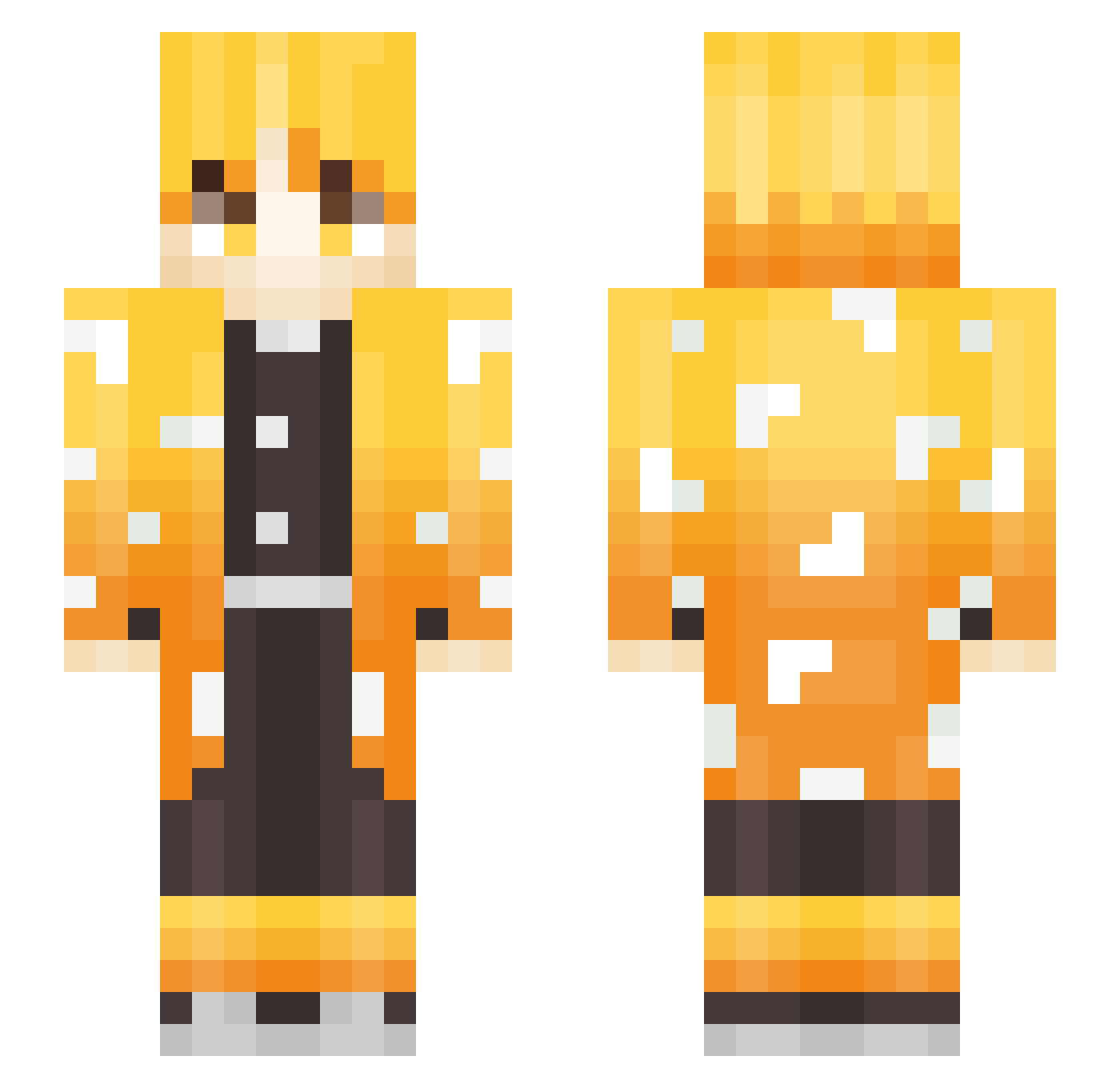
Current Minecraft skin of the player Ushushe, loaded from the official Mojang API. Rotate the 3D model with your mouse or finger, then download the skin as a PNG file and use it in Minecraft: Bedrock Edition or Java Edition for free. When Ushushe changes their skin, this page updates automatically and the old skin stays in the history below.
Other players with this skin (251)
Ushushe was the 231st player we have seen with this skin, first spotted on 12.10.2026. The same skin was seen on these players. Open a nickname to see their current skin and skin history.
 Jamoosie Pineapple_CH locust_58 katsukiix lucassunflower Xaeal campu00 Jamo0303 onejin2 Xyleph00 Very_Drunk darkiller44 Maroonx5 Elaryan SirDaxington ObviouslyNotTop ysh0501 SamuraiTimson Snickerr GiveMeGalbi MoonTheBest ryu0106mktp hwarang1477 kazumi1 halo714 mSharp_ ipekichi sakkarinXD Joni1579_ smag765 StrongOpponent oyi20080314 Maevets Ryubron widepeeposadge Majouba xSauce_Bossx MaKsToPlAyEr Beshiniy_Zenicu slokeur21 Vaupaye 1F5ama_ Mavellion Godaiisa Eriottoooo daystands Simatong BigStone1221 Migowhale dwarkaar DiamondDino311 Powozik jyunkiti flyuptothesky BERLIN_0125 UmmIero IceBoyGG JonnyValiant R_O_M_E_K Ride_your_mom
More Zenitsu Agatsuma Minecraft skins
See all 170 Zenitsu Agatsuma skins
How to install the Ushushe skin
- Press the Download button above to save the skin as a PNG file.
- Minecraft: Bedrock Edition (PE): open the Dressing Room from the main menu (or tap your character → Edit Character), go to Classic Skins → Owned, press the + (new skin) button, choose the downloaded PNG and pick the Slim (Alex) model. Works on PC and mobile; consoles cannot import custom skins.
- Minecraft: Java Edition: open the Minecraft Launcher, go to the Skins tab, click New Skin, load the PNG, pick the Slim (Alex) model and press Save & Use. You can also upload it at minecraft.net → Profile → Change Skin.
The skin does not show up after import - what should I do?
Restart Minecraft and open the Dressing Room again - imported skins sometimes appear only after a restart. Also make sure you selected the imported skin and picked the Slim (Alex) model.
Which model should I choose, Classic or Slim?
This skin is designed for the Slim (Alex) model. If you pick the wrong model, the arms of the skin will look stretched or squeezed.
Is the skin of Ushushe free to download?
Yes. Press Download, save the PNG file and use it in Minecraft: Bedrock Edition or Java Edition - no payment or registration needed. The skin also works on multiplayer servers and Realms.
More skins
Looking for more? Go back to all Minecraft skins and check the top skins of the week, month and all time, or find any player's skin by nickname.