
Ushio766 - Minecraft Skins & Skin History
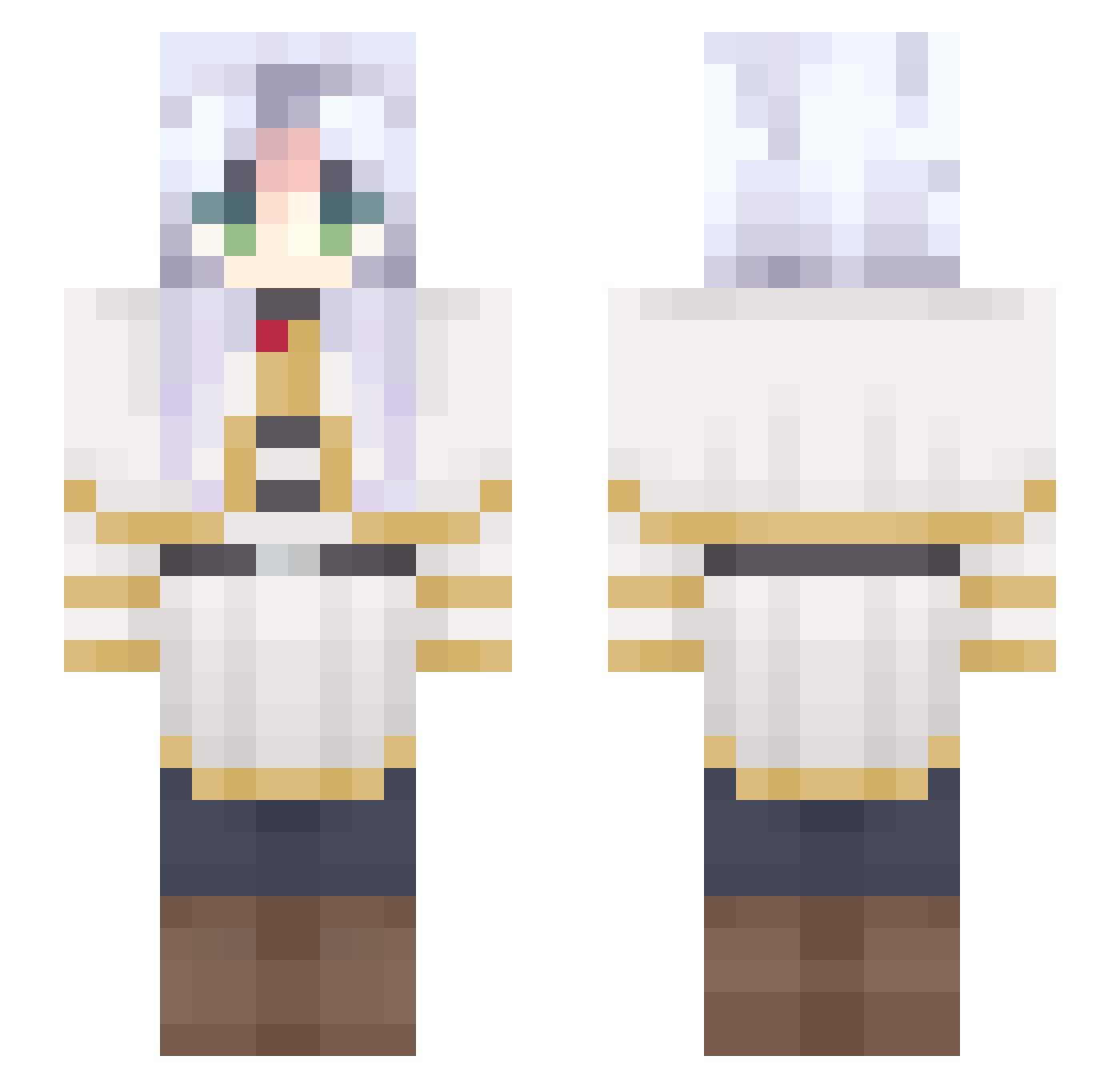
Current Minecraft skin of the player Ushio766, loaded from the official Mojang API. Rotate the 3D model with your mouse or finger, then download the skin as a PNG file and use it in Minecraft: Bedrock Edition or Java Edition for free. When Ushio766 changes their skin, this page updates automatically and the old skin stays in the history below.
Other players with this skin (691)
Ushio766 was the 182nd player we have seen with this skin, first spotted on 23.08.2026. The same skin was seen on these players. Open a nickname to see their current skin and skin history.
 GXXXXQ NotHuman181 Speedy_Miata Dcuko JessicaMatsuo
 rlo__03 clospade RiotR9 AnjelXXX AbraJk drosano Miedit0 _Frost_Fox IWispI 0x000000e6 4SRE4 premtop Halloduda3720 NO058 Emerson93K Khalifabs adrian9ng SugoiNate fiherro Jihyoung0103 Gojohito Allenlin9898 Renart_ Honoka91 Pistrie catffood Kidmidnite Gadriel4k_ StiltskinHK Tonuuu Liicorneman ReallyFoxx Chillyrabbit Rrooy BritaJech McHaamer Kypen _Hearty_ sollown Chimpanze1523 Marckkj jinhan_32586
 Anzathe Piscolabis16 Xbicit shikassam ReeyouKay P_didee bonisi Koshibuilder331 LittleWarlock89 ALotOfChickens
 SlipiKitty AdoLeg fan9961
More Frieren Beyond Journeys End Minecraft skins
See all 132 Frieren Beyond Journeys End skins
How to install the Ushio766 skin
- Press the Download button above to save the skin as a PNG file.
- Minecraft: Bedrock Edition (PE): open the Dressing Room from the main menu (or tap your character → Edit Character), go to Classic Skins → Owned, press the + (new skin) button, choose the downloaded PNG and pick the Slim (Alex) model. Works on PC and mobile; consoles cannot import custom skins.
- Minecraft: Java Edition: open the Minecraft Launcher, go to the Skins tab, click New Skin, load the PNG, pick the Slim (Alex) model and press Save & Use. You can also upload it at minecraft.net → Profile → Change Skin.
The skin does not show up after import - what should I do?
Restart Minecraft and open the Dressing Room again - imported skins sometimes appear only after a restart. Also make sure you selected the imported skin and picked the Slim (Alex) model.
Which model should I choose, Classic or Slim?
This skin is designed for the Slim (Alex) model. If you pick the wrong model, the arms of the skin will look stretched or squeezed.
Is the skin of Ushio766 free to download?
Yes. Press Download, save the PNG file and use it in Minecraft: Bedrock Edition or Java Edition - no payment or registration needed. The skin also works on multiplayer servers and Realms.
More skins
Looking for more? Go back to all Minecraft skins and check the top skins of the week, month and all time, or find any player's skin by nickname.