
 jij1021 lancatlin Salvator224 FrierenMommy SenSo6740 aMarce54 The_evil_rat_wiz AlucardHSUA motoya9796 itsarixo_ Yukinoshiyo UnicornPriya1 hkacper J4g3rNuBz Shelinka_x64 ayoitsnox ZUM_LOVE_NOKCS jukho69 Trixster2609 AmbrosiusAnon vaprah JOST4Rx HelioLara ringo_soda PastPositive cho21216 dreampiped jjnss Flugelo AKMU_ eroibaka alibean101 ocanx Kasarii Fish522 kyiv203 xH0LLANDx Liwi_ Azalea_Comet DiJa1 anjimin0811 TSXJ Evil_Nature_67 SytheKD SLA003 ByTensya Assenting Squising Reliantsnow40 Camippy Coldrak3r blossomlng0_0 Kidzbop_ Makinamiskin Crab6520 Aroxwiled MrDragoon87 kimhyo296 tasuku_marimo RavenTheSin
Minecraft skin of Lanugo_. Rotate the 3D model with your mouse or finger to view the skin from every angle, then download it as a PNG file and use it in Minecraft: Bedrock Edition or Java Edition for free. Rate the skin with stars to help other players find the best skins in our collection.
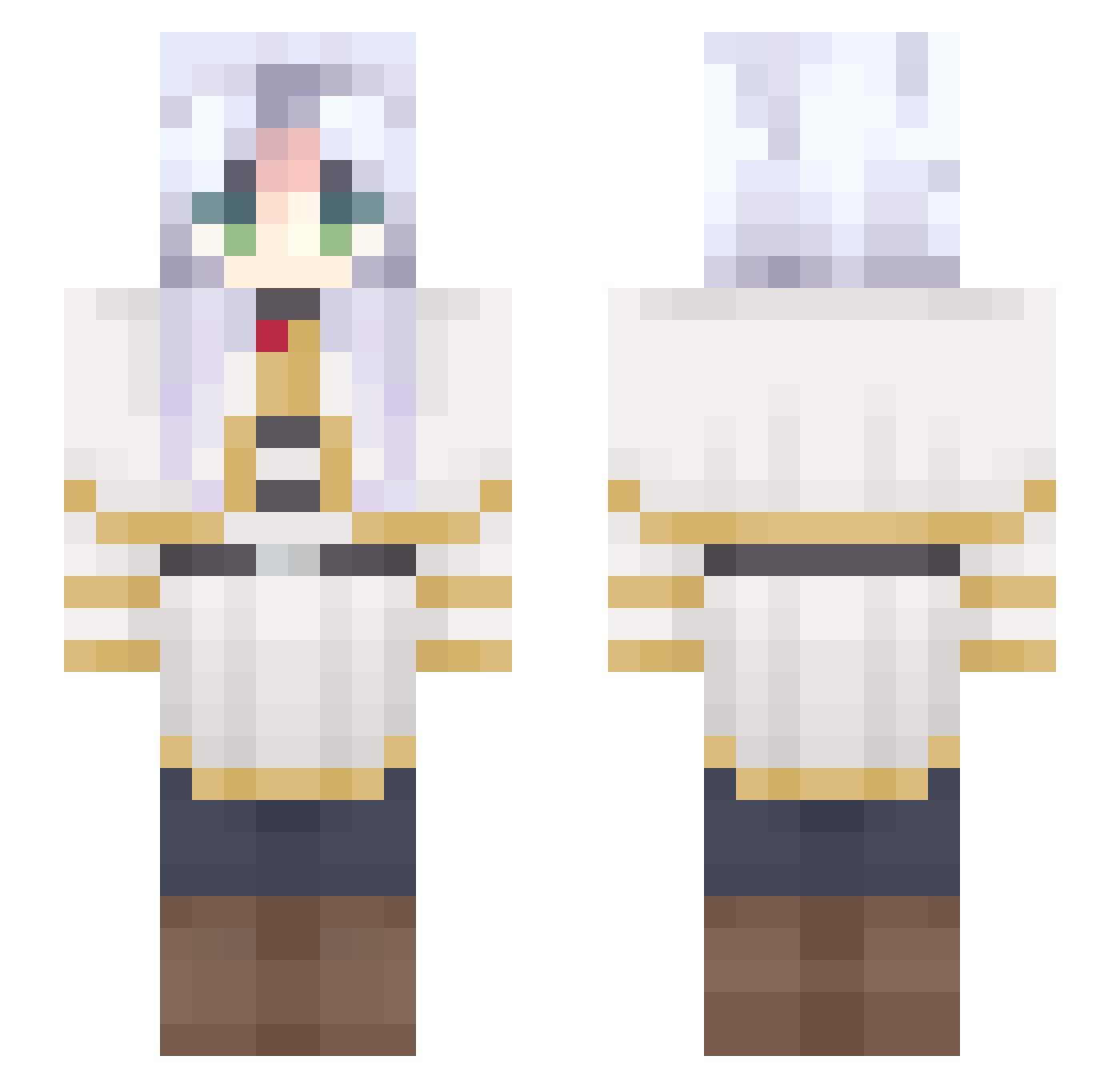
How to install the Lanugo_ skin
- Press the Download button above to save the skin as a PNG file.
- Minecraft: Bedrock Edition (PE): open the Dressing Room from the main menu (or tap your character → Edit Character), go to Classic Skins → Owned, press the + (new skin) button, choose the downloaded PNG and pick the Slim (Alex) model. Works on PC and mobile; consoles cannot import custom skins.
- Minecraft: Java Edition: open the Minecraft Launcher, go to the Skins tab, click New Skin, load the PNG, pick the Slim (Alex) model and press Save & Use. You can also upload it at minecraft.net → Profile → Change Skin.
The skin does not show up after import - what should I do?
Restart Minecraft and open the Dressing Room again - imported skins sometimes appear only after a restart. Also make sure you selected the imported skin and picked the Slim (Alex) model.
Which model should I choose, Classic or Slim?
This skin is designed for the Slim (Alex) model. If you pick the wrong model, the arms of the skin will look stretched or squeezed.
Is this skin free to use?
Yes. Press Download, save the PNG file and use it in Minecraft: Bedrock Edition or Java Edition - no payment or registration needed. The skin also works on multiplayer servers and Realms.
More Frieren Beyond Journeys End Minecraft skins
See all 132 Frieren Beyond Journeys End skins
More skins
Looking for more? Go back to all Minecraft skins and check the top skins of the week, month and all time, or find any player's skin by nickname.