
User_Same7 - Minecraft Skins & Skin History
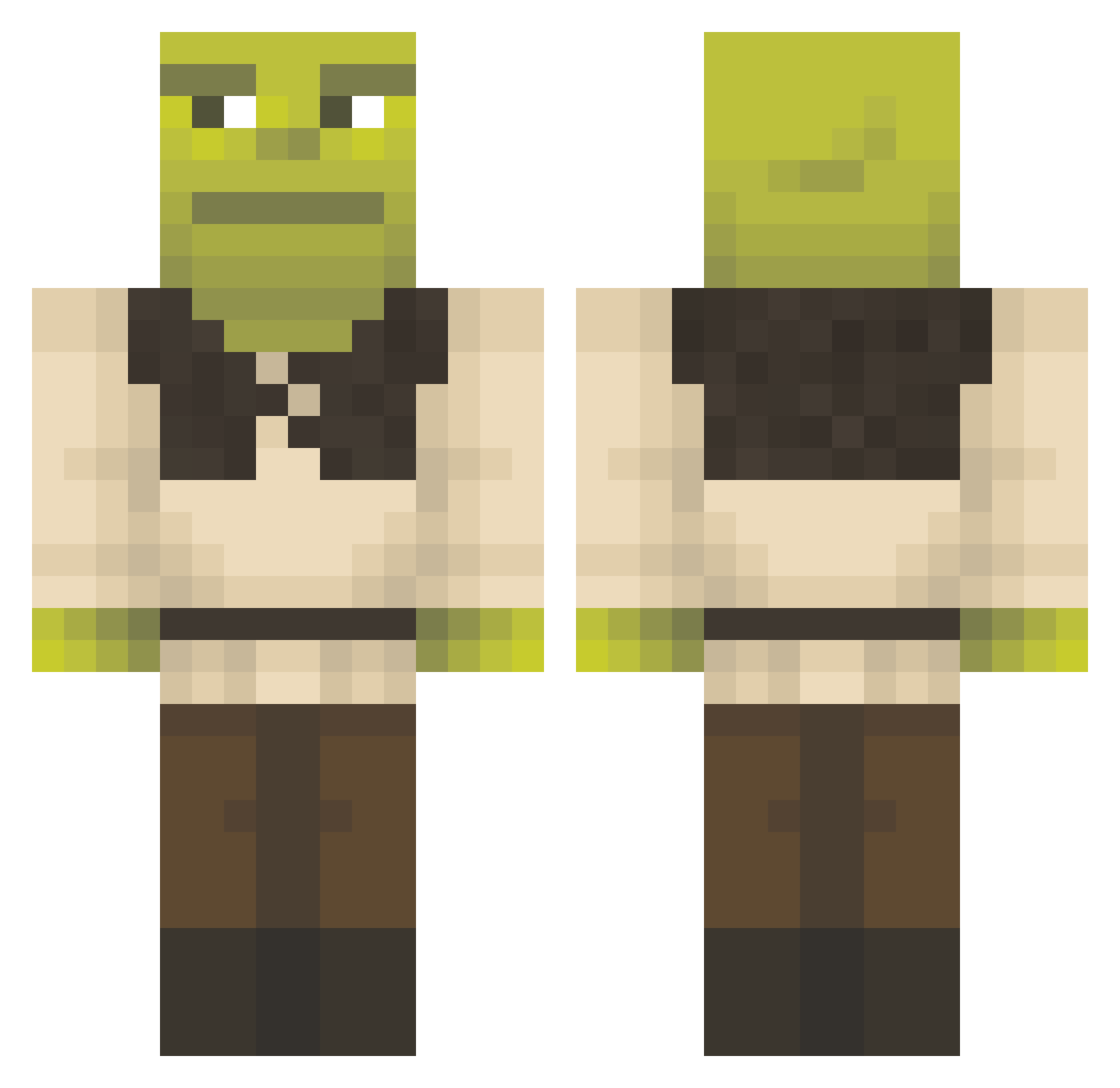
Current Minecraft skin of the player User_Same7, loaded from the official Mojang API. Rotate the 3D model with your mouse or finger, then download the skin as a PNG file and use it in Minecraft: Bedrock Edition or Java Edition for free. When User_Same7 changes their skin, this page updates automatically and the old skin stays in the history below.
Other players with this skin (1357)
User_Same7 was the 626th player we have seen with this skin, first spotted on 14.09.2026. The same skin was seen on these players. Open a nickname to see their current skin and skin history.
 winchen9308 Isosho Wilhelmos elchavodel0ch0 FazeObama21 MrBracioletta Pickles66 Kvvasir OTTIX2 SuperCube3000 Xirtram666 Sm0k6 HMONEYMAKER ademsko Scareclown MoootinxD HEKUT0C AngryToad2000 Finntastic897 TLV_Oliver timpopim skinkyboy magnet156 __glitch_ ETHERIUM4028 Bootielicker69 Dronax_MC HarveyWallbang jpickle007 SwopUp liaisbest Applefreak6363 Nuukaa Polish_Rambo Mr_DarkGG antishot HotRod_Guy yenho1 RedCobra0 jamzforjay Warhando martusie TheTrueBigJuicy Epste1n joe_dirt4 BigRicket69 RedSkYyGOH onlyy1 SIlver_Surfer173 BCsaulX sammmmy25 LandmannI DANGERMARIO017 TheJums ilMattah TanjiRob23 Hveemer Pukaluca sophiefaz IMSIN03
More Shrek Minecraft skins
How to install the User_Same7 skin
- Press the Download button above to save the skin as a PNG file.
- Minecraft: Bedrock Edition (PE): open the Dressing Room from the main menu (or tap your character → Edit Character), go to Classic Skins → Owned, press the + (new skin) button, choose the downloaded PNG and pick the Classic (Steve) model. Works on PC and mobile; consoles cannot import custom skins.
- Minecraft: Java Edition: open the Minecraft Launcher, go to the Skins tab, click New Skin, load the PNG, pick the Classic (Steve) model and press Save & Use. You can also upload it at minecraft.net → Profile → Change Skin.
The skin does not show up after import - what should I do?
Restart Minecraft and open the Dressing Room again - imported skins sometimes appear only after a restart. Also make sure you selected the imported skin and picked the Classic (Steve) model.
Which model should I choose, Classic or Slim?
This skin is designed for the Classic (Steve) model. If you pick the wrong model, the arms of the skin will look stretched or squeezed.
Is the skin of User_Same7 free to download?
Yes. Press Download, save the PNG file and use it in Minecraft: Bedrock Edition or Java Edition - no payment or registration needed. The skin also works on multiplayer servers and Realms.
More skins
Looking for more? Go back to all Minecraft skins and check the top skins of the week, month and all time, or find any player's skin by nickname.