
Unterzweig - Minecraft Skins & Skin History
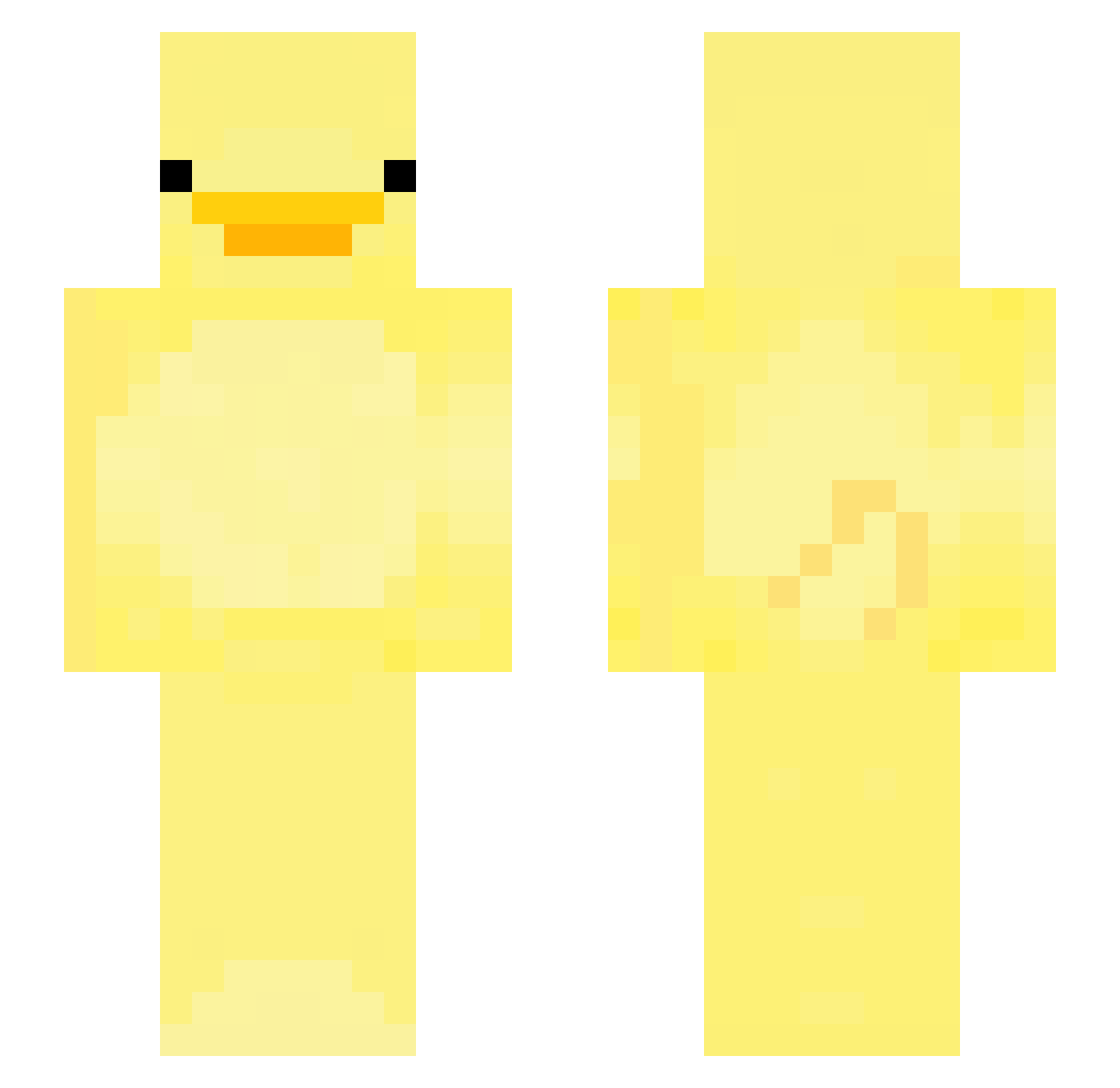
Current Minecraft skin of the player Unterzweig, loaded from the official Mojang API. Rotate the 3D model with your mouse or finger, then download the skin as a PNG file and use it in Minecraft: Bedrock Edition or Java Edition for free. When Unterzweig changes their skin, this page updates automatically and the old skin stays in the history below.
Other players with this skin (264)
Unterzweig was the 255th player we have seen with this skin, first spotted on 08.11.2026. The same skin was seen on these players. Open a nickname to see their current skin and skin history.
 Treeeeeevor618 cavalladura morebigFish mooricha arity_ DemonLoad im_evill Naman_NO_Cat BryanOCM prettydiamond15 Superwilli100 chloetungtung XxSaelainexX KANS38 RiceBlox babapro231 wewifefa LEOGOYANGI FeketeZ Junnyy_ Gabino13 MegaMuche MineMatias Semzzy _m_a_r_i_t_ g0nz0theg0at fcyzh1 HS_SKITTLE lzxnlj LaurVV Capitals591 lakenson Dmstkd PGL246 hy0u_17 Wolfen137238 snuug Chicmac wnlvh3249 Hudvug LemonPro222 FluffyDucky_11 NottJacob qzul andreita_ dahsin rumol04 APOLIKU SingMairu BearOfGods zach87 YangBan1322 Kaffy_1 Kaededededaiou NaturalCurls ___AHN___ wei_ling_1120 MarshallMargiela wildogg MessyMike999
More Bird Minecraft skins
How to install the Unterzweig skin
- Press the Download button above to save the skin as a PNG file.
- Minecraft: Bedrock Edition (PE): open the Dressing Room from the main menu (or tap your character → Edit Character), go to Classic Skins → Owned, press the + (new skin) button, choose the downloaded PNG and pick the Slim (Alex) model. Works on PC and mobile; consoles cannot import custom skins.
- Minecraft: Java Edition: open the Minecraft Launcher, go to the Skins tab, click New Skin, load the PNG, pick the Slim (Alex) model and press Save & Use. You can also upload it at minecraft.net → Profile → Change Skin.
The skin does not show up after import - what should I do?
Restart Minecraft and open the Dressing Room again - imported skins sometimes appear only after a restart. Also make sure you selected the imported skin and picked the Slim (Alex) model.
Which model should I choose, Classic or Slim?
This skin is designed for the Slim (Alex) model. If you pick the wrong model, the arms of the skin will look stretched or squeezed.
Is the skin of Unterzweig free to download?
Yes. Press Download, save the PNG file and use it in Minecraft: Bedrock Edition or Java Edition - no payment or registration needed. The skin also works on multiplayer servers and Realms.
More skins
Looking for more? Go back to all Minecraft skins and check the top skins of the week, month and all time, or find any player's skin by nickname.