
Uniformed - Minecraft Skins & Skin History
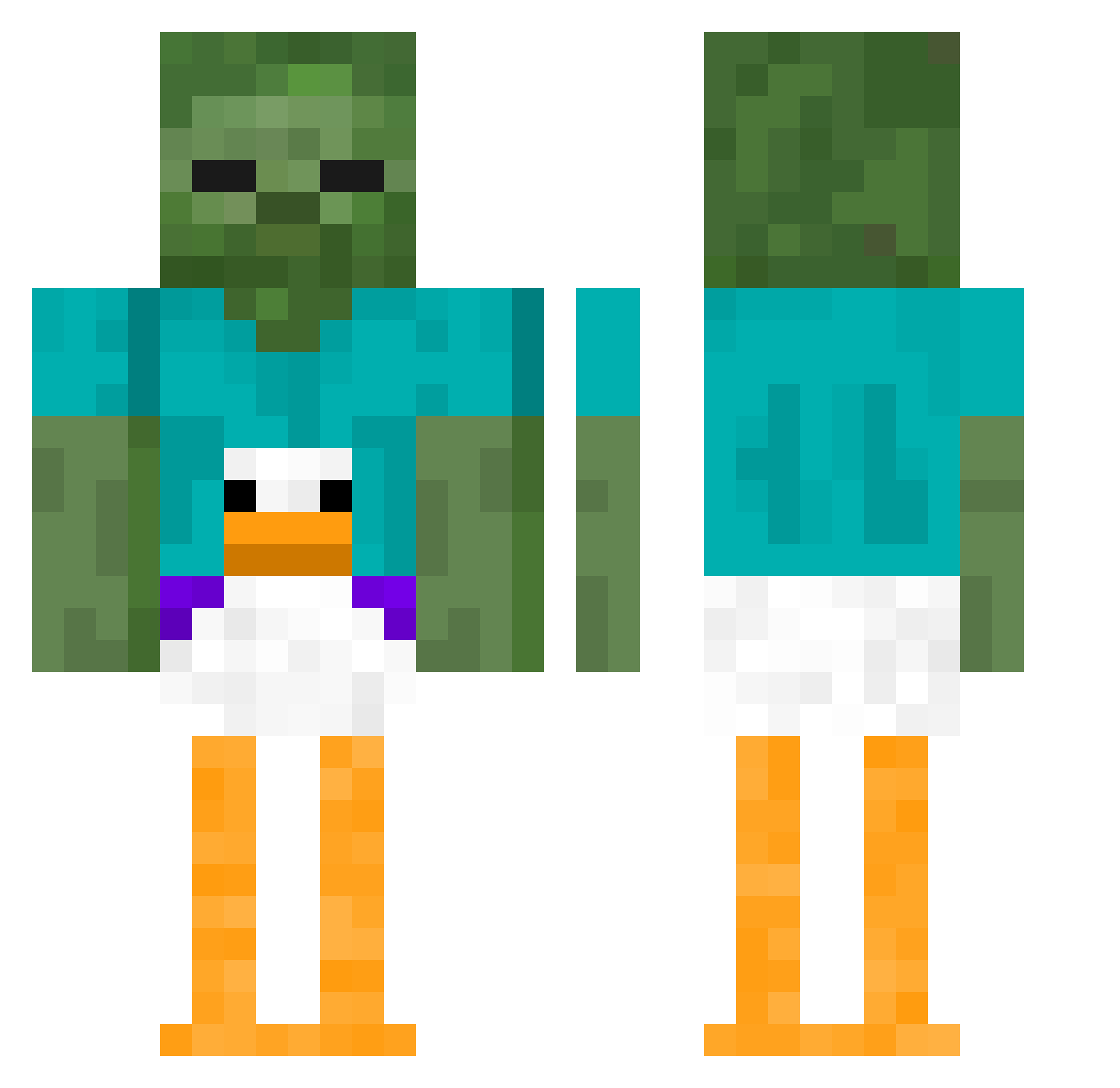
Current Minecraft skin of the player Uniformed, loaded from the official Mojang API. Rotate the 3D model with your mouse or finger, then download the skin as a PNG file and use it in Minecraft: Bedrock Edition or Java Edition for free. When Uniformed changes their skin, this page updates automatically and the old skin stays in the history below.
Other players with this skin (410)
Uniformed was the 177th player we have seen with this skin, first spotted on 11.09.2026. The same skin was seen on these players. Open a nickname to see their current skin and skin history.
 blauelmo TheGoldenLockje waytoogeeked Cd_eKzGZu_05_05 BiggerCat19847 VinylAsparagus lolmelolu Lopsideed BorealPython644 BigSteel BroBro099 MetroAlfie147 Squirtss mitos1112 Slach3r Psycho57 billy_withers Querffy TonalManx61357 simplllepost avidplayer123 DamianDark09 sonsiteri Eduuuu315 Spacer37 Poyo44 Njirou OsamaRocketPants face0122 oliverrizz i_suckatgames Crayions Tyler_ls bigEMS89 galacticpato ThisIsNormal Nerdo321 rappascha STINKLEBERG12 maxirr ChineseNooodle Saamiiii Reloader0 DALESSANDRI petrakitty Rakii4k Bulteri112 JADID SASSYUNIC0RN007 bumm_18 SaveTheBees123 OneKoolKid2U Eclyp Asparby slendermanmann Simiz66 S1rilo _Nav__ Raammo tr4ckdown
More Funny Minecraft skins
How to install the Uniformed skin
- Press the Download button above to save the skin as a PNG file.
- Minecraft: Bedrock Edition (PE): open the Dressing Room from the main menu (or tap your character → Edit Character), go to Classic Skins → Owned, press the + (new skin) button, choose the downloaded PNG and pick the Classic (Steve) model. Works on PC and mobile; consoles cannot import custom skins.
- Minecraft: Java Edition: open the Minecraft Launcher, go to the Skins tab, click New Skin, load the PNG, pick the Classic (Steve) model and press Save & Use. You can also upload it at minecraft.net → Profile → Change Skin.
The skin does not show up after import - what should I do?
Restart Minecraft and open the Dressing Room again - imported skins sometimes appear only after a restart. Also make sure you selected the imported skin and picked the Classic (Steve) model.
Which model should I choose, Classic or Slim?
This skin is designed for the Classic (Steve) model. If you pick the wrong model, the arms of the skin will look stretched or squeezed.
Is the skin of Uniformed free to download?
Yes. Press Download, save the PNG file and use it in Minecraft: Bedrock Edition or Java Edition - no payment or registration needed. The skin also works on multiplayer servers and Realms.
More skins
Looking for more? Go back to all Minecraft skins and check the top skins of the week, month and all time, or find any player's skin by nickname.