
Ultimate75 - Minecraft Skins & Skin History
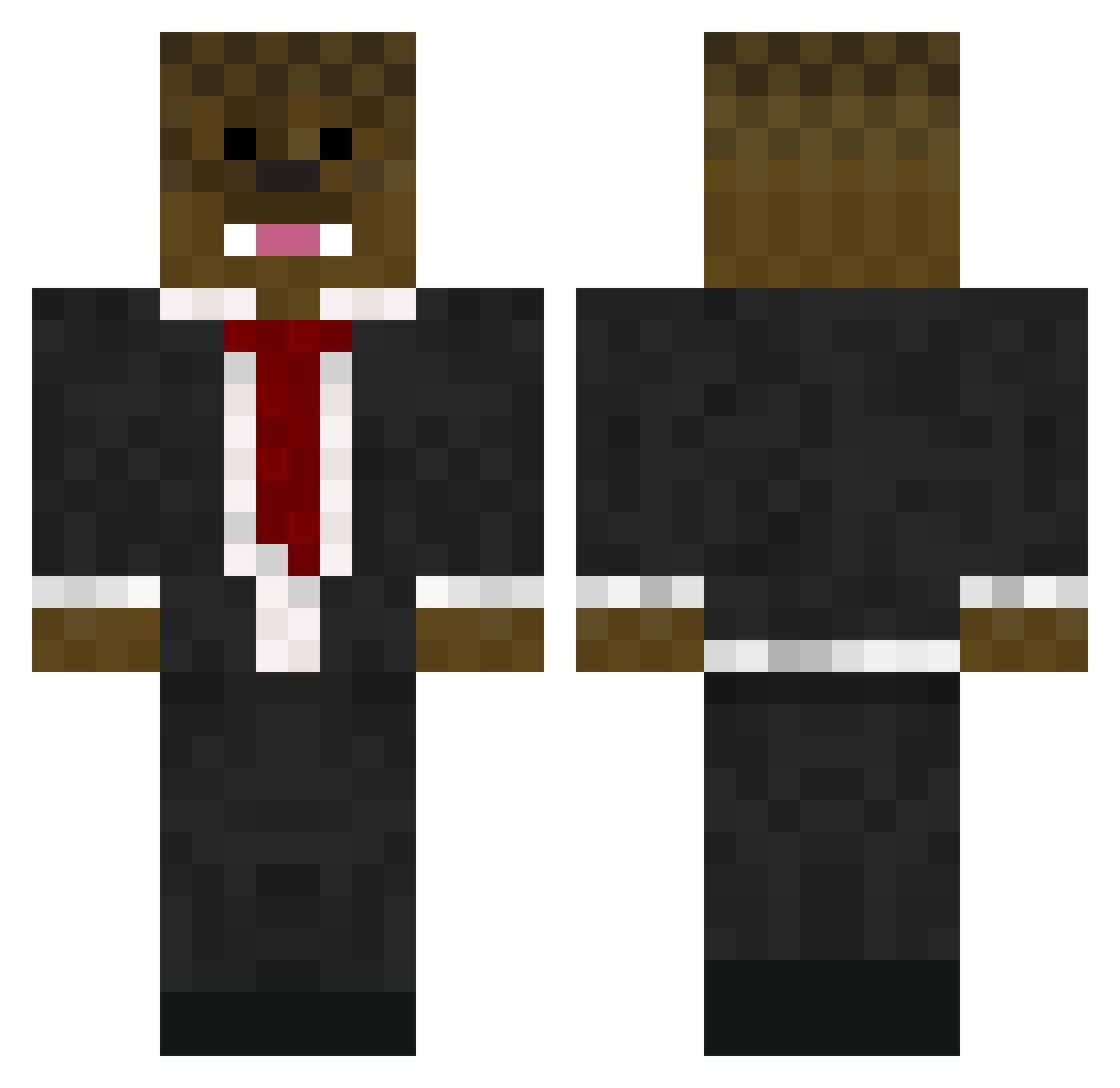
Current Minecraft skin of the player Ultimate75, loaded from the official Mojang API. Rotate the 3D model with your mouse or finger, then download the skin as a PNG file and use it in Minecraft: Bedrock Edition or Java Edition for free. When Ultimate75 changes their skin, this page updates automatically and the old skin stays in the history below.
Other players with this skin (576)
Ultimate75 was the 283rd player we have seen with this skin, first spotted on 12.09.2026. The same skin was seen on these players. Open a nickname to see their current skin and skin history.
 BlackWillyWonka juaneezy PayneMinecraft takeovercastle3 blackmilkbacon DarKnightLangdon kirli 7106justin Bigboy_V matt259 Tylerkole8 CP2000 boss_dino BajanAmerican72 sheamooose bacca3 zumbuddy5 ASF_Chopstick Hunter9631 Finesse916 emilianorayas Twimbly alexmac14 AMLennox charger102 XwildboyX15 Scarlettboys MrThickshake BaccaPlayzMc CreasedBear LORDLOJERO Dylrod02 Future_50 TbnrSwag502 madmatt1155 MEXICAN_BACCA MmMm1111 undeadtakoda MCraftBaseball Ferginator7 isaacsilver2 aidananater jonasv6 beatzzroo deadsh0t69 norkaloon Bacca125 Jacob_Baseball_9 aXAFLUFFY sasumasa Darthbunny25 bendenton01 zombieblue45 SnipingTerror Thesandman5122 FireBolt506 SonofBlackHammer Nike2001 BeanyBoi_6947 patrick4216
More Chewbacca Minecraft skins
How to install the Ultimate75 skin
- Press the Download button above to save the skin as a PNG file.
- Minecraft: Bedrock Edition (PE): open the Dressing Room from the main menu (or tap your character → Edit Character), go to Classic Skins → Owned, press the + (new skin) button, choose the downloaded PNG and pick the Classic (Steve) model. Works on PC and mobile; consoles cannot import custom skins.
- Minecraft: Java Edition: open the Minecraft Launcher, go to the Skins tab, click New Skin, load the PNG, pick the Classic (Steve) model and press Save & Use. You can also upload it at minecraft.net → Profile → Change Skin.
The skin does not show up after import - what should I do?
Restart Minecraft and open the Dressing Room again - imported skins sometimes appear only after a restart. Also make sure you selected the imported skin and picked the Classic (Steve) model.
Which model should I choose, Classic or Slim?
This skin is designed for the Classic (Steve) model. If you pick the wrong model, the arms of the skin will look stretched or squeezed.
Is the skin of Ultimate75 free to download?
Yes. Press Download, save the PNG file and use it in Minecraft: Bedrock Edition or Java Edition - no payment or registration needed. The skin also works on multiplayer servers and Realms.
More skins
Looking for more? Go back to all Minecraft skins and check the top skins of the week, month and all time, or find any player's skin by nickname.