
UNKUJIf - Minecraft Skins & Skin History
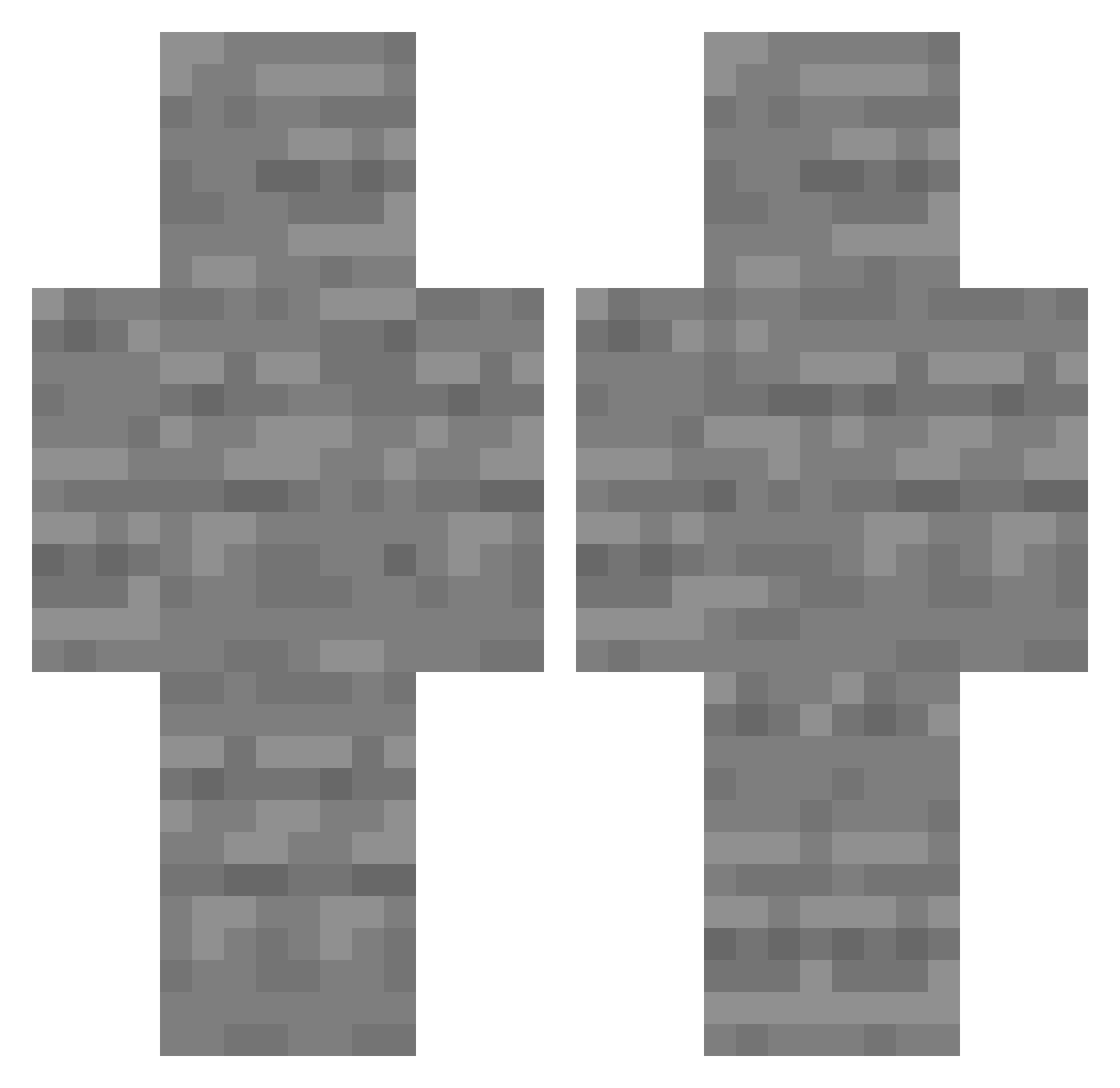
Current Minecraft skin of the player UNKUJIf, loaded from the official Mojang API. Rotate the 3D model with your mouse or finger, then download the skin as a PNG file and use it in Minecraft: Bedrock Edition or Java Edition for free. When UNKUJIf changes their skin, this page updates automatically and the old skin stays in the history below.
Other players with this skin (219)
UNKUJIf was the 134th player we have seen with this skin, first spotted on 24.09.2026. The same skin was seen on these players. Open a nickname to see their current skin and skin history.
 AGUIA12 SaskRyker ilikemyass Cjsector9 h0lex Viniciusbr123 Adjabaar Trick_Maker Who_Is_Tony4K YASIN_SOOS dontusemynameplz threebubu jaocombafaelzin BANTURA P0ISK ROCKET_MAN0809 OverKill236 Islanddii MichaelWolf391 Primeagain kaptynsardyn popovA188 ofiterul_ko_yosu jjsoung dltmdqls74 white_shiinobi hcs15777 BitteNichtKicken SILLYMCSILLYFACE IMITLEGOGay taeyng EdekDziug Daniel7777777777 Wimsi SIPD3RBOI808 Goobley1 Samygdala ITO1 Nieszablonowy 101Pierre egott38earnest80 ItsDevo Inbee aviadbnl Super_Lizo InsanityManatee lsy295 Gunfop65 DarthCarbon7 lob5201 lordtop1ggbulat N1x33 CriUnknown mqurielth 3marAszori chan_woo0404 1pankeke stepas20 The_Craftinatrix DynBarter
More Stone Minecraft skins
How to install the UNKUJIf skin
- Press the Download button above to save the skin as a PNG file.
- Minecraft: Bedrock Edition (PE): open the Dressing Room from the main menu (or tap your character → Edit Character), go to Classic Skins → Owned, press the + (new skin) button, choose the downloaded PNG and pick the Classic (Steve) model. Works on PC and mobile; consoles cannot import custom skins.
- Minecraft: Java Edition: open the Minecraft Launcher, go to the Skins tab, click New Skin, load the PNG, pick the Classic (Steve) model and press Save & Use. You can also upload it at minecraft.net → Profile → Change Skin.
The skin does not show up after import - what should I do?
Restart Minecraft and open the Dressing Room again - imported skins sometimes appear only after a restart. Also make sure you selected the imported skin and picked the Classic (Steve) model.
Which model should I choose, Classic or Slim?
This skin is designed for the Classic (Steve) model. If you pick the wrong model, the arms of the skin will look stretched or squeezed.
Is the skin of UNKUJIf free to download?
Yes. Press Download, save the PNG file and use it in Minecraft: Bedrock Edition or Java Edition - no payment or registration needed. The skin also works on multiplayer servers and Realms.
More skins
Looking for more? Go back to all Minecraft skins and check the top skins of the week, month and all time, or find any player's skin by nickname.