
Twixie23 - Minecraft Skins & Skin History
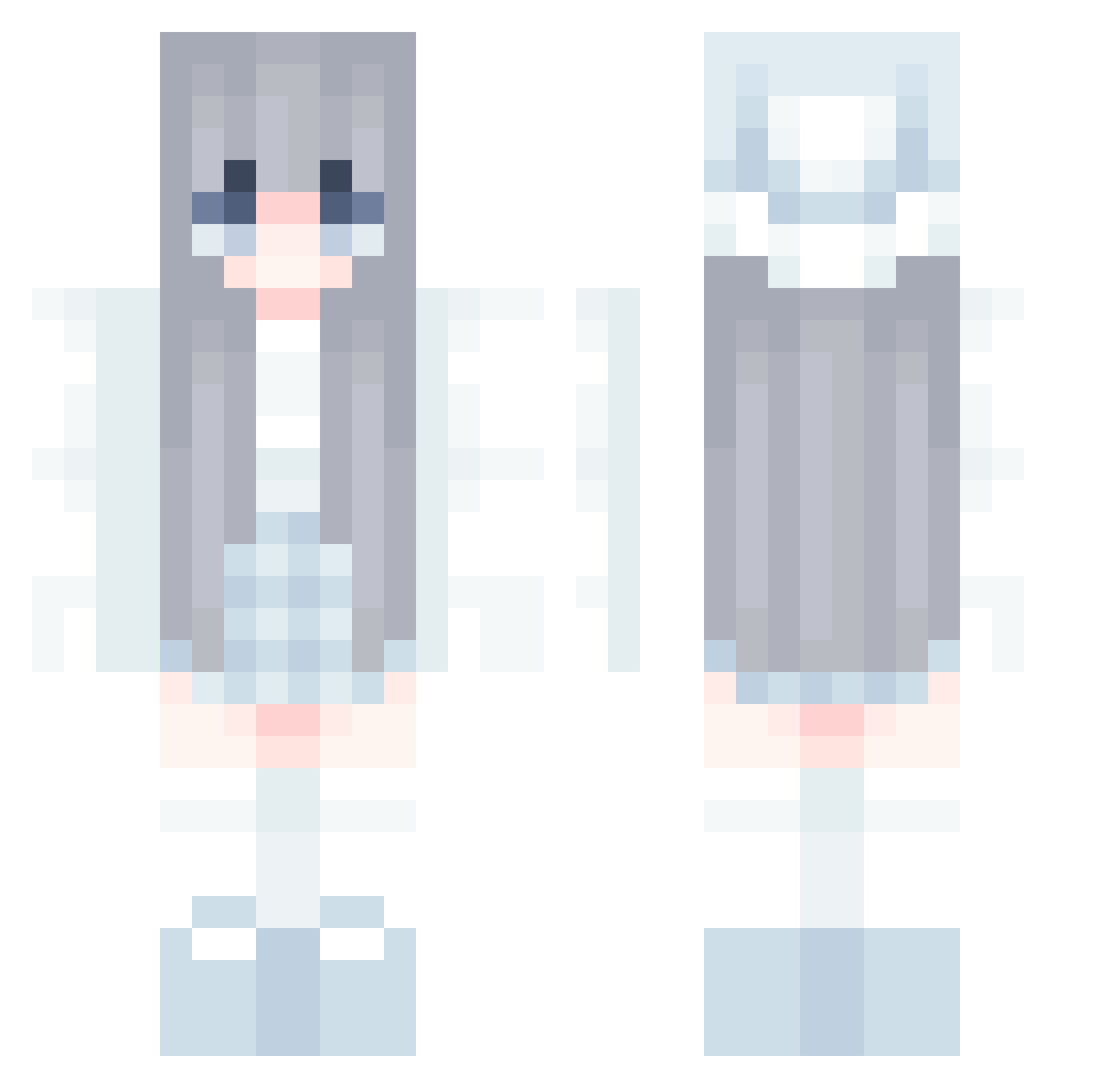
Current Minecraft skin of the player Twixie23, loaded from the official Mojang API. Rotate the 3D model with your mouse or finger, then download the skin as a PNG file and use it in Minecraft: Bedrock Edition or Java Edition for free. When Twixie23 changes their skin, this page updates automatically and the old skin stays in the history below.
Other players with this skin (580)
Twixie23 was the 579th player we have seen with this skin, first spotted on 31.10.2026. The same skin was seen on these players. Open a nickname to see their current skin and skin history.
 Hi_kar98k tmt1m wisteria_s Maarinouu IceHexe Doraemon595 Neiny205 AnnaBanana574 KSRABBIT GetThisCombo PreciousLemur47 selenkag ImWillyRaptor SilverBane465 __Ye__in_ mmmur AiLinu ilylilyy kassie921 knginZzZ Karlos2906 Tartpop5682 Naomihere00 celinaa040 MadelineZulu Lina_0526 genjose1231 ____XSborrasX___ EdragonGhostmage Baburuu HYUN9269 Darkii96 pizzababie Azyrya hodoo1018 ShinamonSan AndrereHase gu1lty0 mattierrr BossHi96 ich1no suedaunsal kxrissa ArCury shiratamako Aubrelyn itsmeyana_ ViciOnFleek jmwang2013 honghyunwoo _0Solar0_ Ling_Yin_03 SHUNNYDAY manndsourc shirshir11 kimbo5 KimMiner D4nyFunko32 ghisxs Riacha97
More Winter Minecraft skins
How to install the Twixie23 skin
- Press the Download button above to save the skin as a PNG file.
- Minecraft: Bedrock Edition (PE): open the Dressing Room from the main menu (or tap your character → Edit Character), go to Classic Skins → Owned, press the + (new skin) button, choose the downloaded PNG and pick the Classic (Steve) model. Works on PC and mobile; consoles cannot import custom skins.
- Minecraft: Java Edition: open the Minecraft Launcher, go to the Skins tab, click New Skin, load the PNG, pick the Classic (Steve) model and press Save & Use. You can also upload it at minecraft.net → Profile → Change Skin.
The skin does not show up after import - what should I do?
Restart Minecraft and open the Dressing Room again - imported skins sometimes appear only after a restart. Also make sure you selected the imported skin and picked the Classic (Steve) model.
Which model should I choose, Classic or Slim?
This skin is designed for the Classic (Steve) model. If you pick the wrong model, the arms of the skin will look stretched or squeezed.
Is the skin of Twixie23 free to download?
Yes. Press Download, save the PNG file and use it in Minecraft: Bedrock Edition or Java Edition - no payment or registration needed. The skin also works on multiplayer servers and Realms.
More skins
Looking for more? Go back to all Minecraft skins and check the top skins of the week, month and all time, or find any player's skin by nickname.